Device description
5.3 Screen setup
5284 / 08/2023 en BENNING ST 755+ / ST 760+ 23
5.3 Screen setup
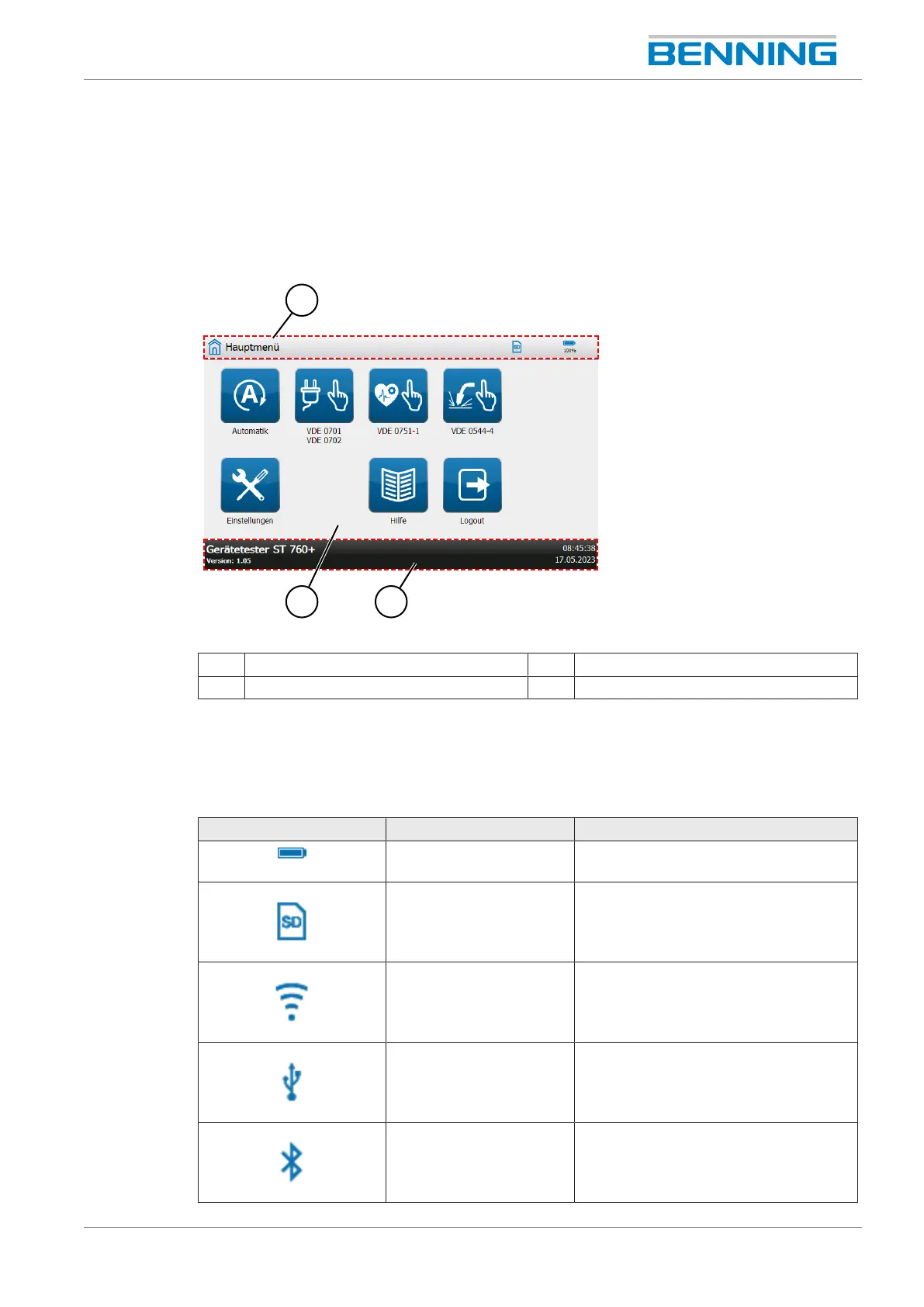
The screen is divided into different sections. The display of these sections may change during
operation.
Display
Figure3: Screen layout
1 Header 2 Information screen
3 Footer
Header
Various pieces of information and buttons are displayed in the header. Header content:
General symbols and buttons:
Symbol Designation Description
Battery Indicates the state of charge of the
battery.
Memory card Indicates an inserted SDcard.
Network connection Indicates an existing network
connection (LAN, WLAN).
USB Indicates an existing USBconnection.
Bluetooth Indicates an existing
Bluetooth
®
connection.



 To Next Page