General operation
6.5 Operating the list view
5284 / 08/2023 en BENNING ST 755+ / ST 760+ 29
Button Description
All active
(device properties)
Enables (ON) all parameters in the list.
Reset
(device properties)
Enables (ON) all parameters. The settings are saved automatically.
Reset
(test)
Deletes a faulty measured value during the ongoing test.
Check
(database)
Checks the database for errors.
Rename Opens an input window for assigning a new name.
Limits
(test)
Opens the limit settings and allows the modification of limits for the
active test [}page60].
Save
(limits)
Stores modified limits temporarily [}page36].
Reset
(limits)
Resets all temporarily changed customer-specific limits to the default
limits (factory settings) [}page36].
Overwrite
(limits)
All changed limits are set permanently as new default limits
[}page36].
Test procedure Opens the “Test procedure” screen where the test procedure can be
adjusted individually.
Close Closes the opened database.
Table8: Buttons in the footer
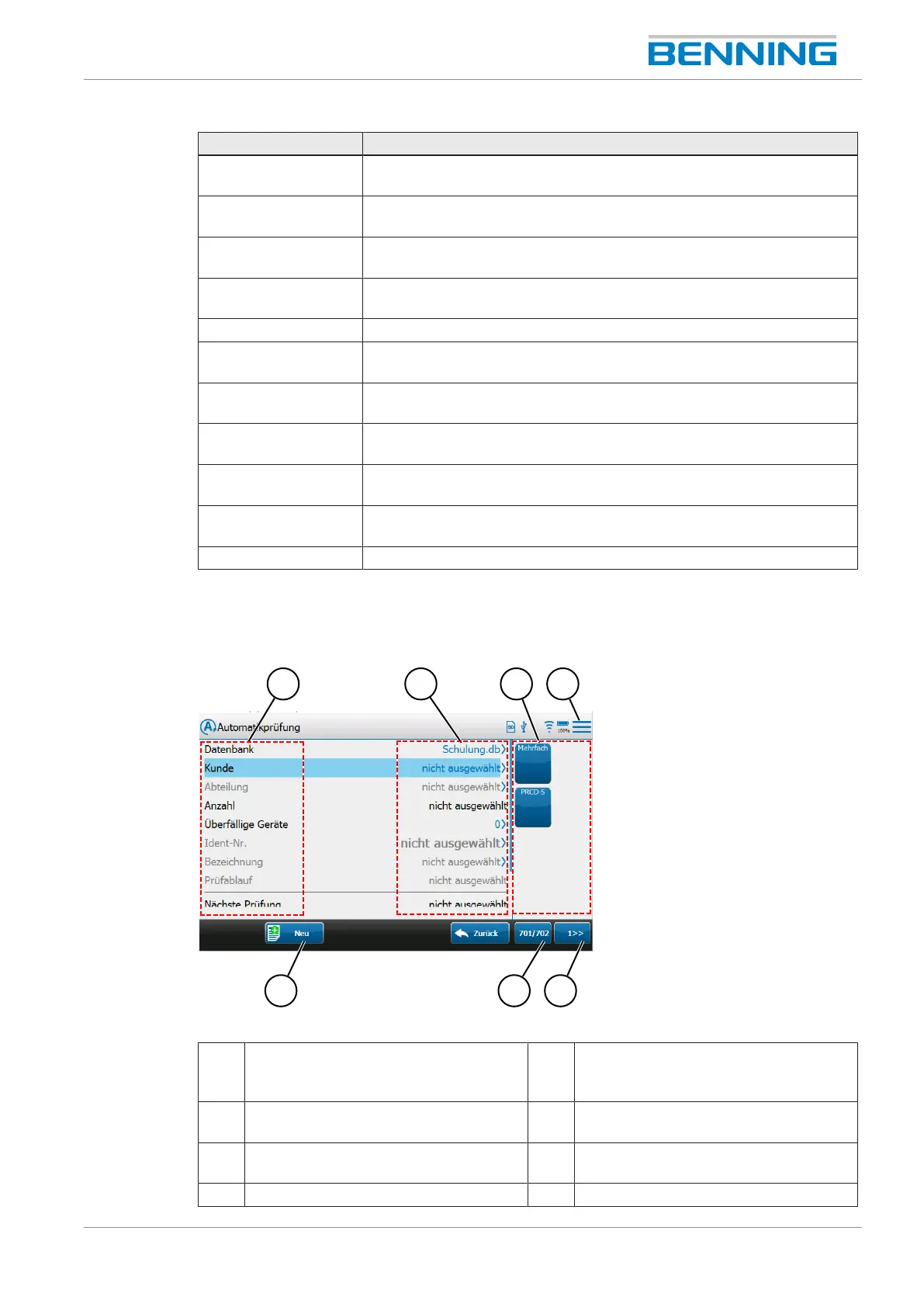
6.5 Operating the list view
Figure4: General operation
1 Parameters (left side of the list view) 2 Status messages/
selected parameter entry (right side of
the list view)
3 Smart menu– Device templates (test
sample templates)
4 Smart menu (main menu)
5 Smart menu– Page selection
(exemplary)
6 Smart menu– Test standard selection
(exemplary)
7 Button in the footer (exemplary) 8 -



 To Next Page