7.1 Database
Functions
5284 / 08/2023 enBENNING ST 755+ / ST 760+34
7 Functions
7.1
Database
The "Database" menu is intended to manage the following contents [}page65]:
• Database names
• Customer data
• Department names
• Test sample data
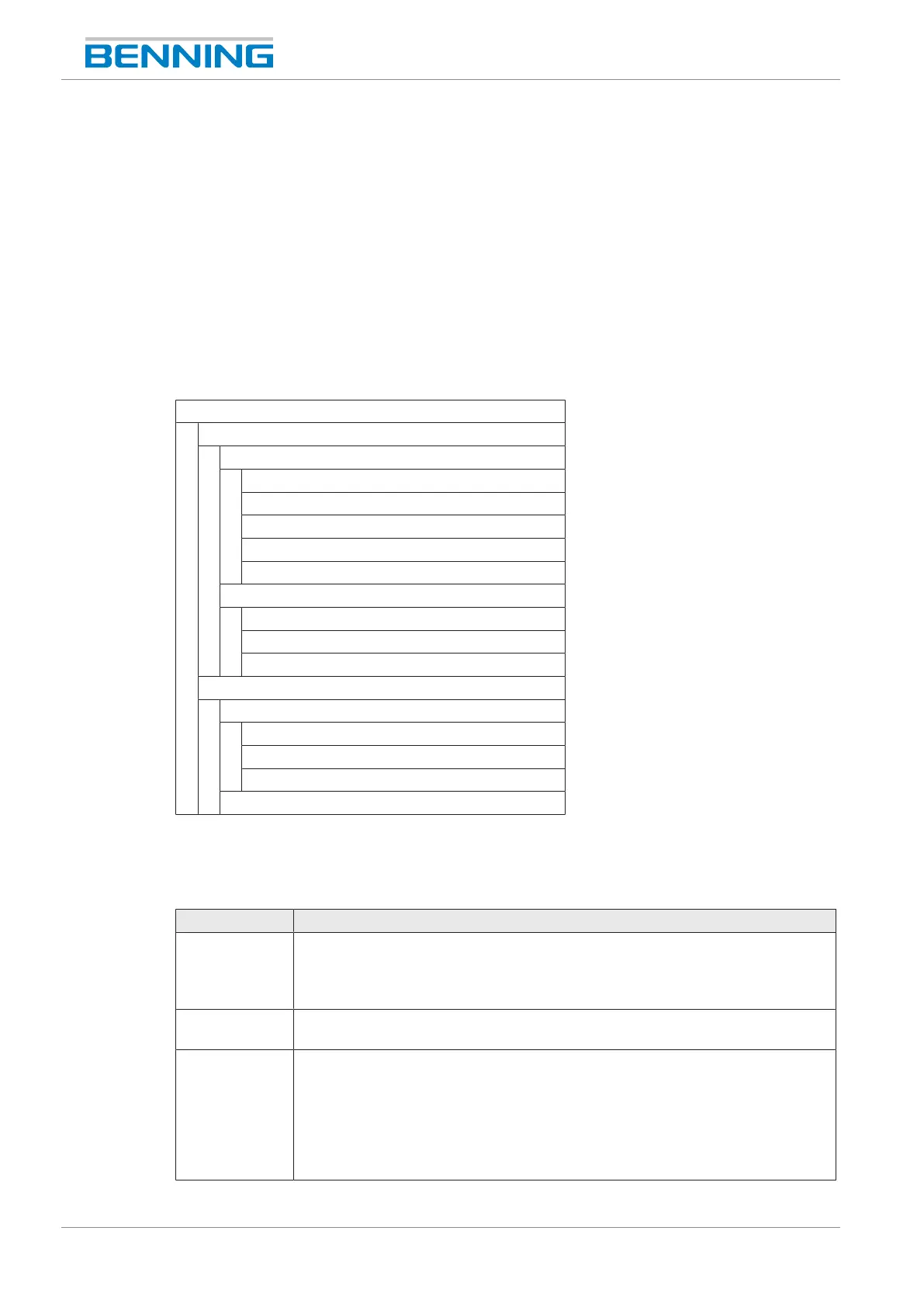
The database structure is as follows:
Database (e.g. sample)
Customer (e.g. sample company)
Department (e.g. purchasing)
Test sample (e.g. PC1)
Test sample (e.g. printer1)
Test sample (e.g. printer2)
Test sample (e.g. coffee machine1)
…
Department (e.g. sales)
Test sample (e.g. PC1)
Test sample (e.g. printer1)
…
Customer (e.g. sample company2)
Department (e.g. engineering)
Test sample (e.g. PC1)
Test sample (e.g. phone1)
…
Department (e.g. workshop)
Table15: Database structure (exemplary)
Database contents
Parameter Description
Database You can create multiple databases. The database name is assigned when a
database is created. Afterwards, the database name can only be modified
using the PCsoftware (BENNINGPC‑WINST750‑760). It is not possible to
edit measured values that have been stored.
Customer You can create multiple customers for each database. The customer name is
assigned when a customer is created and can still be modified afterwards.
Department You can create multiple departments for each customer. The department
name is assigned when a department is created and can still be modified
afterwards.
If the department “(empty)” is selected, all the test samples that are not
assigned to any department will be displayed. If “(display all)” is selected, all
test samples will be displayed independently of their assignment to a
department.



 To Next Page