Configuration
8.1 Setting the system data
5284 / 08/2023 en BENNING ST 755+ / ST 760+ 57
Parameter Description
Automatically search for
Bluetooth® devices
ON= Enables the automatic search for BENNING Bluetooth
®
devices.
It is possible to connect a Bluetooth
®
printer and a Bluetooth®
1D/2D barcode scanner. Only Bluetooth
®
devices of BTversion
≤2.1 can be connected. Moreover, the Bluetooth
®
devices must not
be protected by a password.
Bluetooth® active ON= Enables the Bluetooth functionality of the device.
WLAN active ON= Enables the WLAN functionality of the device.
Help graphic MA-4 ON= MA-4 is displayed.
RPE resist. test adapter Here, the internal resistance of the measuring adapter in Ω is
entered (setting for offset [}page31] during the test).
Hide keyboard
automatically
ON= The input keyboard is hidden.
Database directory Selects the storage location of the database (SDcard or
USBstick).
Print test label ON= Enables the printer (only possible in connection with the label
and log printer PT2).
Test label Configuration The following parameters can be set if "Test label Configuration" is
enabled (ON):
• Company name
• Heading
• Test date (ON/OFF)
• Next inspection date (ON/OFF)
• Print serial number (ON/OFF)
• Print barcode (ON/OFF) (only possible with PT2)
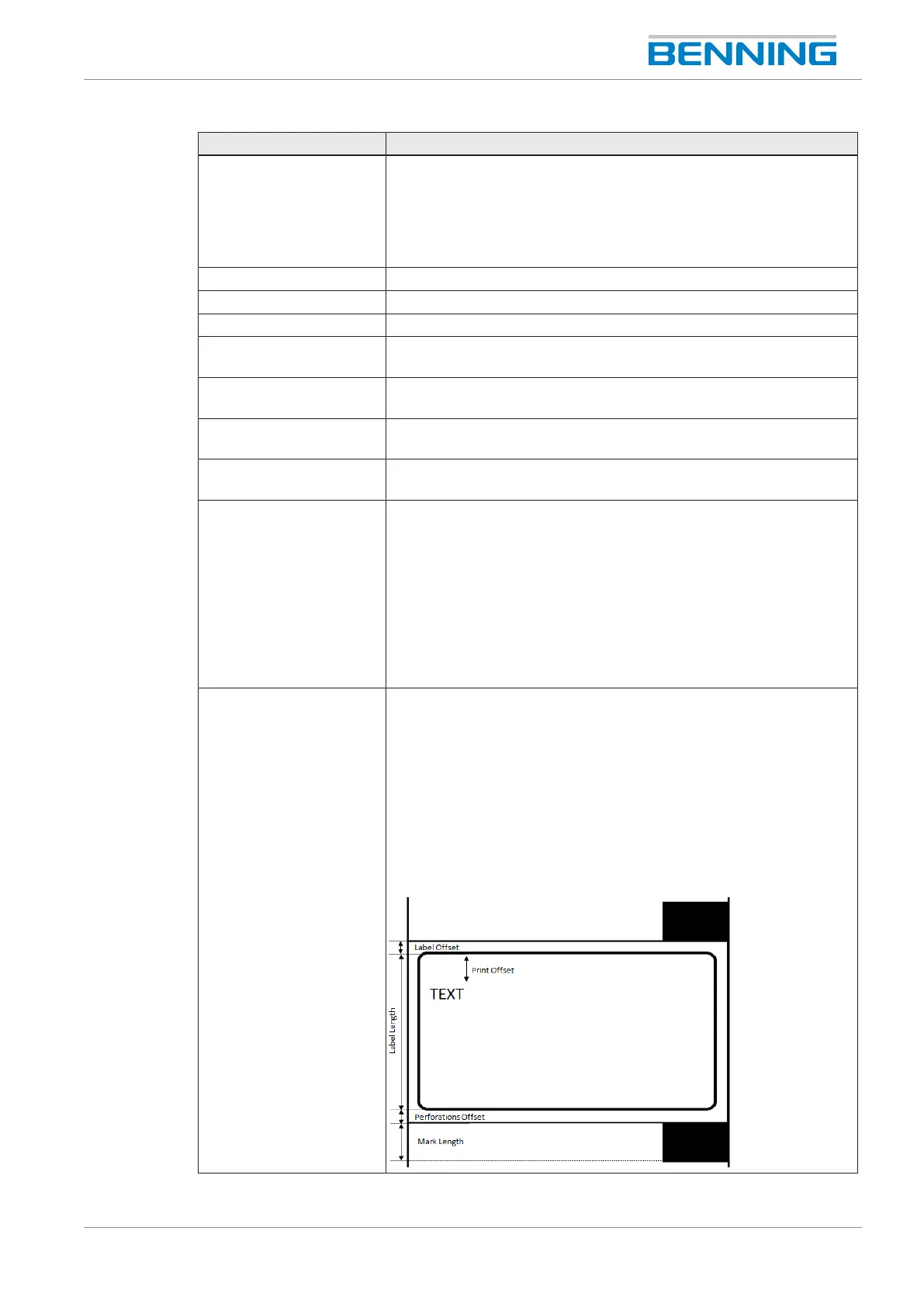
Test label Dimensions Setting the parameters for test labels (only necessary if the Benning
standard roll is not used).
The following parameters can be set if "Test label Dimensions" is
enabled (ON):
• Print offset: value input
• Label offset: value input
• Label length: value input
• Marking offset: value input
• Marking length: value input
Table20: Setting options for system data



 To Next Page