Phone App 97
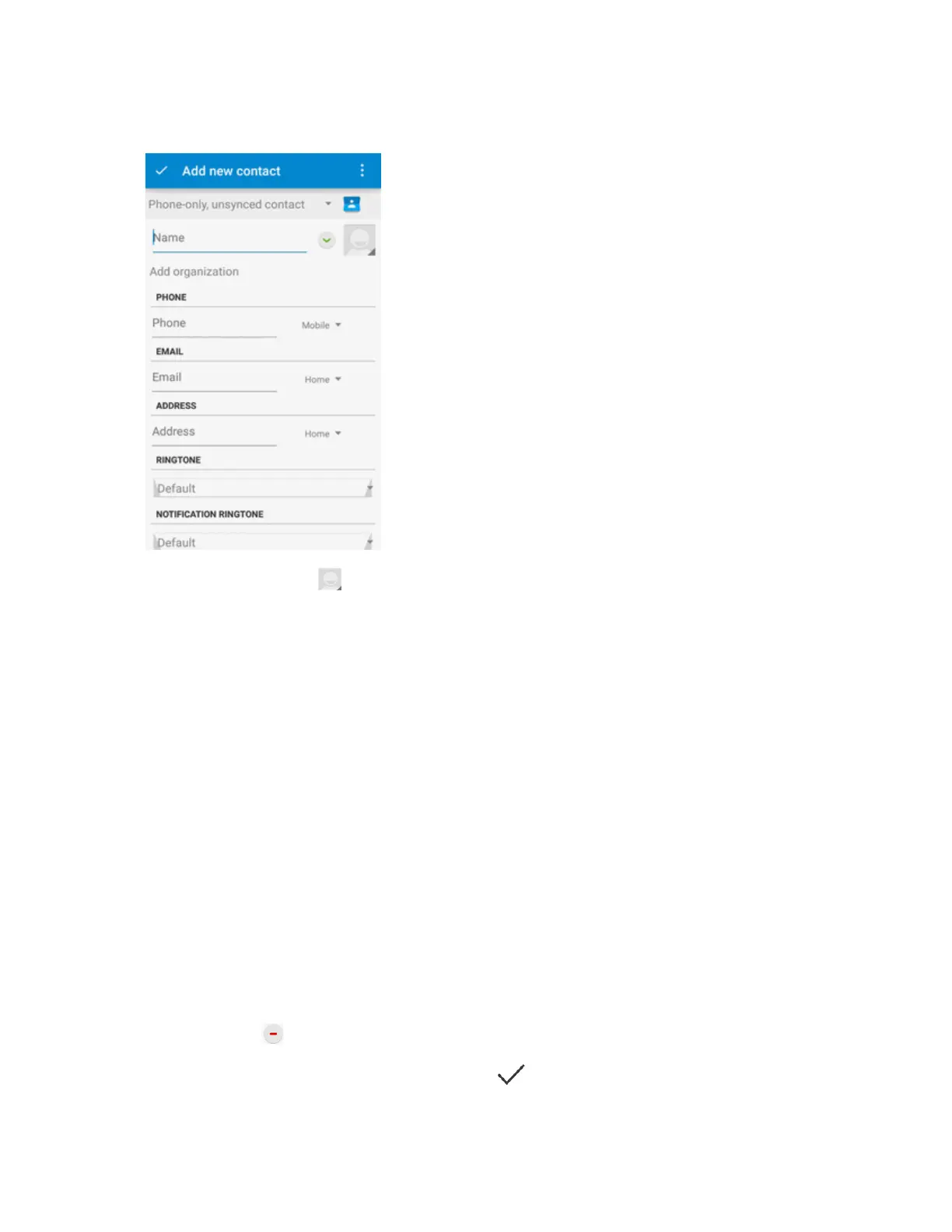
4. Usethekeyboardtoenterasmuchinformationasyouwant.
l
Contactphoto:Tap toassignapicturetothecontact.
l Name
l Phone
l Email
l Address
l Ringtone
l Notificationringtone
l Specialdates
l Groups
l Addanotherfield:TapADD ANOTHER FIELDtoincludeadditionalinformationsuchasIM
address,Notes,Nickname,Website,etc.
Note:Toselectatype(label)foraphonenumber,emailaddress,orpostaladdress(suchas
Mobile,Home,Work,etc.),tapthetypetotherightofthefieldandselecttheappropriatetype.
Note:Toaddmorephonenumbers,emailaddresses,etc.,tapAdd newbelowtheentryfield.To
deleteanentry,tap besideit.
5.
Whenyouhavefinishedaddinginformation,tap onthetopleft.



 To Next Page