Get Started 15
swapiscomplete,turnonthenewdeviceandtheprogramminginformationwillbepushedtoyour
deviceautomatically.
Youcanalsostarttheactivationprocessmanually.
n
Fromhome,tapApps >Settings >Activate this device.
Complete the Setup Screens
Thesetupscreenshelpyousetupcertainfeaturesandpreferencesonyourphone.Onceyour
phonehasbeenturnedon,youwillseeaWelcomemessage.Youcanthencompletethesetup
process.
Note:Youmaybeabletocompletethesetupscreensbeforeyourphonehasbeenactivatedon
youraccount.
1. PressandholdthePower/LockButtontoturnonthephone.
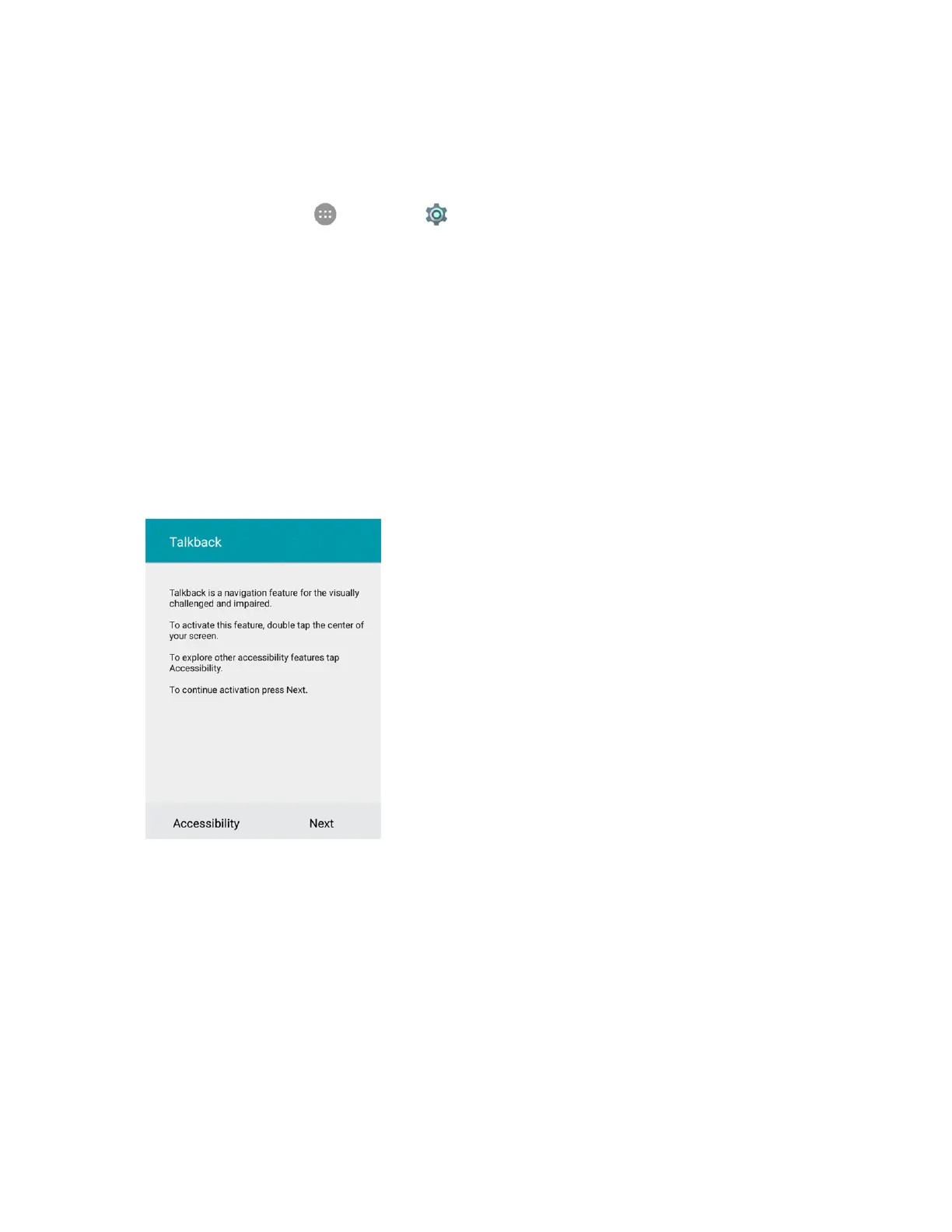
2. OntheTalkbackscreen,activatetheTalkbackfeaturebytappingthecenterofthescreenifyou
havesightproblems,ortapAccessibilitytoexploreotheraccessibilityfeatures.
l Ifyouhavenoaccessibilityproblemwiththephone,tapNext.



 To Next Page