Settings 301
1.
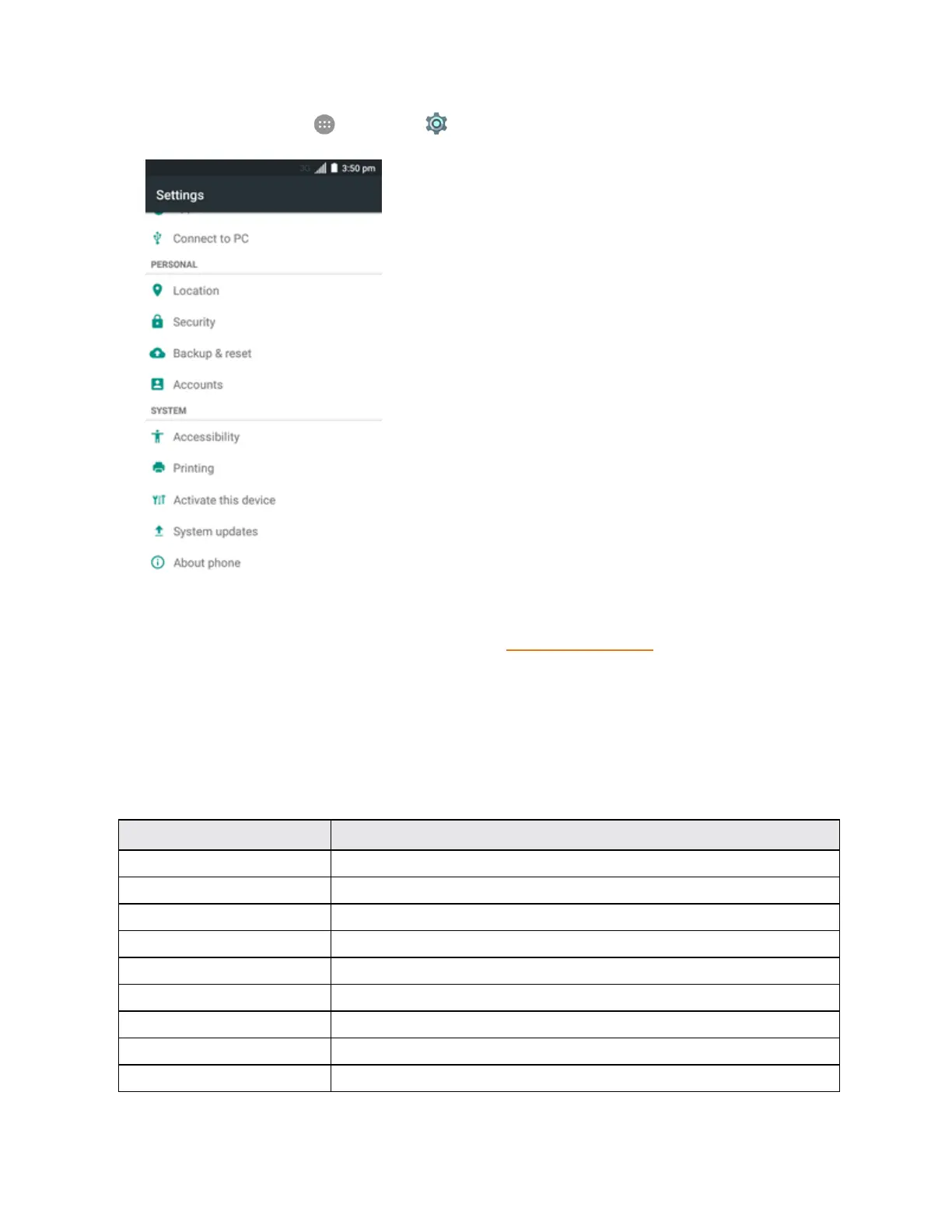
Fromhome,tapApps >Settings .
2. TapSystem updatesandselectanoptionandfollowthepromptstocompletetheupdate.
l Forcompletesystemupdateinformation,seeUpdateYourPhone.
About Phone
TheAboutphonemenuletsyouaccessimportantphoneandlegalinformation.
About Phone Overview
ThefollowingAboutphoneitemsmaybereviewedorset:
About Phone Item Description
Status Checkyourphone’sstatus.
Legal information Checkopensourcelicenseinformation,Googlelegaldocument,etc.
4G settings Checkthe4GLTEnetworkproviderandyourIPaddress.
Model number Checkthephone’smodelnumber.
Android version ChecktheAndroidversionnumber.
Baseband version Checkthephone’sbasebandversion.
Kernel version Checkthephone’skernelversion.
SWVersion Checkthecurrentphonesoftwareversion.
HW Version Checkthecurrentphonehardwareversion.



 To Next Page