Basic Operations 34
Taptoentertheleftletteronthekey.Double-taporflickrighttoentertherightletter/symbolonthe
key.Youcanalsotouchandholdakeyandslideleftorrighttochoosemorelettersandsymbols.
Ifwordpredictionisenabled( ),justtapthekeysandchoosetherightword.
Curve Word Gesture
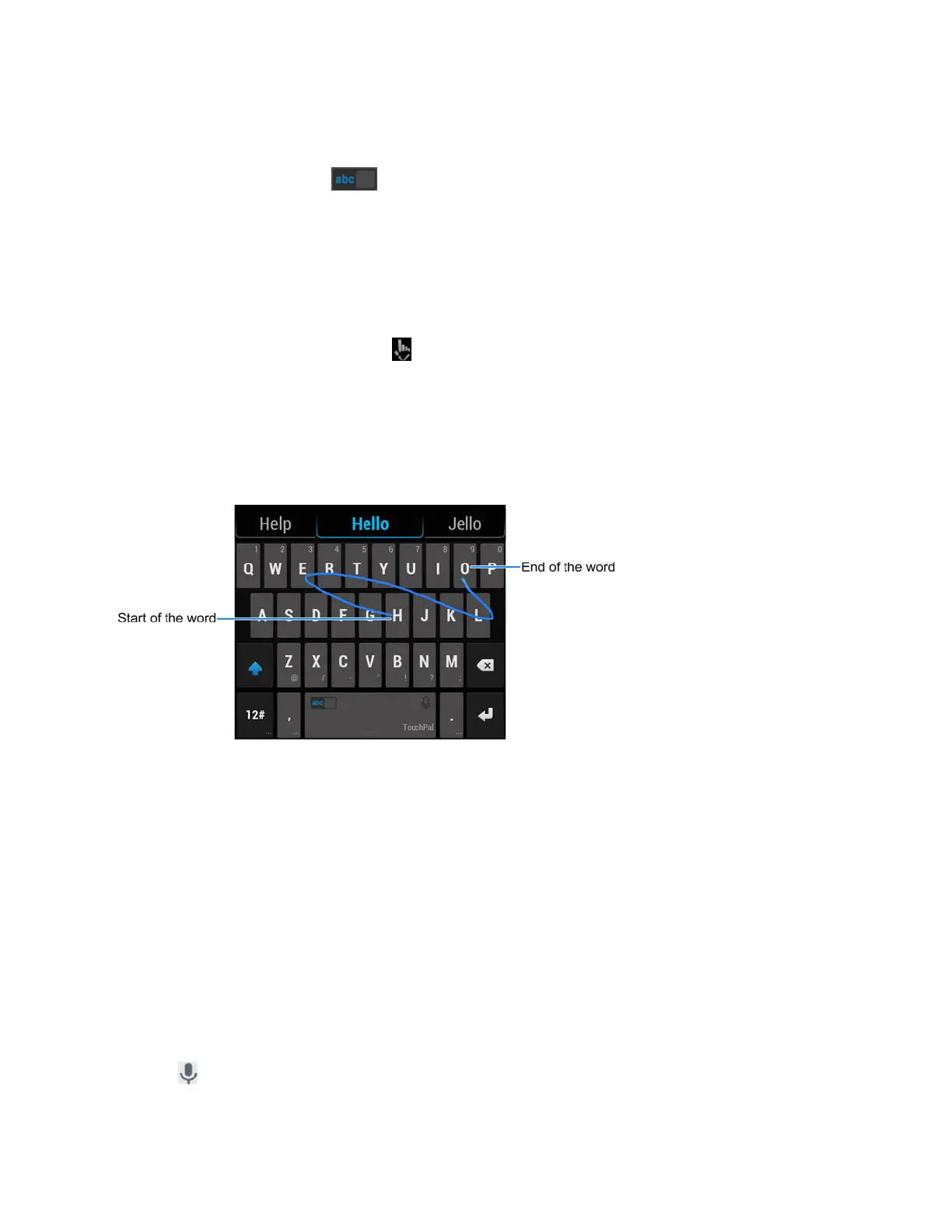
Curveallowsyoutoentertextbymovingyourfingeronthescreenfromlettertolettertoentereach
word.
ToenableanduseCurve:
1.
OntheTouchPalXkeyboard,tap >SettingsandcheckCurve
®
- Word gesture.
2. Ifprompted,tapOKtoswitchtotheT26layout.
3. Moveyourfingerfromlettertoletteronthekeyboardtotraceawordwithoutliftingthefinger
untilyoureachtheendoftheword.
Note:CurveisonlyavailableintheT26layout.
Tip:Tapwhenyouwantto.Ifyouwanttoenterasingleletter,goaheadandtapthekey.
Tip:Liftyourfingerattheendoftheword.Aspaceisaddedautomaticallywhenyoubegintotrace
thenextword.
Google Voice Typing
GoogleVoicetypingusesGooglevoicerecognitiontoconvertspeechtotext.
TouseGoogleVoicetyping:
1. SlidethestatusbardownwhenenteringtextandtapChange keyboard>Google voice
typing.
–or–
Tap toaccessthevoicetypingfeaturewhenyouareusingtheGooglekeyboard.



 To Next Page