Phone App 111
Delete a Group
1.
Fromhome,tapApps >Contacts andthentaptheGROUPStab.
2.
TapagroupyouwanttoremoveandthentapMenu >Delete Group.
3. TapOKtodisbandthegroup.Thecontactsinthegroupwillnotbedeleted.
Import Contacts
Yourphoneoffersacoupleofoptionsforimportingcontactsfromthephone'sinternalstorage,
connectedUSBstorage,orinstalledmemorycard.Thisisespeciallyusefulwhenyouneedto
transfercontactsbetweendifferentdevices.
Before Importing Contacts
Youwillneedtohavecopiedpreviouslybackedupcontactsinformationintoyourphone'sinternal
storage,aninstalledSDcard,oraUSBstoragedevicebeforeyoucanimportcontacts.SeeSD
CardforSDcardinformation.
Import Contacts from an SD Card or USB Storage
1.
Fromhome,tapApps >Contacts .
YouwillseetheContactslist.
2.
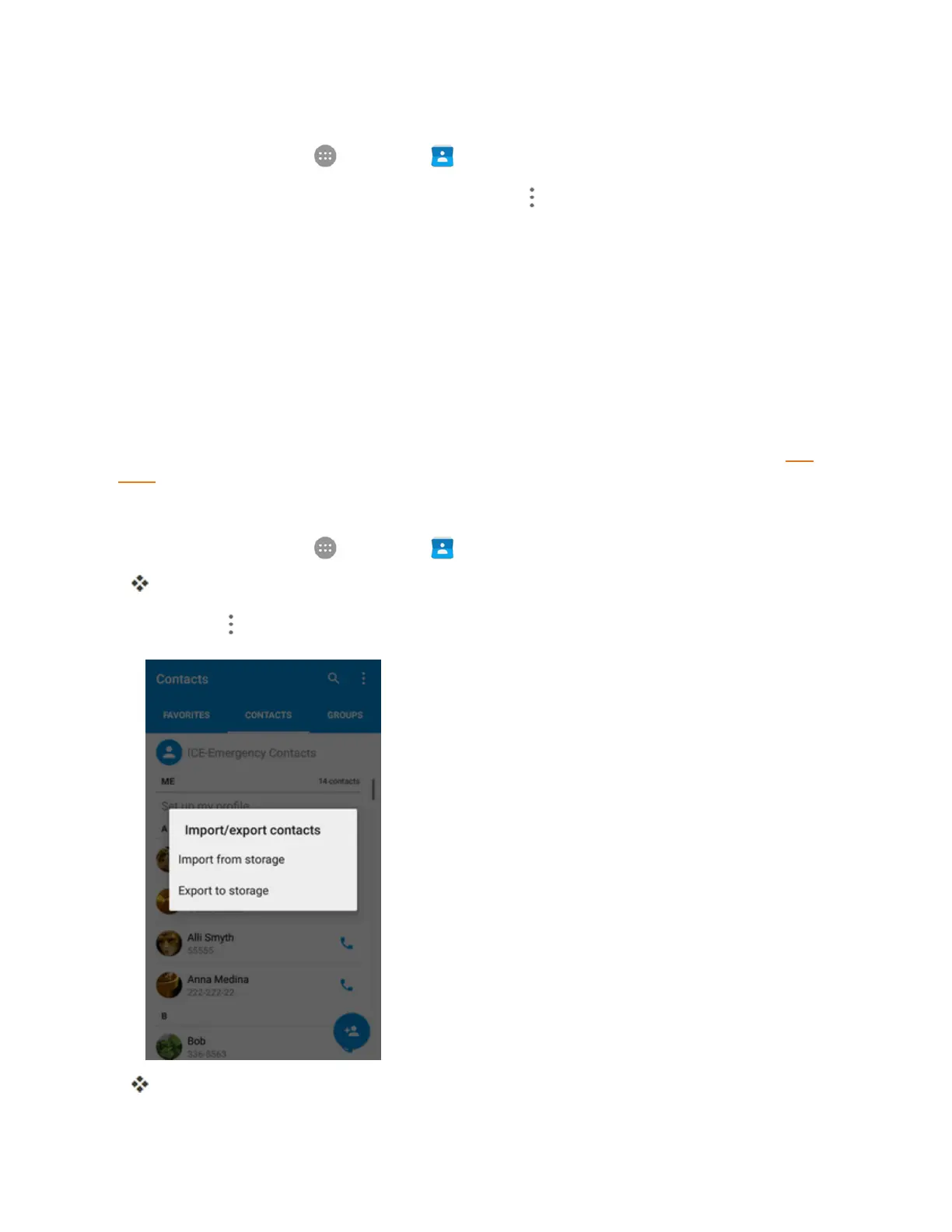
TapMenu >Import/Export.
YouwillseetheImport/exportcontactsmenu.



 To Next Page