Connectivity 257
1.
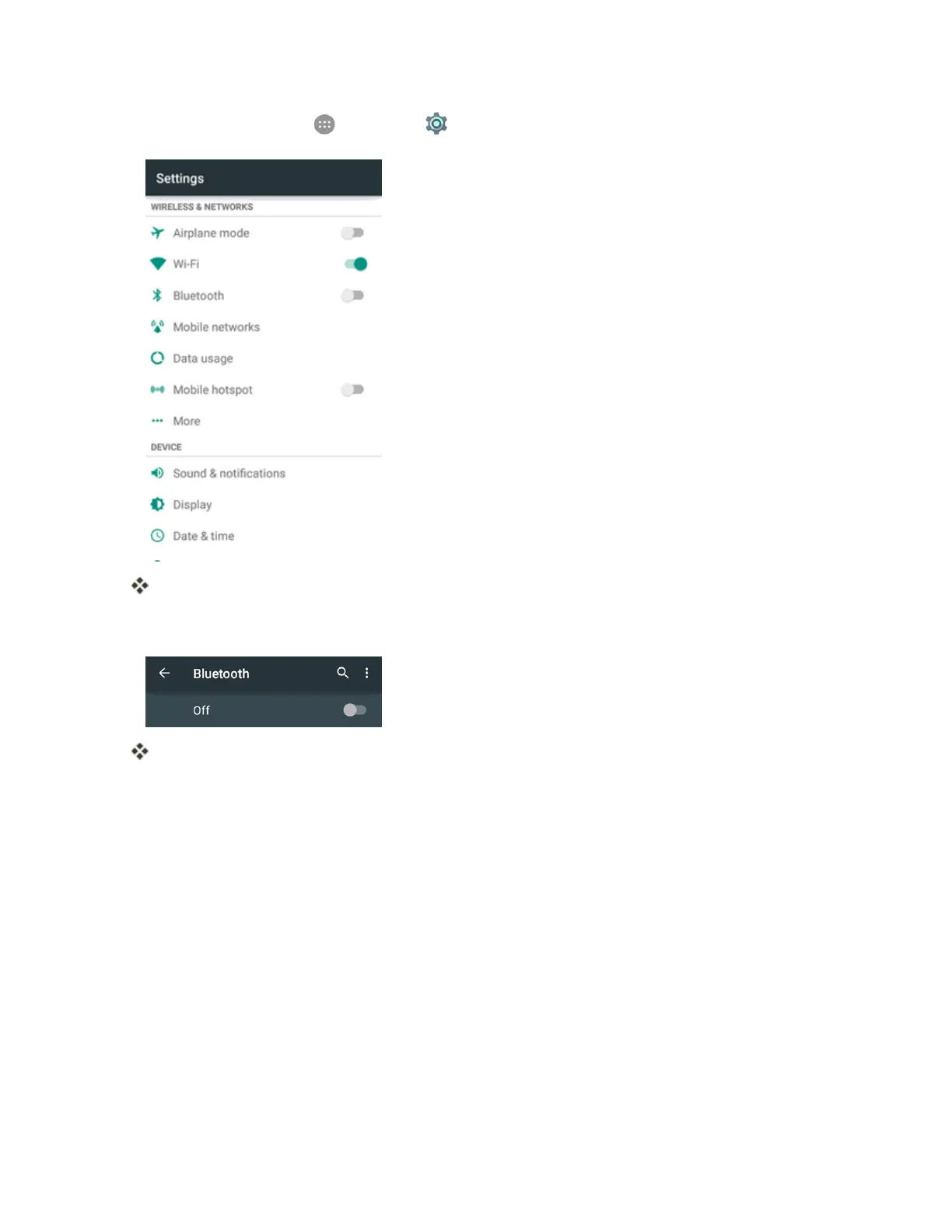
Fromhome,tapApps >Settings >Bluetooth.
TheBluetoothsettingsopen.
2. TaptheslidertoturnBluetoothon.
Bluetoothisenabled.
l TodisableBluetooth,taptheslideragain.
Tip:YoucanalsoturnBluetoothonoroffwiththequicksettingsmenuinthenotificationspanel.
DragthestatusbardowntodisplaythenotificationspanelandthentapBluetoothtoturnBluetooth
onoroff.
Note:TurnoffBluetoothwhennotinusetoconservebatterypower,orinplaceswhereusinga
wirelessphoneisprohibited,suchasaboardanaircraftandinhospitals.
Pair Bluetooth Devices
SearchforandpairnearbyBluetoothdevices.RegisteredBluetooth
®
devicescanbeconnected
simply.
n EnabletheBluetoothfunctionontheBluetoothdevicesbeingpairedbeforehand.
TopairBluetoothdevices:



 To Next Page