Settings 279
Connect to a VPN
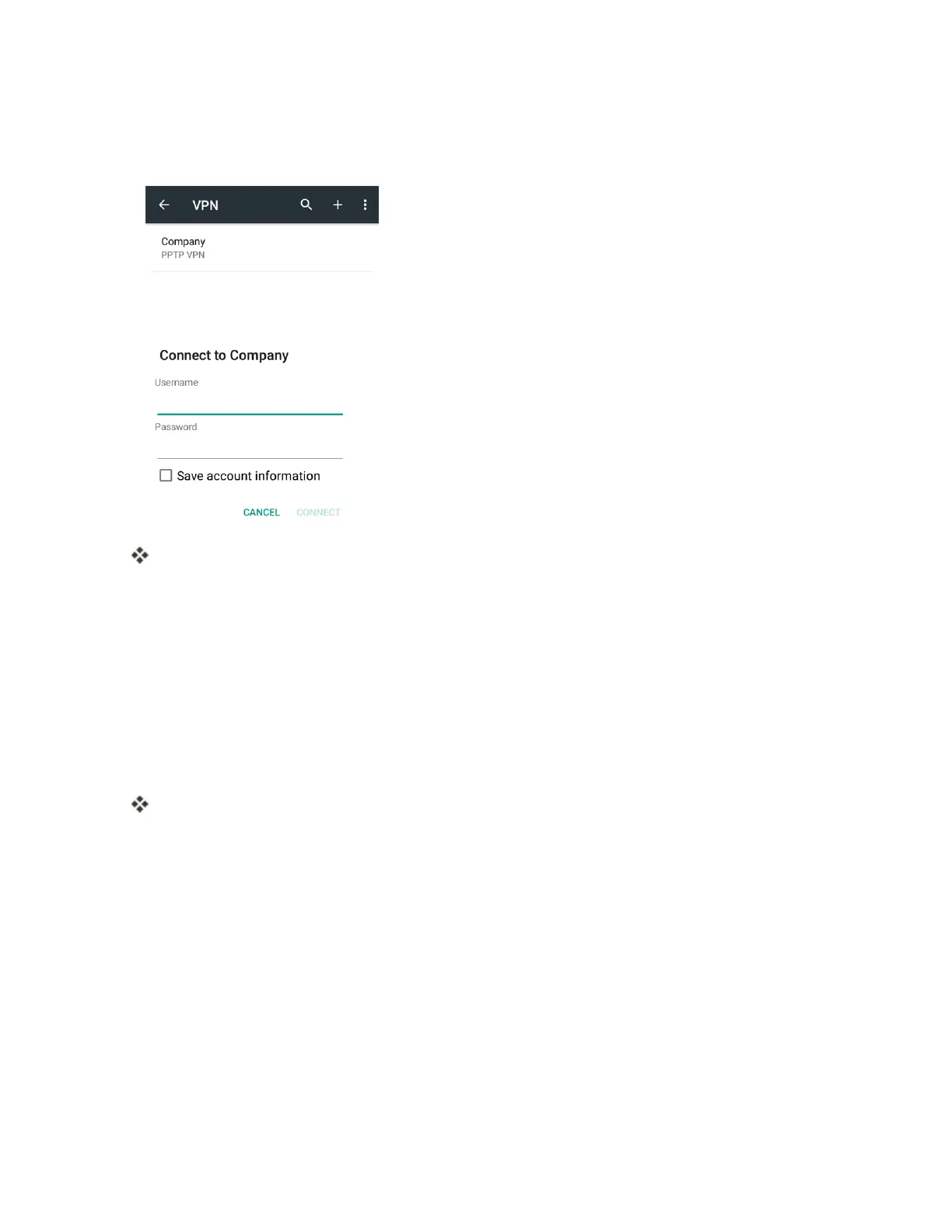
1. FromtheVPNssectionoftheVPNsettingwindow,taptheVPNthatyouwanttoconnectto.
2. Whenprompted,enteryourlogincredentials,andthentapCONNECT.
YouwillconnecttotheselectedVPN.
l Whenyouareconnected,aVPNconnectediconappearsinthenotificationarea.
3. OpentheWebbrowsertoaccessresourcessuchasintranetsitesonyourcorporatenetwork.
Disconnect from a VPN
1. Dragthestatusbardowntoopenthenotificationspanel.
2. TaptheVPNconnectiontoreturntotheVPNsettingswindow.
3. TaptheVPNconnectiontodisconnectfromit.
YourphonedisconnectsfromtheVPN.
l WhenyourphonehasdisconnectedfromtheVPN,youwillseeaVPNdisconnectediconin
thenotificationareaofthestatusbar.
Default SMS App Settings
Ifyouhavemultiplemessagingappsinstalledonyourphone,youcanchoosetheappyourphone
usesformessaging.TheappyouselectherewillbeusedwhenyouchooseMessaginginother
apps,suchaswhensharingitemslikepicturesorvideo.



 To Next Page