Settings 280
1.
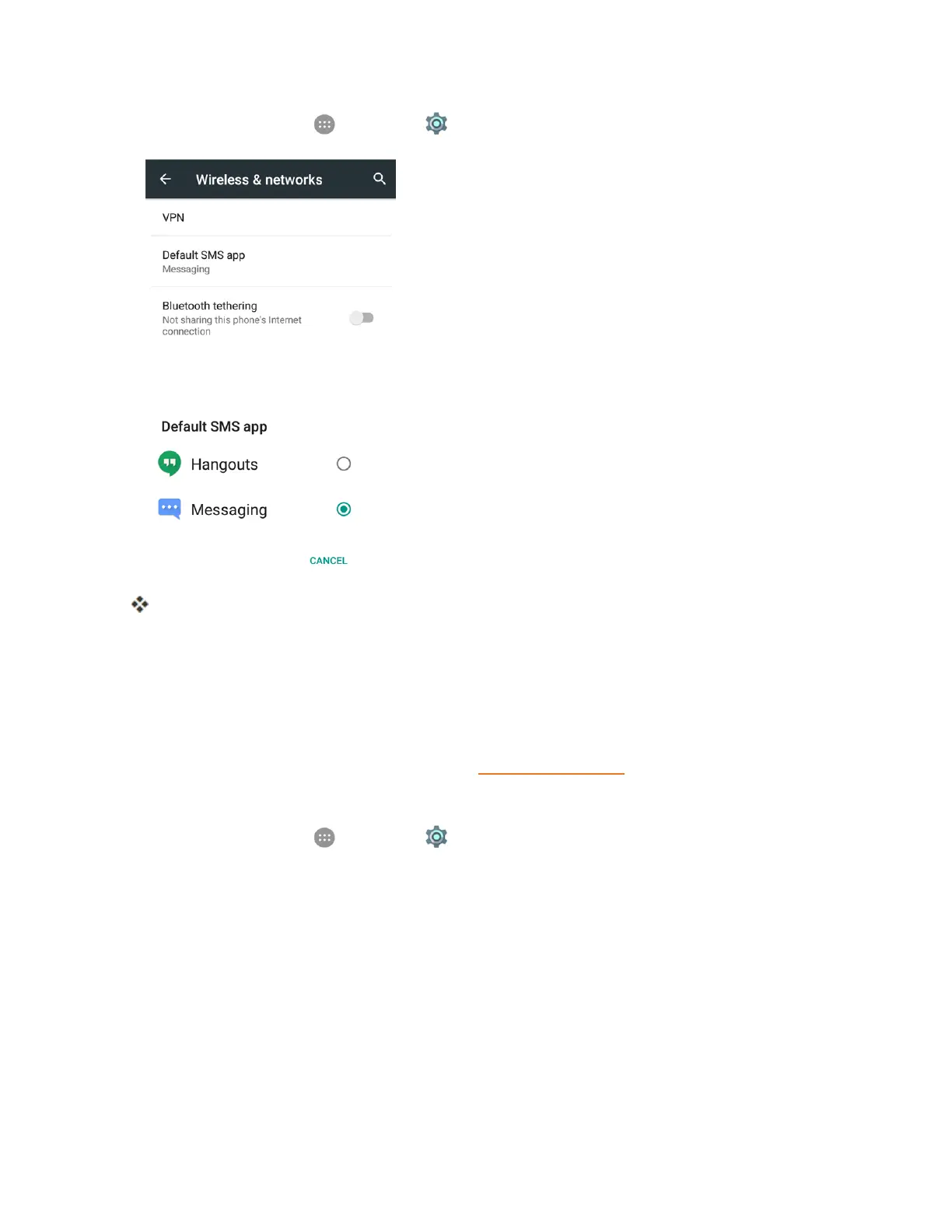
Fromhome,tapApps >Settings >More>DefaultSMSapp.
2. Chooseamessagingapp.
ThedefaultSMSappisset.
Note:IfyouchooseadefaultSMSappotherthanMessaging(forexample,GoogleHangouts),you
willnotbeabletousetheMessagingappunlessyourestoreitasthedefaultSMSapp.
Bluetooth Tethering Setting
Bluetoothtetheringallowsyoutoshareyourphone'smobiledataconnectionwithotherdevicesvia
Bluetooth.FordetailsonBluetoothtethering,seeBluetoothTethering.
ToaccesstheBluetoothtetheringsetting:
n
Fromhome,tapApps >Settings >MoreandtapBluetooth tetheringtoturnthe
featureonoroff.
Sound & Notifications Settings
TheSound¬ificationssettingsmenuletsyoucontrolyourphone’saudio,fromringtonesand
alertstotaptonesandnotifications.
Sound and Notifications Settings Overview
Thesound¬ificationssettingsmenuallowsyoutoconfigurethefollowingoptions:



 To Next Page