Phone App 110
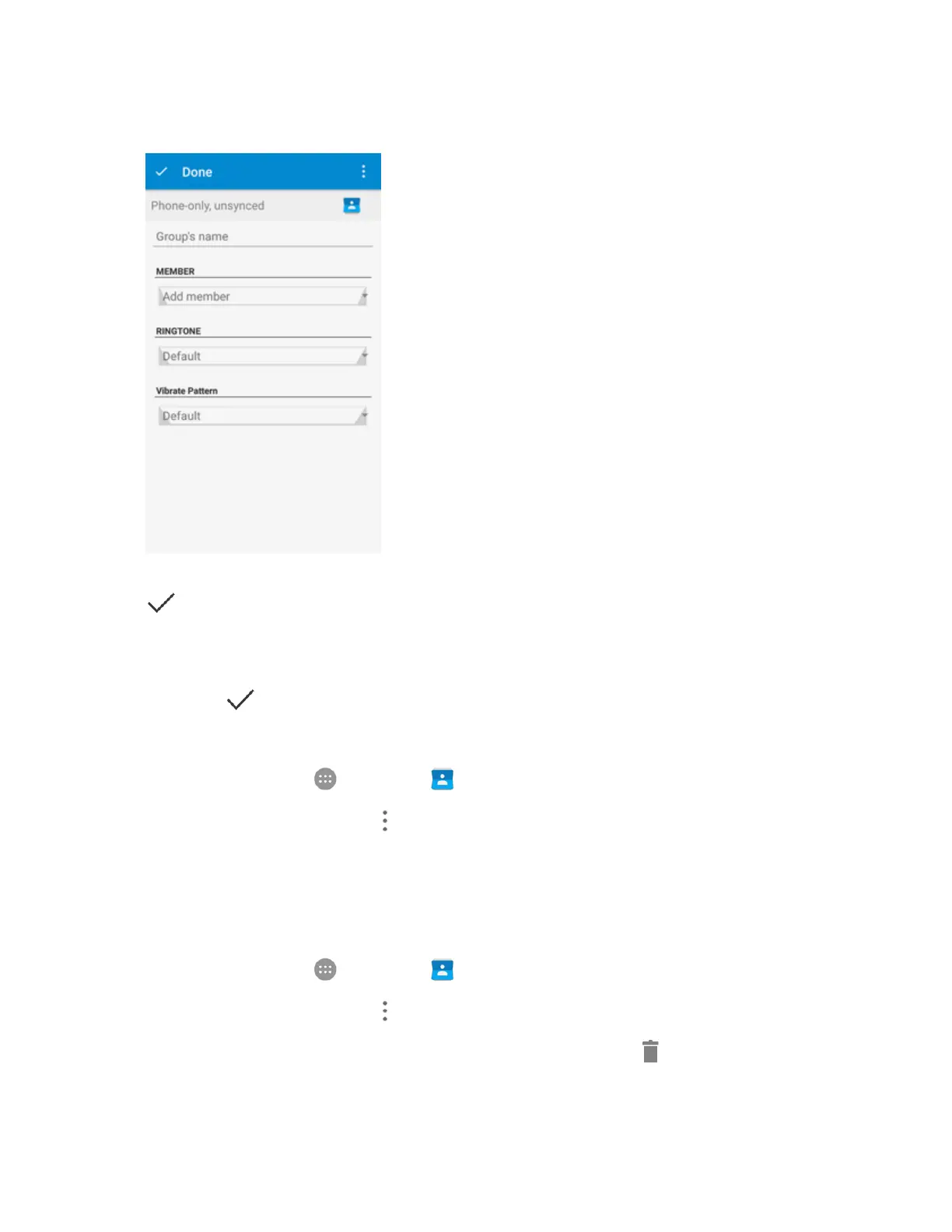
4. EnterthegroupnameintheGroup's namefield.
5. TapAdd memberandselectthecontactsyouwishtobethegroupmembers,andthentap
.
6. Ifnecessary,tapDefaultbelowRINGTONEandVibratePatterntosetaspecialringtoneand
vibrationpatternforincomingcallsfromthegroupmembers.
7.
TapDone .
Rename a Group
1.
Fromhome,tapApps >Contacts andthentaptheGROUPStab.
2.
TapagroupandthentapMenu >Rename group.
3. EditthegroupnametapSAVE.
Note:Youcannotrenamesomepresetgroups,suchastheEmergencyContacts(ICE)group.
Remove Members From a Group
1.
Fromhome,tapApps >Contacts andthentaptheGROUPStab.
2.
TapagroupandthentapMenu >Multi-Select.
3.
Checkthecontactsyouwanttoremovefromthegroupandthentap >OK.



 To Next Page