Basic Operations 32
n Toenterdoubleletters,scribbleslightlyormakealoopontheletter.Forexample,togetthe"ll"
in"hello",scribble(ormakealoop)onthe"l"key.
n Liftyourfingerattheendoftheword.Aspaceisaddedautomaticallywhenyou"Swype"the
nextword.
FormoreinformationaboutusingSwypeanditsadditionalcapabilities,includingusingvoiceentry
andpersonalizingyourSwypedictionary,touchandhold fromtheSwypekeyboarddisplayand
thentapHelp.Youcanalsovisitswype.comformoreinformation.
TouchPal X
TouchPalXKeyboardoffersthreelayoutsincludingT26,T12andT+.Youcantap toselecta
layoutoraninputlanguage.
YoucanalsouseCurve
®
tospeeduptextinputbyreplacingthekeytappingoperationwitha
tracinggesturewhereyoumoveyourfingerfromlettertoletterwithoutliftingthefingeruntilyou
reachtheendoftheword.
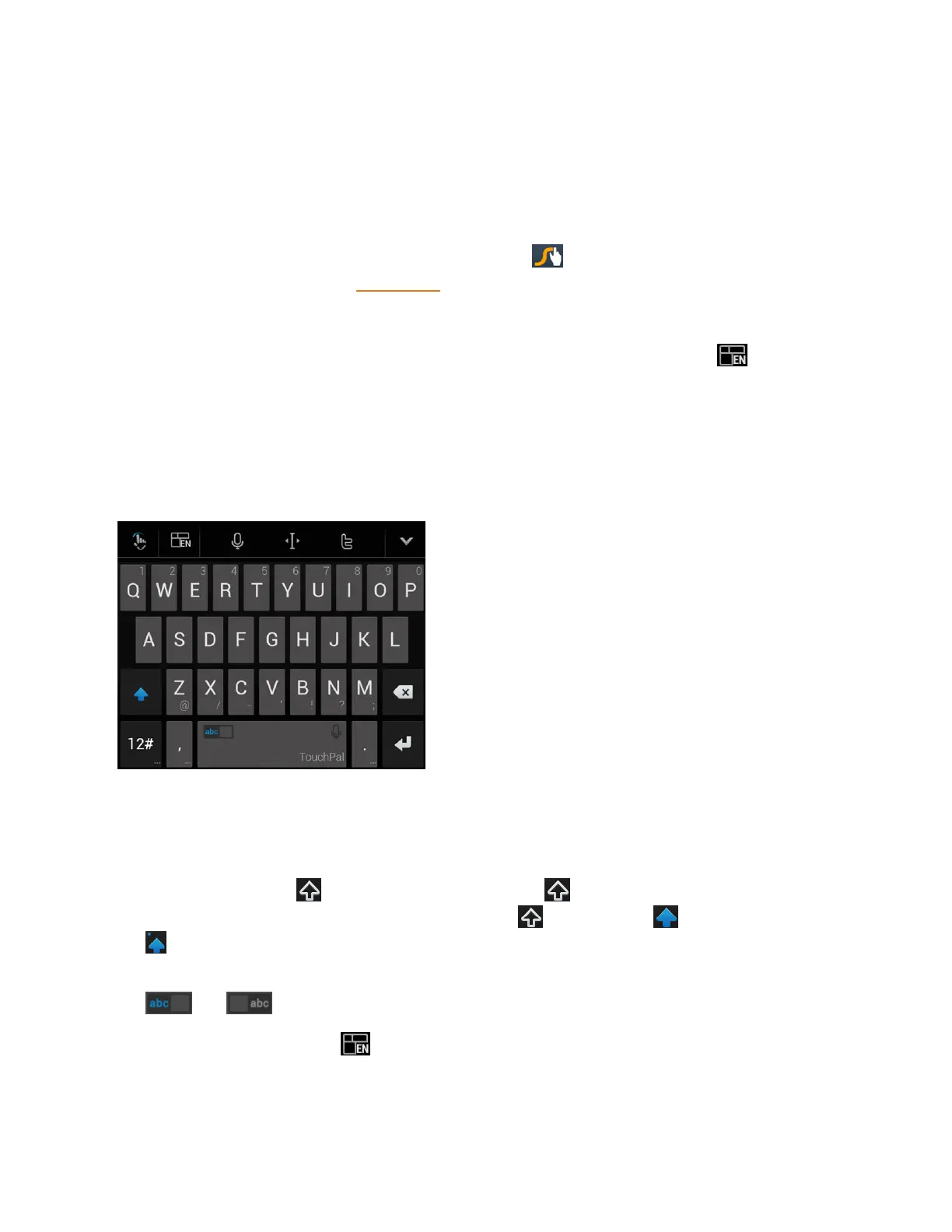
The T26 Layout
TheT26layoutoffersaninputexperiencesimilartoacomputerkeyboard.
n Thealphabetickeys:Tapthekeystoenterletters.Touchandholdakeyandslidetochoose
morecharacters.
n
Thecapitalkey:Tap touseuppercase.Double-tap tolockuppercase.Thiskeyalso
changestoindicatethecurrentcaseyouareusing: forlowercase, foruppercase,and
whenlockedinuppercase.
n Wordprediction:Slideleftorrightonthespacekeytoturnonoroffprediction,asindicatedby
and .
n
Languageandlayout:Tap toselectaninputlanguageorakeyboardlayout.



 To Next Page