Settings 278
2.
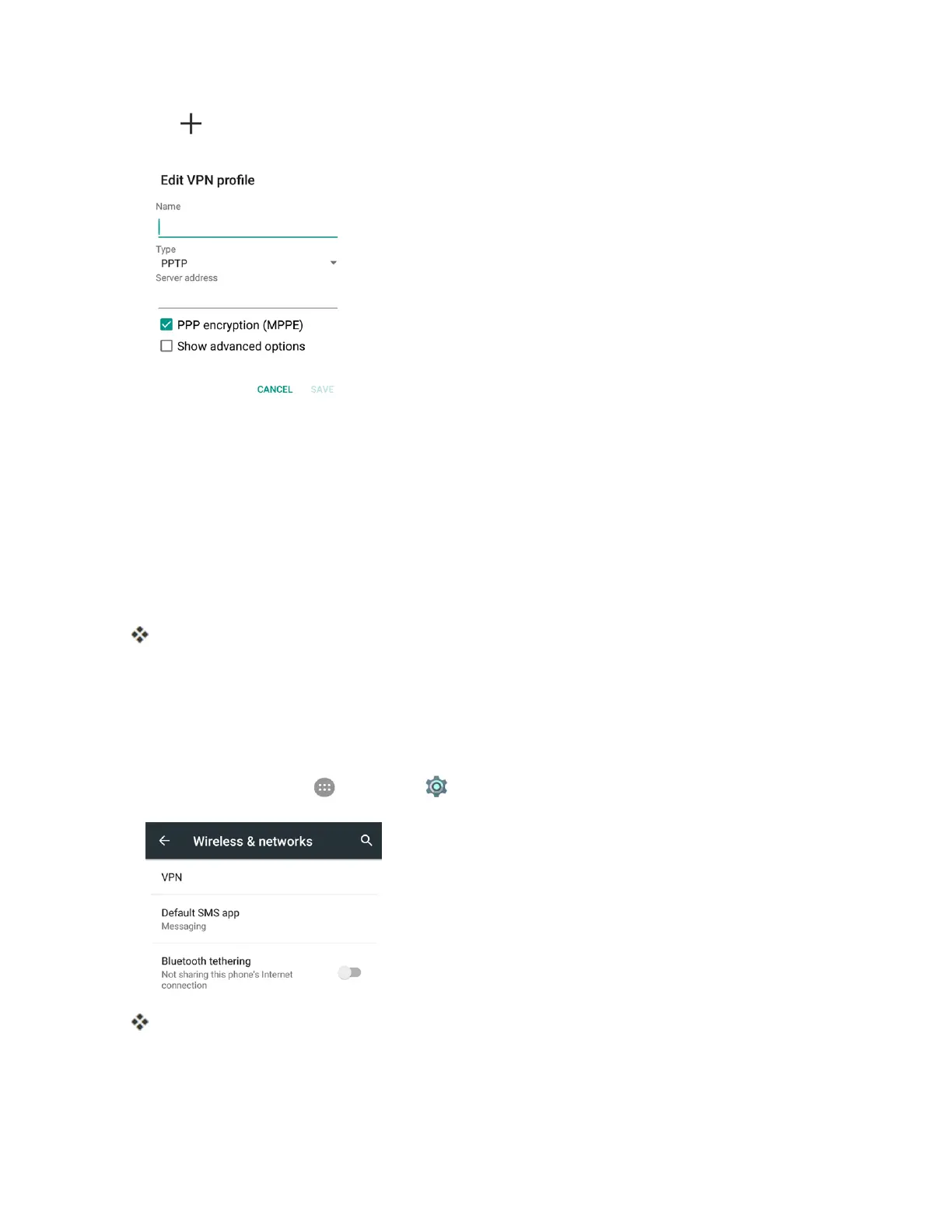
Tap ,andthenentertheinformationfortheVPNyouwanttoadd.
Note:Youneedtosetanunlockpattern,PINorpasswordforyourphonebeforeaddingaVPN
connection.
l InformationmayincludeName,Type,Serveraddress,PPPencryption(MPPE),and
advancedoptions.
l Setupalloptionsaccordingtothesecuritydetailsyouhaveobtainedfromyournetwork
administrator.
3. TapSAVE.
YourVPNisaddedtotheVPNssectionoftheVPNsettingswindow.
Connect to or Disconnect from a VPN
OnceyouhavesetupaVPNconnection,connectinganddisconnectingfromtheVPNiseasy.
Access the VPN Settings Window
n
Fromhome,tapApps >Settings > More >VPN.
TheVPNsettingswindowappears.



 To Next Page