Connectivity 247
2. TaptheWi-FislidertoturnWi-Fion.
Wi-Fiisenabled.Youwillseethenamesandsecuritysettingsofin-rangeWi-Finetworks.
l TodisableWi-Fi,taptheslideragain.
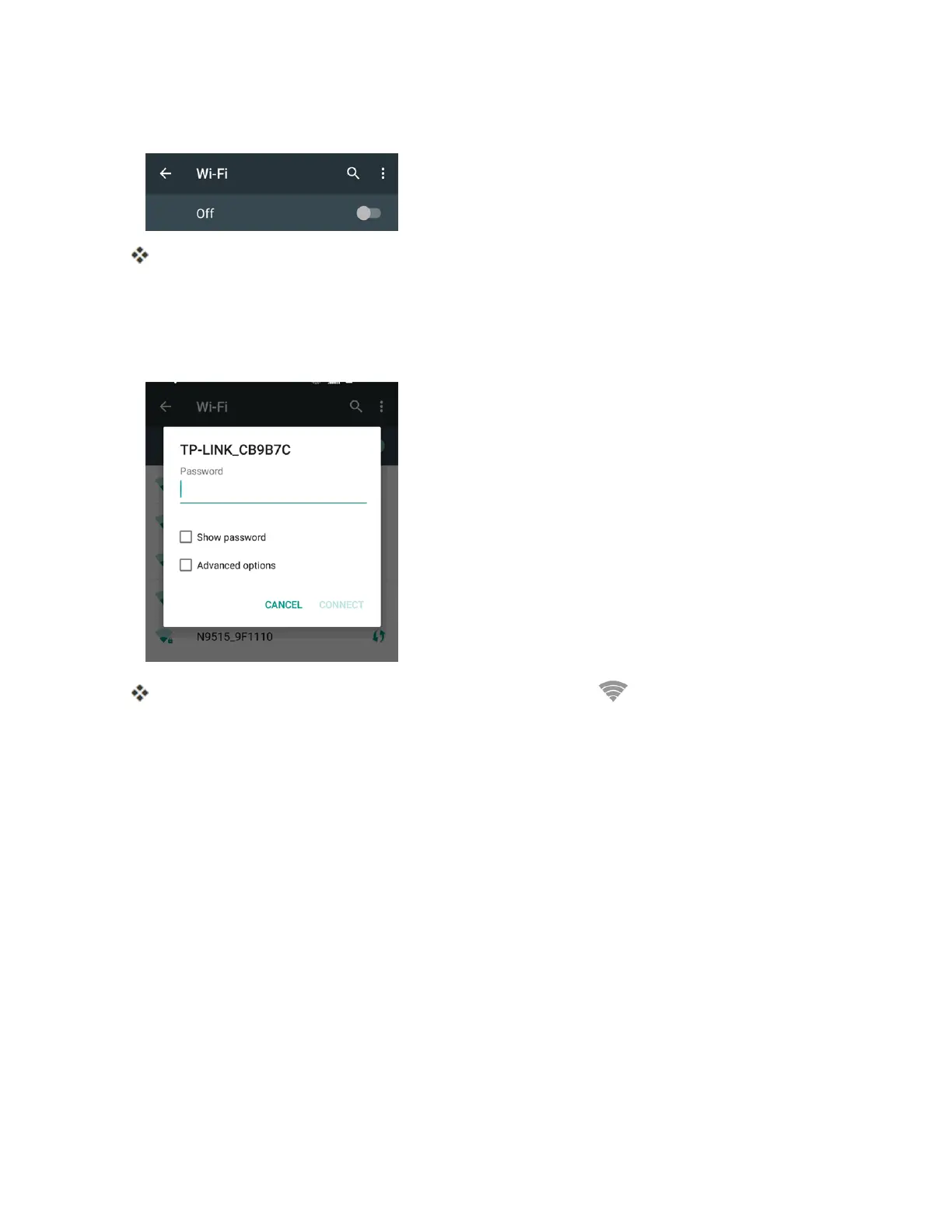
3. TapaWi-Finetworktoconnect,enterthepassword(ifit’snotanopennetwork),andthentap
CONNECT.
YourphoneisconnectedtotheWi-Finetwork.Youwillsee( )inthestatusbar.
l Thepassword,forahouseholdwirelessLANrouter,issometimesfoundonastickeronthe
router(WEP,WPA,KEY,etc.).Contacttheroutermanufacturerforinformation.For
passwordforapublicwirelessLAN,checkwithuser'sserviceprovider.
l Enteringapasswordisnotrequiredifanaccesspointisnotsecurityprotected.
Note:Thenexttimeyourphoneconnectstoapreviouslyaccessedsecuredwirelessnetwork,you
willnotbepromptedtoenterthepasswordagain,unlessyouresetyourphonetoitsfactorydefault
settingsoryouinstructthephonetoforgetthenetwork.
Note:Wi-Finetworksareself-discoverable,whichmeansnoadditionalstepsarerequiredforyour
phonetoconnecttoaWi-Finetwork.Itmaybenecessarytoprovideausernameandpasswordfor
certainclosedwirelessnetworks.
Wi-Fi Settings
UsetheWi-FisettingsmenutomanuallysetyourWi-Ficonnectionoptions.



 To Next Page