Basic Operations 21
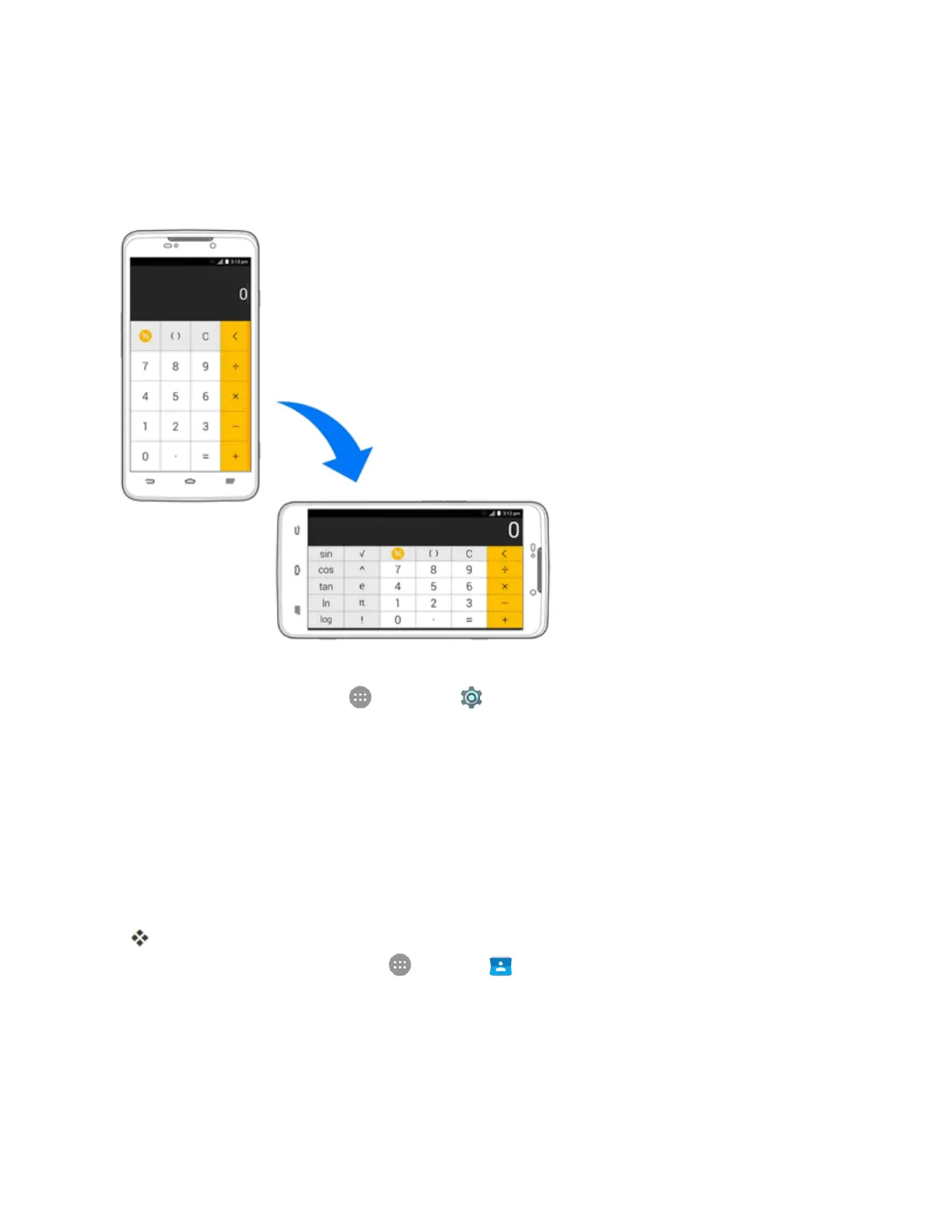
Portrait and Landscape Screen Orientation
Thedefaultorientationforyourphone’sscreenisportrait(vertical),butmanyappswillchangeto
landscapeorientation(widescreen)whenyourotatethephonesideways.Notallscreenswilladjust
forlandscapeorientation.
Note:TheAuto-rotatecheckboxneedstobeselectedforthescreenorientationtoautomatically
change.Fromhome,tapApps >Settings >Display>Auto-rotate screen.
Tip:Youcanalsoaccessthescreenrotationsettingfromthenotificationspanel.Pulldownthe
statusbarandtapAuto Rotatetoselectordeselecttheoption.
Capture Screenshots
Youcanuseyourphone’sPower/LockButtonandVolume Down Buttontocapture
screenshots.
n PressandholdthePower/LockButtonandtheVolume Down Buttonatthesametimeto
captureascreenshotofthecurrentscreen.
ThecurrentscreenshotwillbecapturedandstoredintheScreenshotsalbuminthephone’s
Gallery.Fromhome,tapApps >Gallery .
Applications
Thefollowingtopicsdescribehowtoaccesstheapplications(apps)listandlaunchappsonyour
phone.



 To Next Page