Camera and Video 164
4. Youcaneitherletthecameraautofocusonthecenterofthescreen,oryoucantapanother
areaofthescreenthatyouwanttofocuson.
5.
Tap orpresstheCamera Buttontotakethepicture.
6. Tapthethumbnailatthecornerofthescreenandchoosewhatyouwanttodowiththepicture
you'vejusttaken.
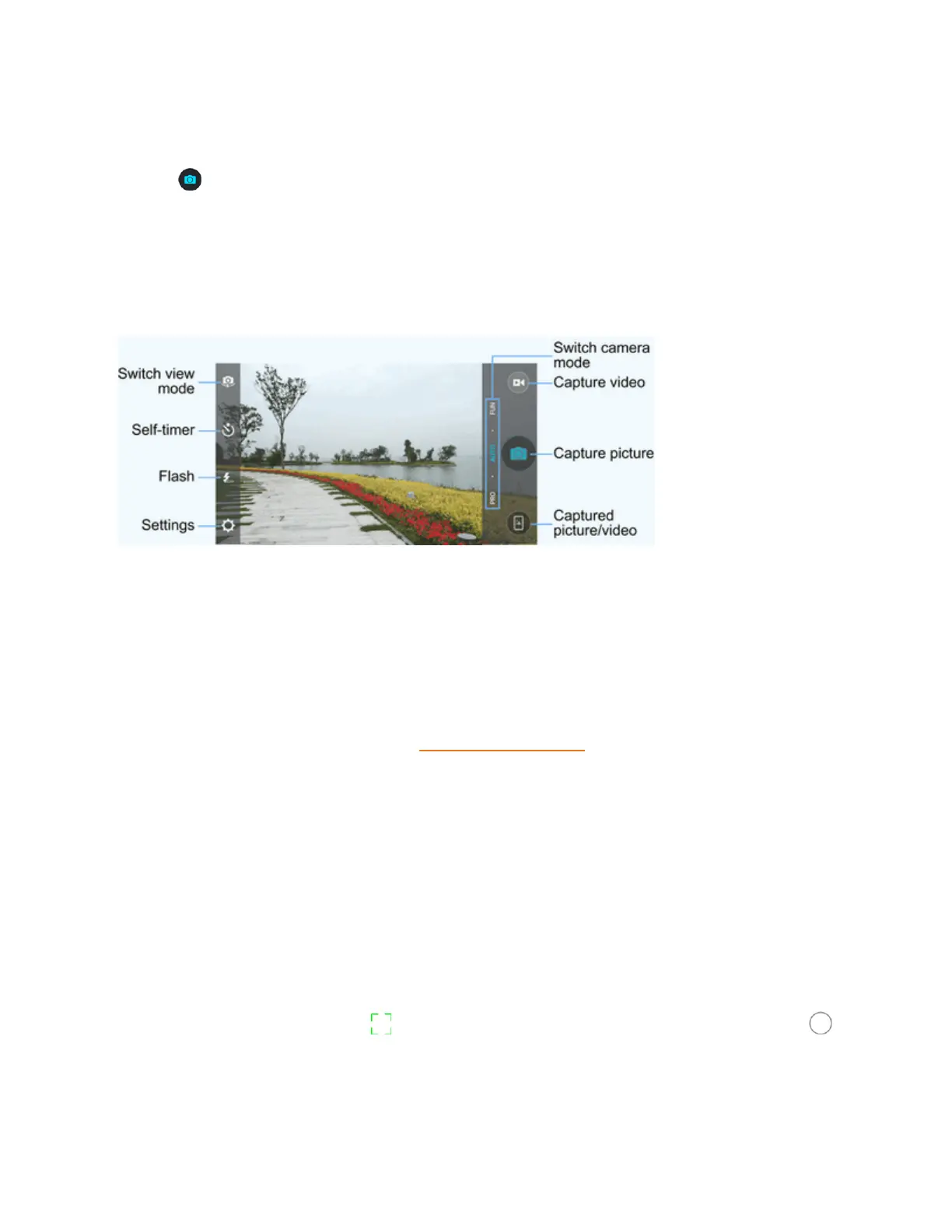
Viewfinder Screen
TheViewfinderscreenletsyouviewyoursubjectandaccesscameracontrolsandoptions.
n Switch view mode:Switchbetweenthebackcameralensandthefront-facingcameralens
(forself-portraits,videochatting,etc.).
n Self-timer:Setatimedelaybeforethecameratakesapictureafteryoutaptheshuttericon,or
turnoffthisfeature.
n Flash:Selectaflashmodeforthecamera.
n Settings:Openthecameraandcamcordersettingsmenuandletsyouchangeadditional
cameraandcamcordersettings.SeeSetCameraFunctions.
n Captured picture/video:Viewpicturesandvideosyouhavecaptured.
n Capture picture:Taptheicontotakeapicture.
n Capture video:Taptheicontostartcapturingavideo.
n Switch camera mode:Selectacameramodeforthebackcameralensandthefront-facing
cameralens.Whenusingthebackcamera,inadditiontothedefaultAUTOmode,youcantap
PROtoadjustsomeadvancedprofessionaloptions,ortapFUNtousepanorama,HDR,
specialeffects,multi-exposure,macrosubjects,orsmiledetectionmodes.Whenusingthefront
camera,youcantapBEAUTYorEFFECTtocapturebeautyshotsorapplyvariousspecial
effectstoyourpicture.
Note:InPROmode,youcandrag toanyareaonthescreenthatyouwanttofocuson;drag
toanyareaonthescreenwhereyouwantthecameratometerexposuresoastoadjustthephoto
brightness.



 To Next Page