Useful Apps and Features 199
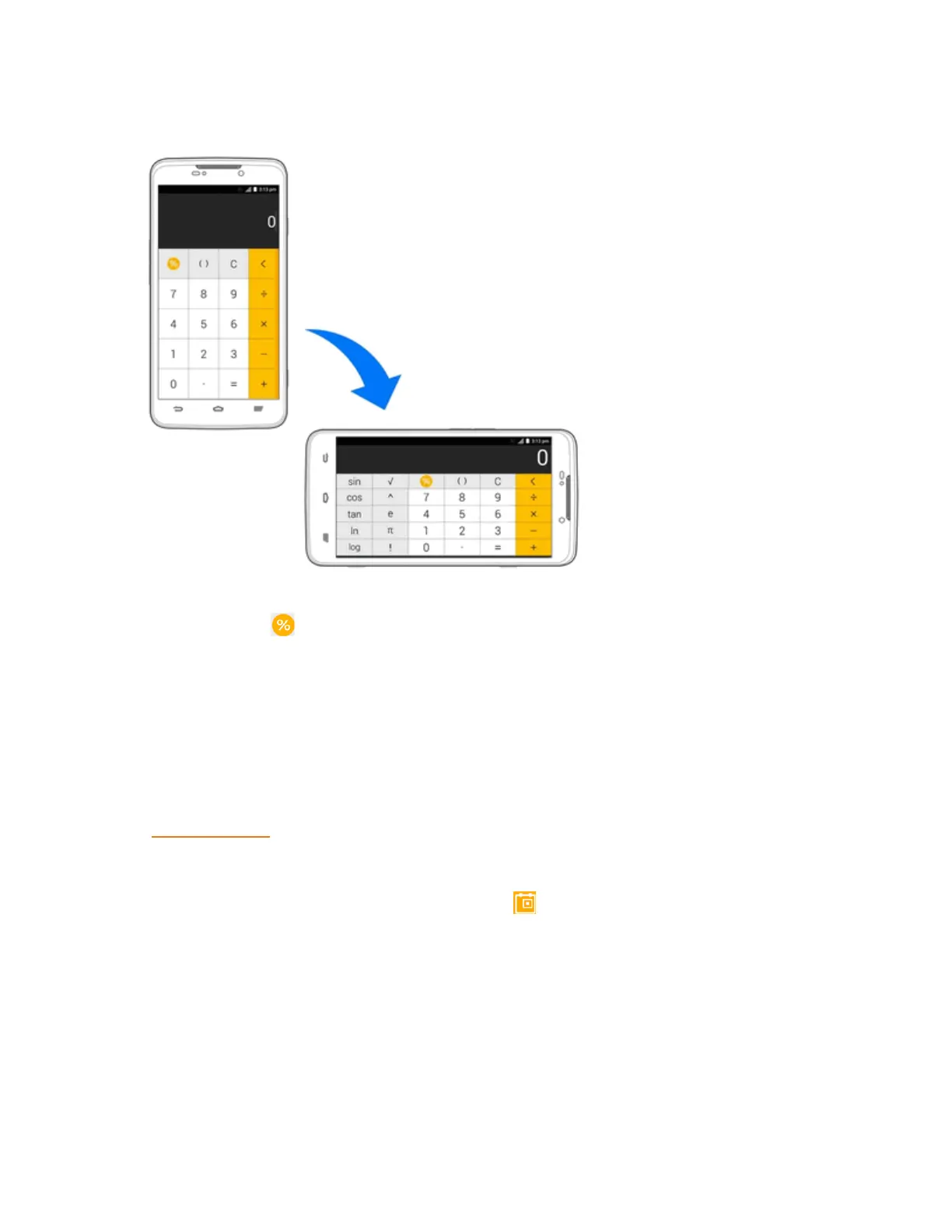
3. Ifnecessary,holdthephoneonitssidetodisplaytheadvancedpanel.
Note:Youcanalsoslideleftwhileholdingthephoneuprighttoaccesstheadvancedbuttons.To
calculatefortips,tap .
Calendar
UseCalendartocreateandmanageevents,meetings,andappointments.YourCalendarhelps
organizeyourtimeandremindsyouofimportantevents.Dependingonyoursynchronization
settings,yourphone’sCalendarstaysinsyncwithyourCalendarontheWeb,Exchange
ActiveSynccalendar,GoogleCalendar,andOutlookcalendar.
InordertosyncwithyourGooglecalendar,youmustsignintoaGoogleAccountonyourphone.
SeeGoogleAccount.
Calendar Operations
n
View Today’s Calendar:FromtheCalendar,tap .
n Change Calendar View:FromtheCalendar,tapthetimeatthetopleftandselectMonth,
Week,Day,orAgendatochangethecurrentview.
n View Next/Previous Month (Month View):FromtheCalendar,flickthescreenupordown.
n View Next/Previous Week (Week View):FromtheCalendar,flickthescreenleftorright.



 To Next Page