Get Started 5
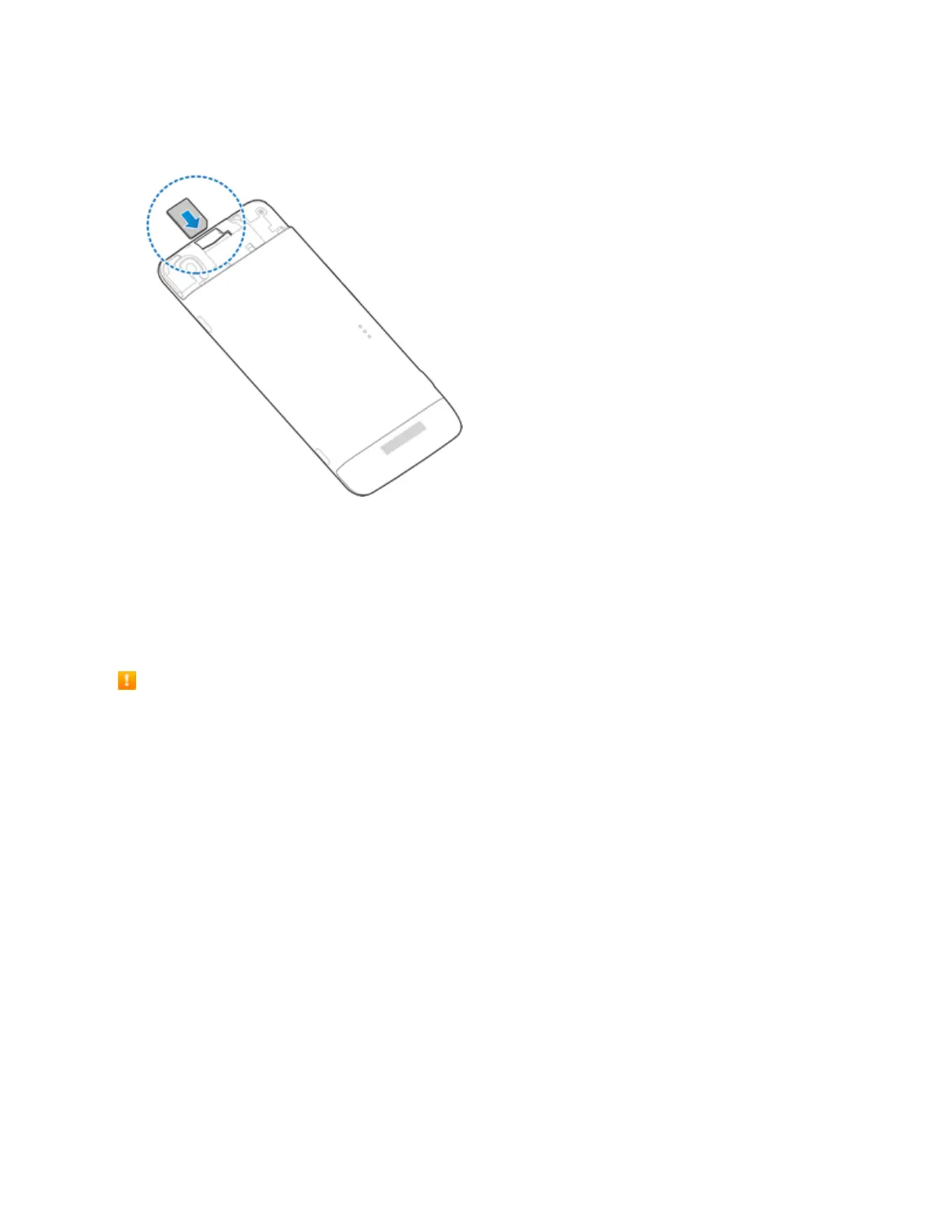
2. HoldtheUICCcardwiththemetalcontactsonthecardfacingdownandthecutedgeoriented
asshowninthepicture.Pushthecardintothecardslotuntilitclicksintoposition.
3. ReplacetheUICCcardcover.Ensurethatallthetabsaresecureandtherearenogapsaround
thecover.
SD Card
YourphonesupportstheuseofanoptionalSDcard(notincluded)toexpanditsstoragecapacity.It
supportscardsupto64GB.Somecardsmaynotoperateproperlywithyourphone.
SD Card Cautions
Data:InformationstoredonSDCardcanbecomelostorchangedaccidentlyorasaresultof
damage.Itisrecommendedthatyoukeepaseparatecopyofimportantdata.Thecompanyis
notresponsiblefordamagesfromdatathatislostorchanged.
Reading/Writing Data:Neverpoweroffwhilereadingorwritingdata.
Battery Level:Alowbatterychargemaypreventreading/writingtoSDCard.
Handling SD Card:Use/storeSDCardsawayfromthereachofinfants.Maycausechokingif
swallowed.
Insert SD Card
FollowthesestepstoinsertanoptionalSDcard(notincluded).AlwaysunmounttheSDcard
beforeremovingitfromyourphone.



 To Next Page