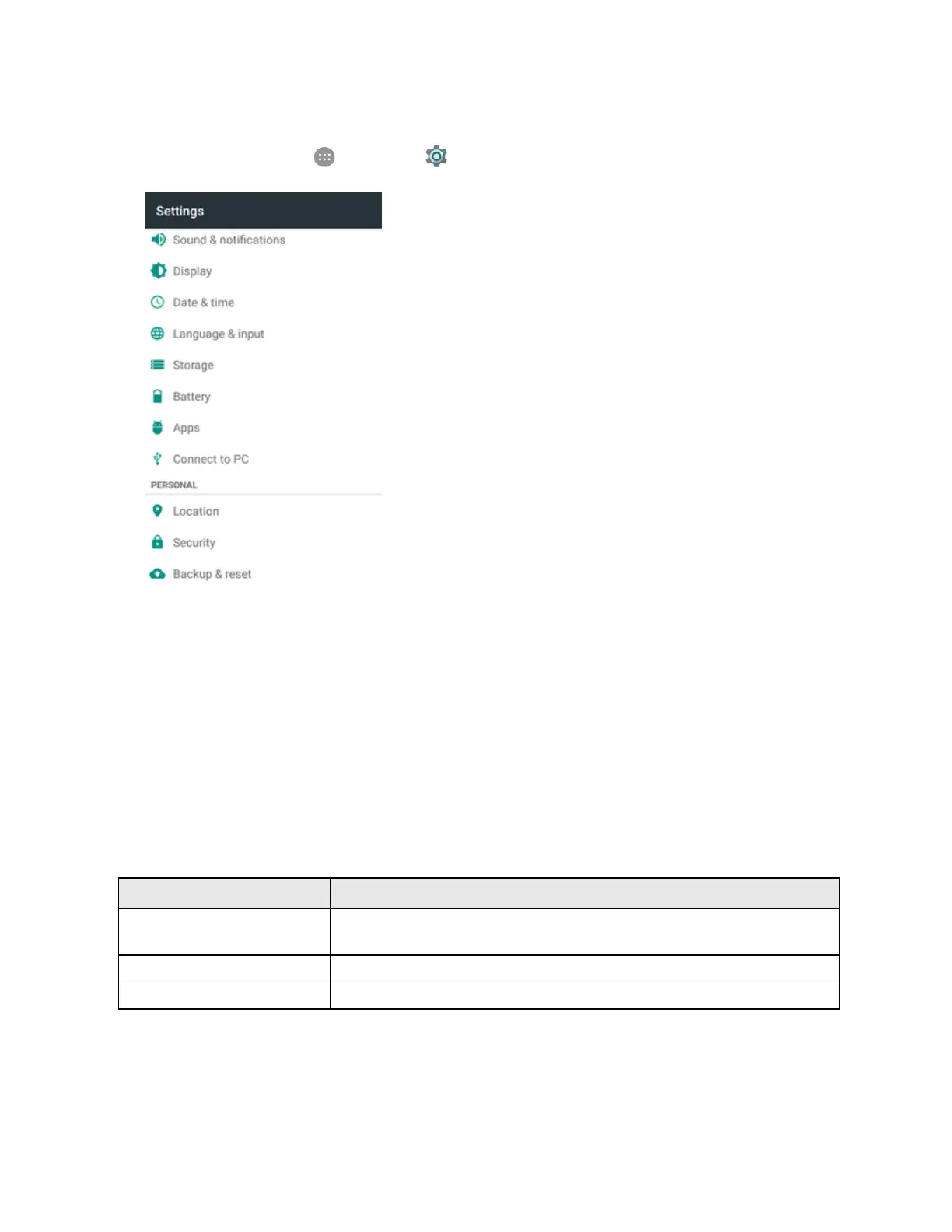
Settings 290
Access Connect to PC Settings
1.
Fromhome,tapApps >Settings >Connect to PC.
2. TaponeUSBconnectiontype.
Note:UncheckDon't ask me againtobepromptedtoselectaconnectiontypeeachtimeyou
connectthephonetoaPC.
Location Settings
YourLocationServicessettingsmenuletsyouselecthowyourphonedeterminesitslocation(using
thewirelessnetworks,GPSsatellites,both,orneither).
Location Settings Overview
YourLocationsettingsmenuallowsyoutoconfigurethefollowingoptions.
Location Setting Description
Mode Selectalocatingmethod(Highaccuracy,Batterysaving,orDeviceonly)
andmanageQualcomm
®
Izat™hardwareacceleratedlocation.
Recent location requests Checktheapplicationsthatrecentlyusedlocationservices.
Location services ManageinstalledlocationservicessuchasGoogleLocationHistory.
Enable Location Services
Beforeusinganyfeaturesthatrequirelocationassistance,youmustenableyourphone’slocation
services.



 To Next Page