Your Phone Interface 57
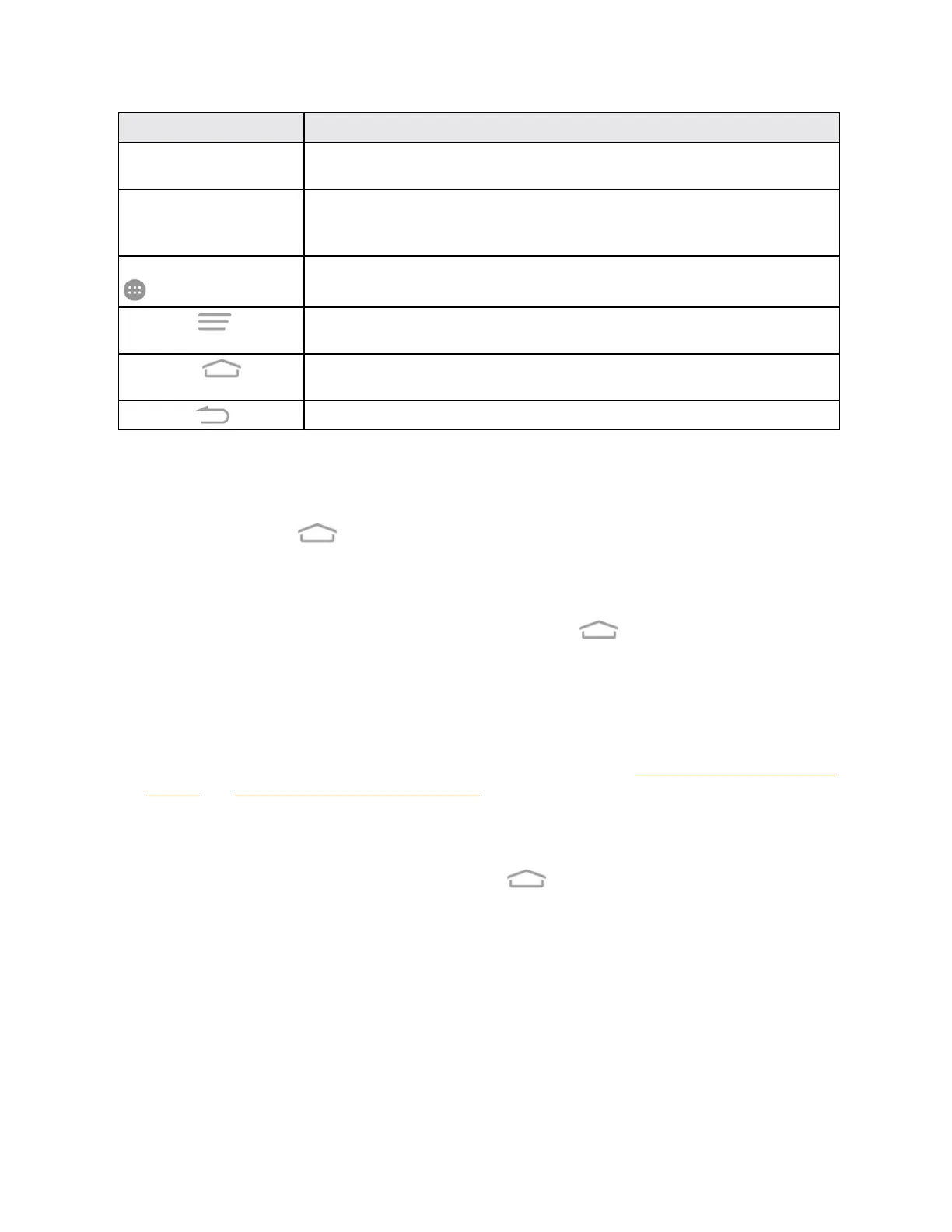
Item Description
Folder Youcangroupshortcutsonthehomescreenintofoldersforconvenient
access.
Primary Shortcuts Primaryshortcutsareapplicationshortcutsthatappearinthesamelocationon
allofyourphone’shomescreens.Thesearecustomizableexceptforthe
Applications(Apps)shortcut,whichremainsstatic.
Application List (Apps) Taptoopentheapplication(apps)list.TheAppsiconisaprimaryshortcut
availablefromallhomescreens.
MenuKey
Taptoaccessoptionsavailablefromthecurrentscreen.Touchandholdto
opentherecently-usedapplicationsscreen.
Home Key
Taptodisplaythemainhomescreen.TouchandholdtoopentheGoogle
application.
Back Key
Taptoreturntothepreviousscreen.
Note:Yourphone’shomescreenscyclethroughsothatyoucankeepswipinginonedirectionand
makeitbacktothemainhomescreen.Thesmallcirclesabovetheprimaryshortcutsletyouknow
yourcurrentscreenposition.
Tip:TaptheHomeKey toreturntothemainhomescreenfromanyotherscreen.
Extended Home Screens
Inadditiontothemainhomescreen,yourphonefeaturesextendedhomescreenstoprovidemore
spaceforaddingicons,widgets,andmore.TaptheHomeKey todisplaythemainhome
screenandthendragacrossthescreentomovefromthemainscreentoanextendedscreen.
Thereareuptoeightandatleasttwoextendedscreensavailableinadditiontothemainhome
screen.
n Ifyouarenotalreadyusingthemaximumnumberofscreensforyourphone,youcanaddmore
screenswhenaddingashortcutorwidgettothehomescreen.SeeAddShortcutstotheHome
ScreenandAddWidgetstotheHomeScreen.
n Iftherearemorethantwoextendedscreensandyouremoveallcontentsfromonescreen,the
emptyscreenisdeletedautomatically.
n
Whileonanextendedscreen,taptheHomeKey toreturntothemainhomescreen.
Todeleteorsetthehomescreens:
n Fromanyhomescreen,touchandholdanemptyareatodisplaythumbnailimagesofall
screens.



 To Next Page