Phone App 81
Set Up Visual Voicemail
SettingupVisualVoicemailfollowsmanyofthesameproceduresassettinguptraditional
voicemail.Youshouldsetupyourvoicemailandpersonalgreetingassoonasyourphoneis
activated.Yourphoneautomaticallytransfersallunansweredcallstoyourvoicemail,evenifyour
phoneisinuseorturnedoff.
Note:Tosetupyourtraditionalvoicemailbox,seeVoicemailSetup.
1.
Fromhome,tap Voicemail .
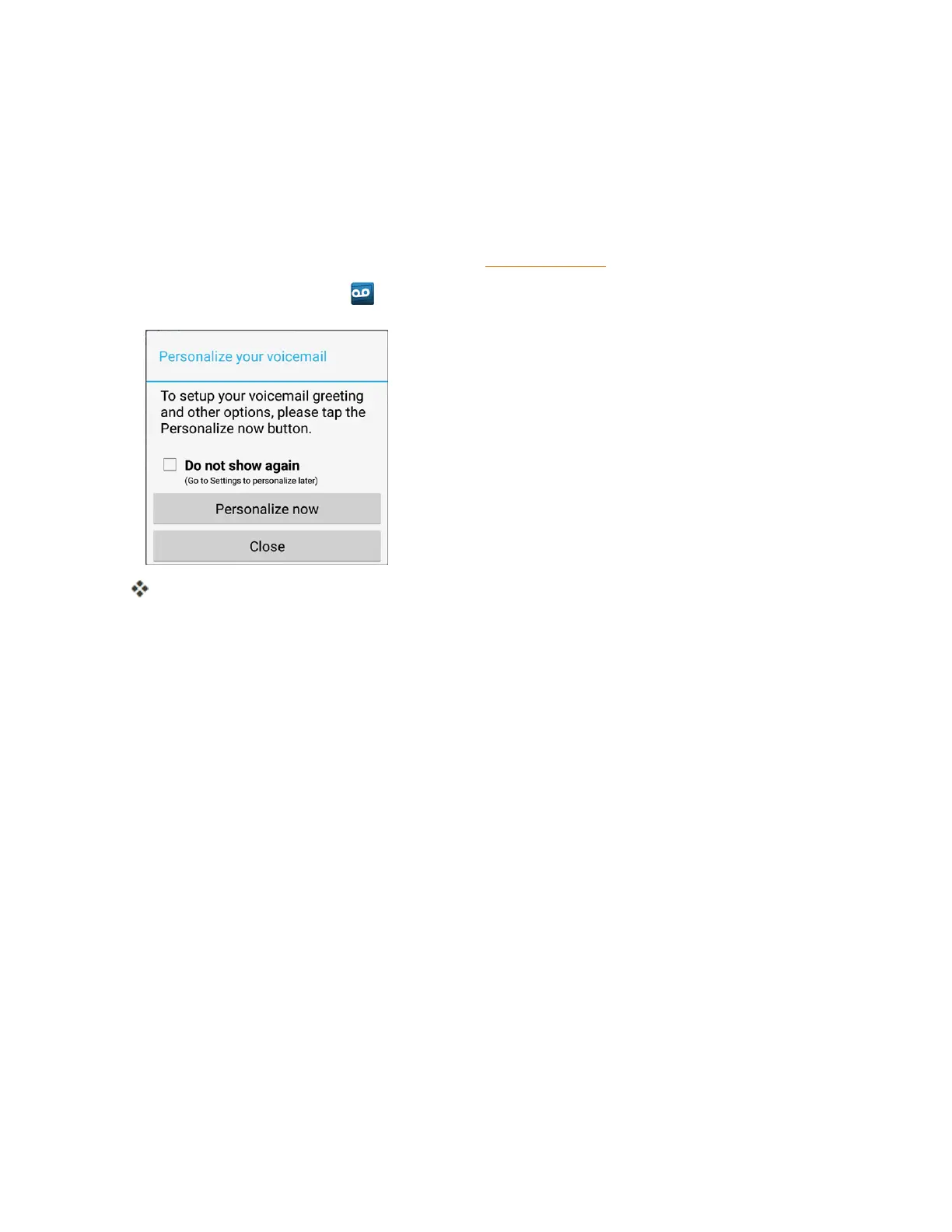
You’llseea"Personalizeyourvoicemail"prompt.
2. TapPersonalize nowandfollowthesystempromptsto:
l Createapassword(partofstandardvoicemail).
l Recordyournameannouncement.
l Recordyourgreeting.
Important:Voicemail Password–Itisstronglyrecommendedthatyoucreateapasswordwhen
settingupyourvoicemailtoprotectagainstunauthorizedaccess.Withoutapassword,anyonewho
hasaccesstoyourphoneisabletoaccessyourvoicemailmessages.
3. TaptheWelcometoVoicemailmessageonthescreentoplayabriefexplanationofthe
voicemailservices.



 To Next Page