Messaging and Internet 144
1.
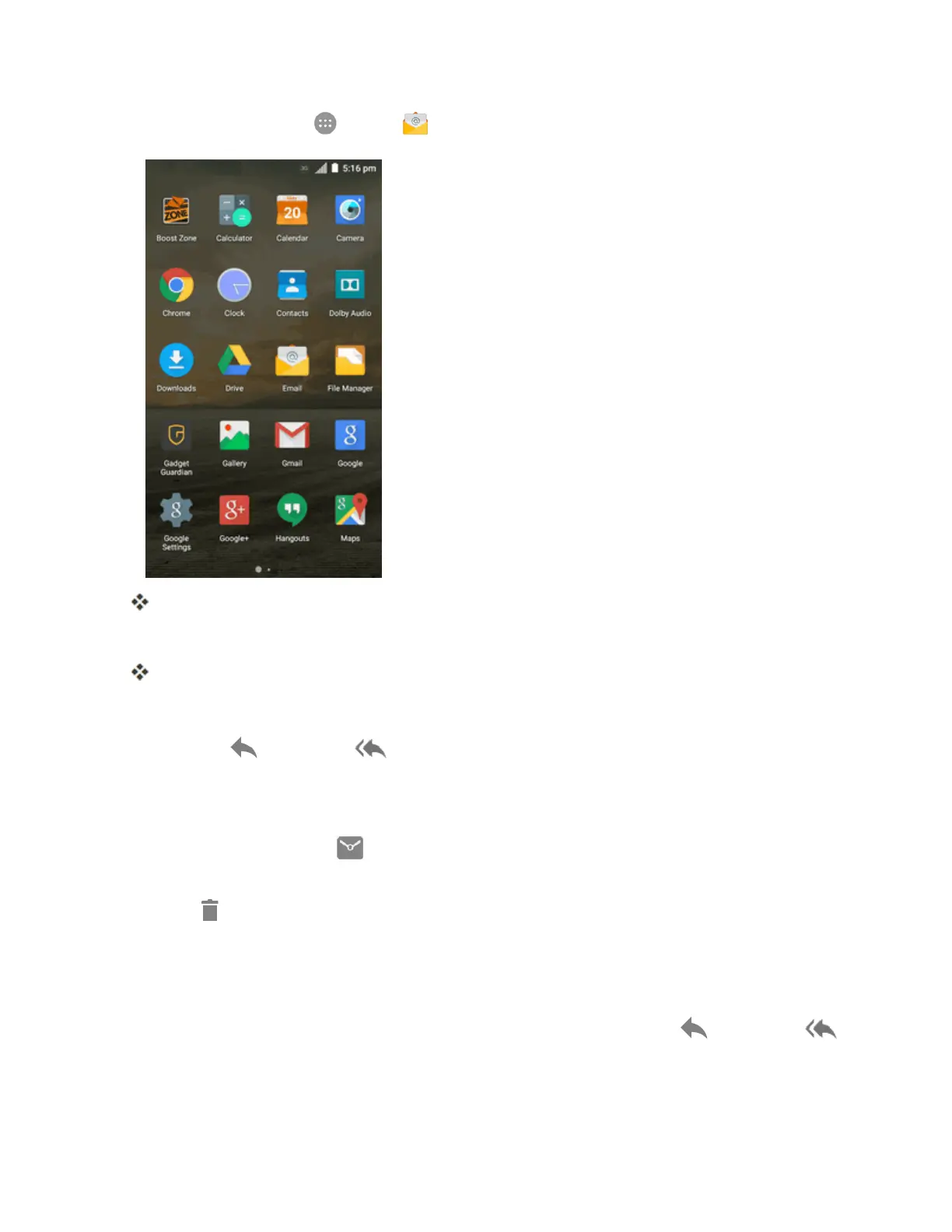
Fromhome,tapApps >Email .
Theemailinboxopens.
2. Tapthemessageyouwanttoview.
Theemailmessageopens.
Tip:Taptheaccountnameatthetopleftofthescreentoswitchtoadifferentemailaccount.
3.
TapReply orReply all toreplytothemessage.
Options when Reviewing Email Messages
n Resetting Message as Unread:Tapthecheckboxontheleftsideofareadmessageand
thentapMark as unread .
n Deleting Email:Tapthecheckboxontheleftsideofamessageormessagesandthentap
Delete .
n Syncing Accounts Manually:Syncsentandreceivedemailmessagesmanuallyatanytime
regardlessoftheautomaticsyncsettings.Switchtotheaccountinboxyouwanttosyncand
thendragthemessagelistdownwards.
n
Replying to Email Messages:Withanemailmessageopen,tapReply orReply all



 To Next Page