Connectivity 245
Transfer Files Between the Phone and a Computer
1. ConnectyourphonetoyourcomputerusingthesuppliedUSB/chargingcable.
l Insertthesmallerendofthecabletothecharger/accessoryjackonthesideofthephone.
l InserttheUSBendofthecableintoanavailableUSBportonyourcomputer.Youmay
needtoremovetheUSBcablefromthechargingheadtoaccessit.
2.
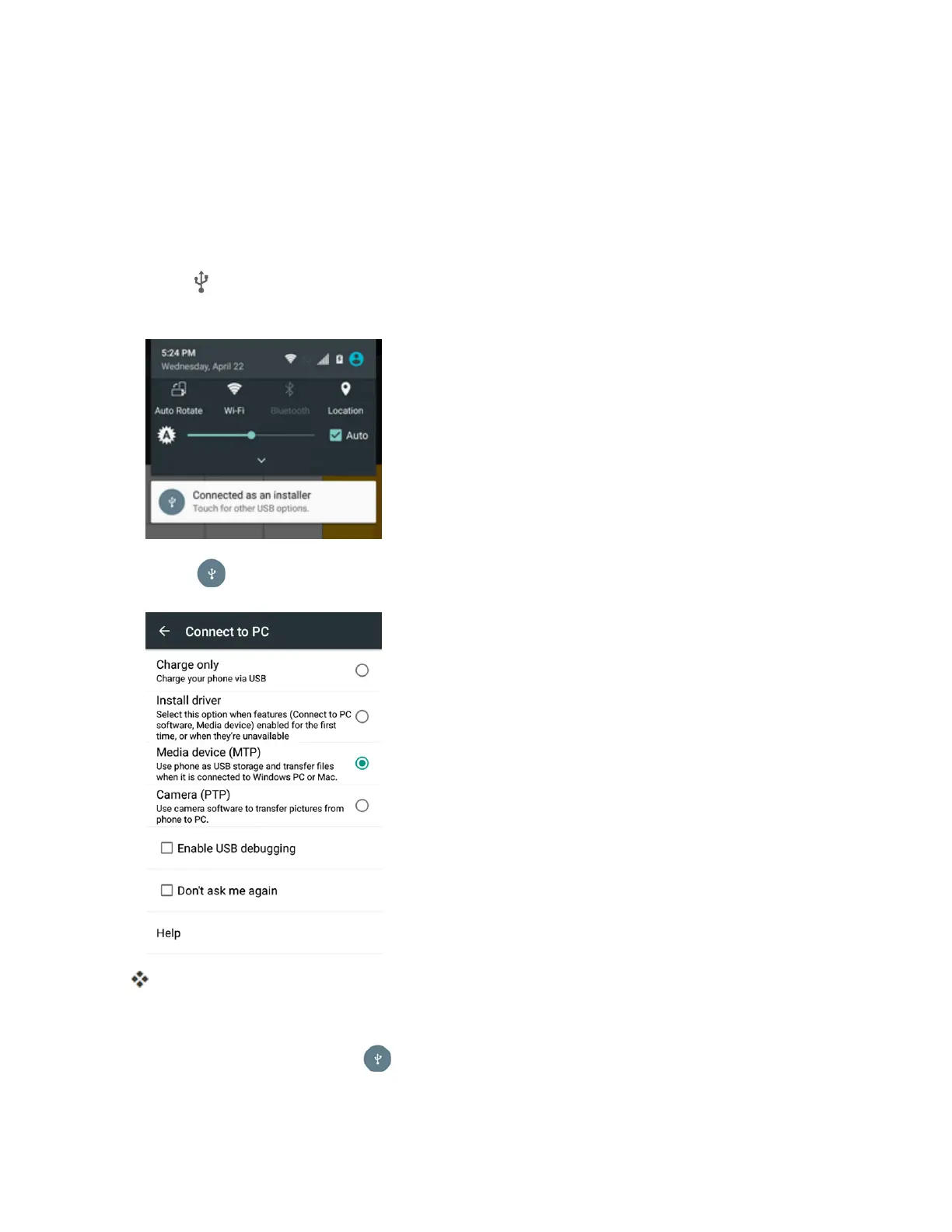
When appearsinthenotificationsarea,dragthestatusbardowntodisplaythenotifications
panel.
3.
Touch andselecteitherMedia device (MTP)orCamera (PTP).
Thefilesonyourphonecannowbeaccessedviayourcomputer.
l Formosttransfers,you'llwanttouseMedia device (MTP).
l
Tochangetheoption,tap inthenotificationspaneltoopentheConnect to PC
window,andthentapthedesiredoption.



 To Next Page