Connectivity 252
3.
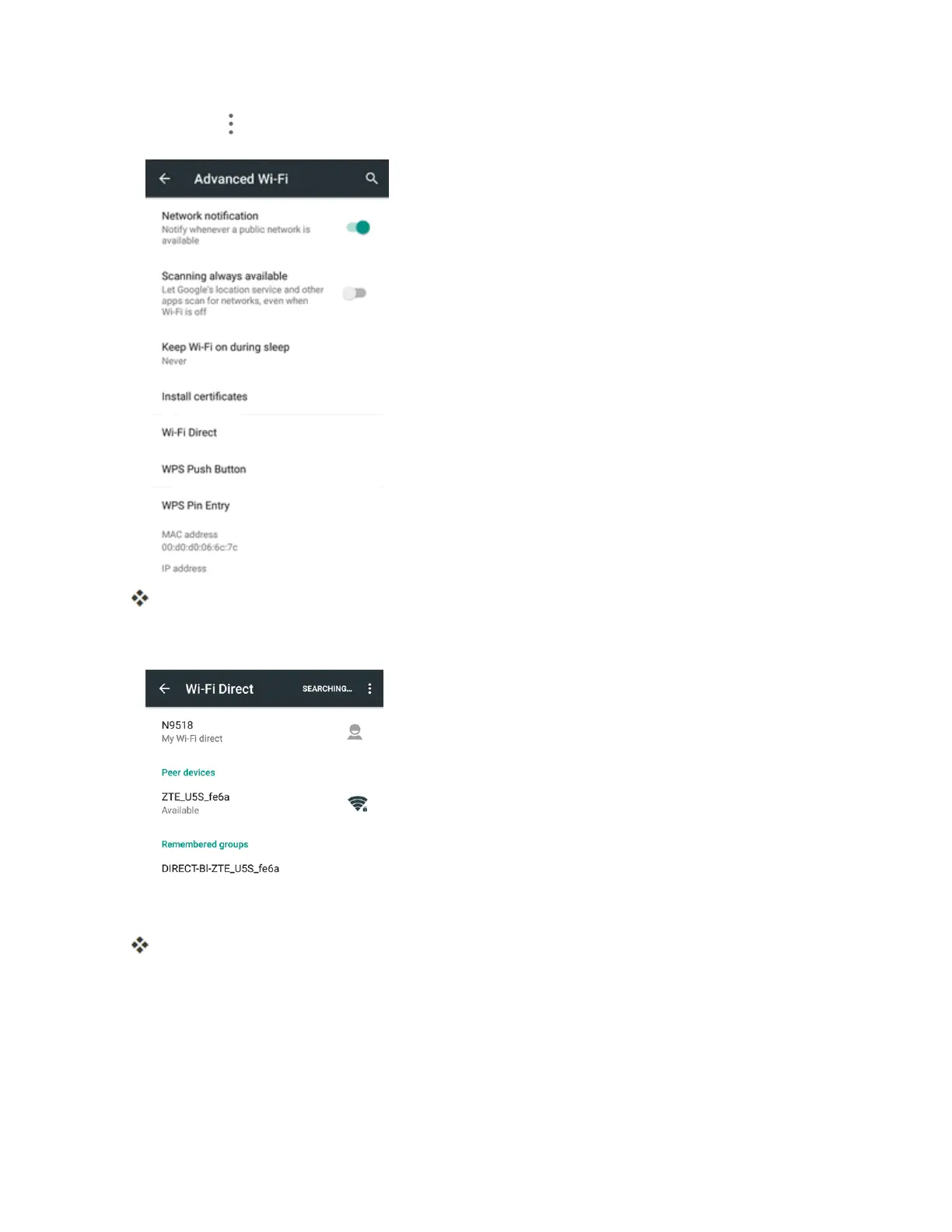
TapMenu >Advanced>Wi-Fi Direct.
TheWi-FiDirectsettingsmenuappears.
4. TapadevicewithwhichtoconnectbelowPeer devicesandtouchCONNECT.
5. Accepttheconnectionontheotherdevice.
ThephoneisconnectedviaWi-FiDirect.
l Ifaconnectionisnotacceptedafteracertainperiod,theconnectionrequestiscancelled.
l Tostopaconnection,taptheconnecteddeviceandtapDISCONNECT.



 To Next Page