Basic Operations 44
1.
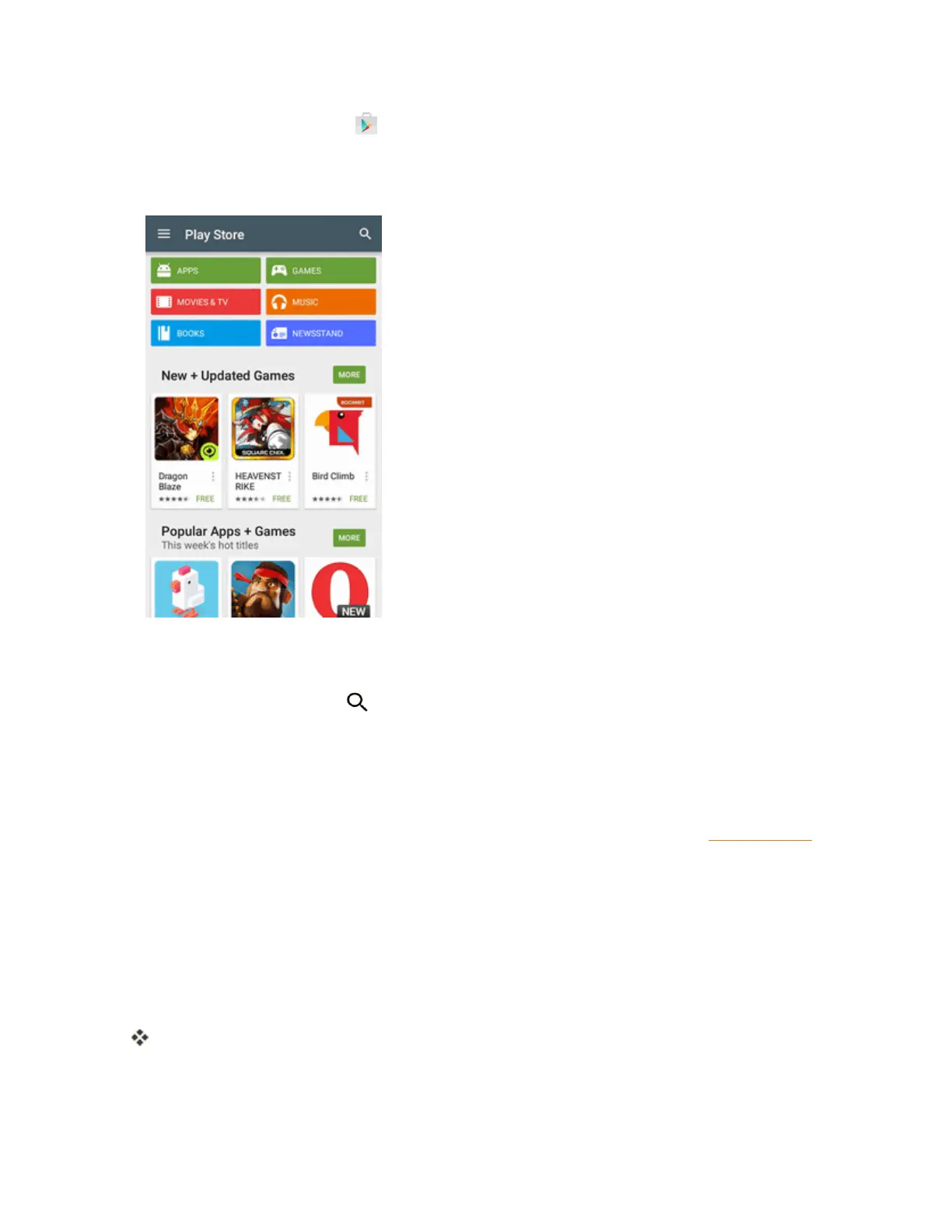
Fromhome,tap Play Store .
2. Browsethroughthecategories(Apps,Games,Movies & TV,Music,Books,or
Newsstand),findanitemyou'reinterestedin,andtapthename.
l Browsethroughfeaturedapps.Scrollthroughthelistoffeaturedappswhenyouopen
GooglePlay.
l
Searchforanapp.Tap ontheGooglePlayhomescreen,enterthenameortypeofapp
you’relookingfor,andthentapthesearchkeyonthekeyboard.
3. Tapanapptoreadadescriptionabouttheappanduserreviews.
4. TapINSTALL(forfreeapplications)ortheprice(forpaidapplications).
Note:YouneedaGoogleWalletaccounttopurchaseitemsonGooglePlay.SeeGoogleWalletto
setupaGoogleWalletaccountifyoudonothaveone.
5. Thesubsequentscreennotifiesyouwhethertheappwillrequireaccesstoyourpersonal
informationoraccesstocertainfunctionsorsettingsofyourphone.Ifyouagreetothe
conditions,tapACCEPT(forfreeapps)orACCEPTandthenBUY(forpaidapps)tobegin
downloadingandinstallingtheapp.
l Ifyouselectedapaidapplication,aftertappingBUY,you’reredirectedtotheGoogleWallet
screentopayfortheapplicationbeforeit’sdownloadedtoyourphone.
Theselectedappisdownloadedandinstalledonyourphone.



 To Next Page