Phone App 76
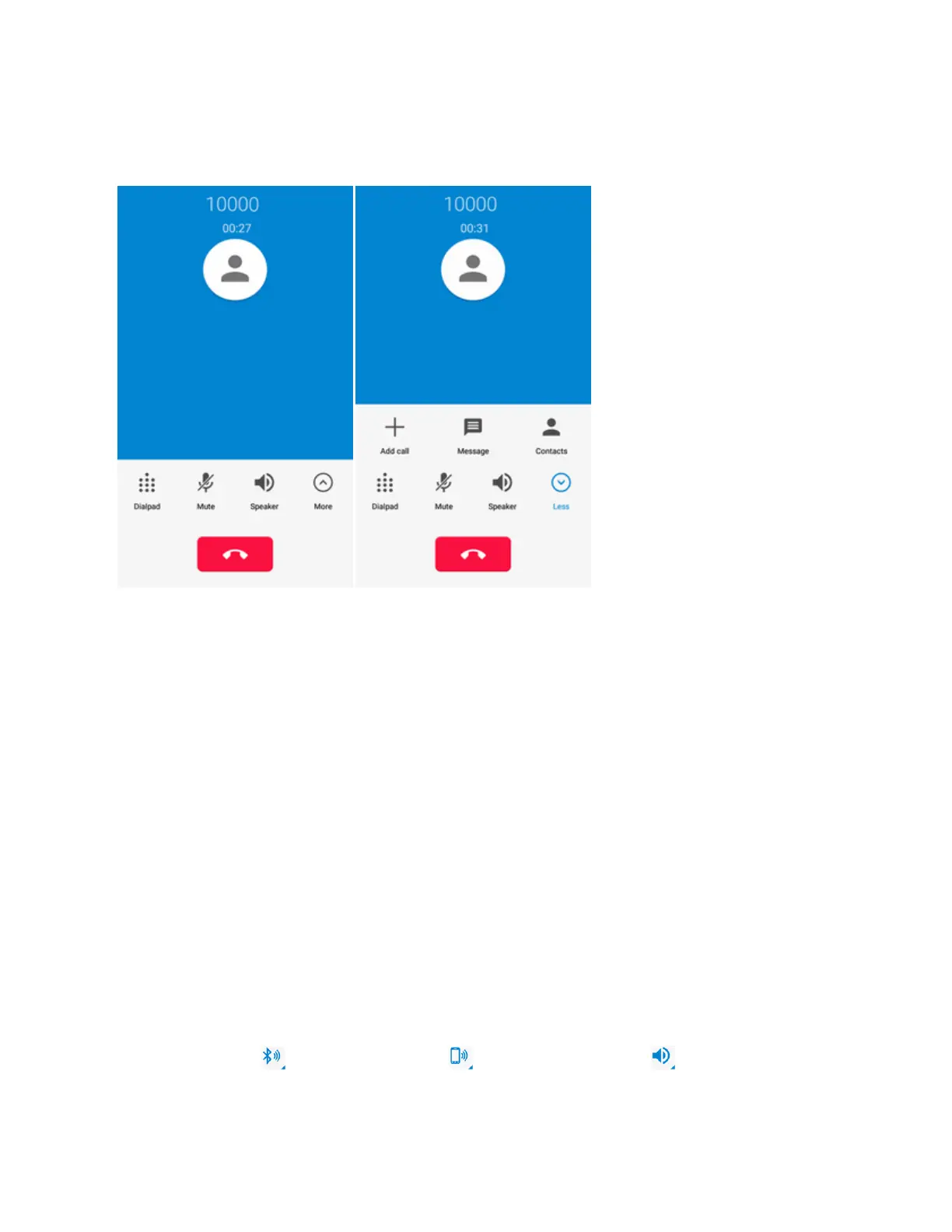
In-Call Screen Layout
TapMoretodisplayallavailableoptions.Tapoptionstoactivatethemduringacall.
n Add call:Taptomakeanothercallseparatelyfromthecurrentcall,whichisputonhold.When
bothcallsareconnected,youcantapMERGE CALLStojointhetwocallsintoaconference
call.
n Message:OpentheMessagingappandviewyourtextandmultimediamessages.
n Contacts:OpentheContactsappandviewyourcontactslist.
n Dialpad:Toggletheappearanceoftheonscreenkeypad.Youcanuseitduringacalltoenter
additionalnumbers,suchasanextension,accountnumberorpassword.
n Mute:Mutethemicrophoneduringanactivecall.Tapagaintounmutethemicrophone.
n Speaker:Routethephone’saudiothroughthespeaker(On)orthroughtheearpiece(Off).
l ActivateSpeakertoroutethephone’saudiothroughthespeaker.(Youcanadjustthe
speakervolumeusingtheVolumeButton.)
l DeactivateSpeakertousethephone’searpiece.
Warning:Becauseofhighervolumelevels,donotplacethephonenearyourearduring
speakerphoneuse.
Note:WhenaBluetoothheadsetisconnectedtoyourphone,youcanroutetheaudiothroughthe
Bluetoothheadset( ),thephoneearpiece( ),orthephonespeaker( ).Taponeofthese
iconsandselectSpeaker,Handsetearpiece,orBluetoothtochangehowtheaudioisrouted.



 To Next Page