- 42 -
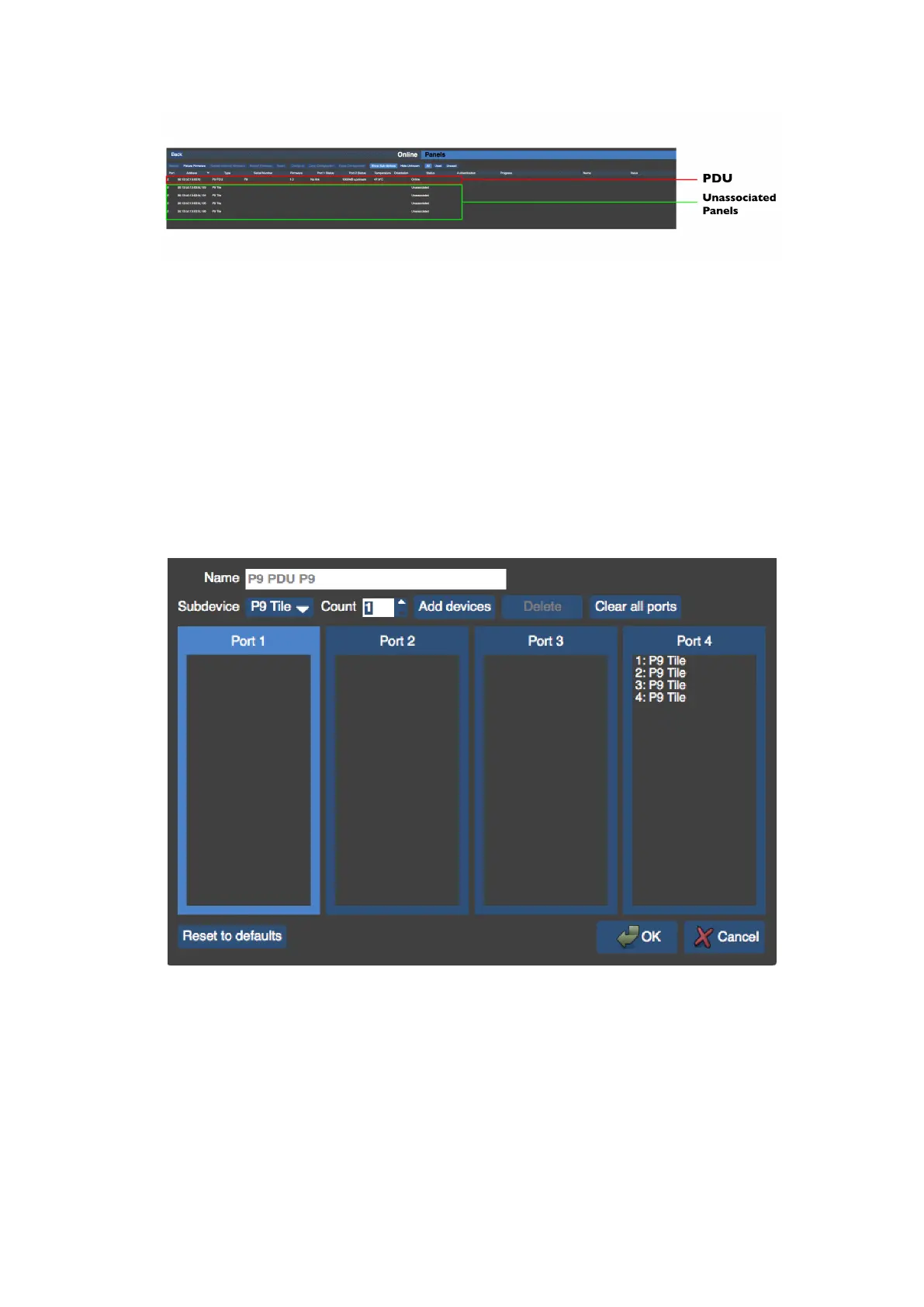
Figure 5-8. A Root Node with unassociated Sub-devices
To configure connected Root Nodes: select the relevant Root Node you wish to configure so
that it is highlighted. Note that Sub-devices can be shown or hidden by selecting the Show
Sub-devices button.
Click on the Configure button to open the Configure Root Node dialog box.
If the root node has more than one output port these will be shown as separate boxes.
Figure 5-9. The Configure Root Node dialog
Ports on the selected Root Node can be selected and then Sub-devices can be selected from
the drop down menu and assigned by clicking on the Add Devices button.



 To Next Page