- 17 -
S4
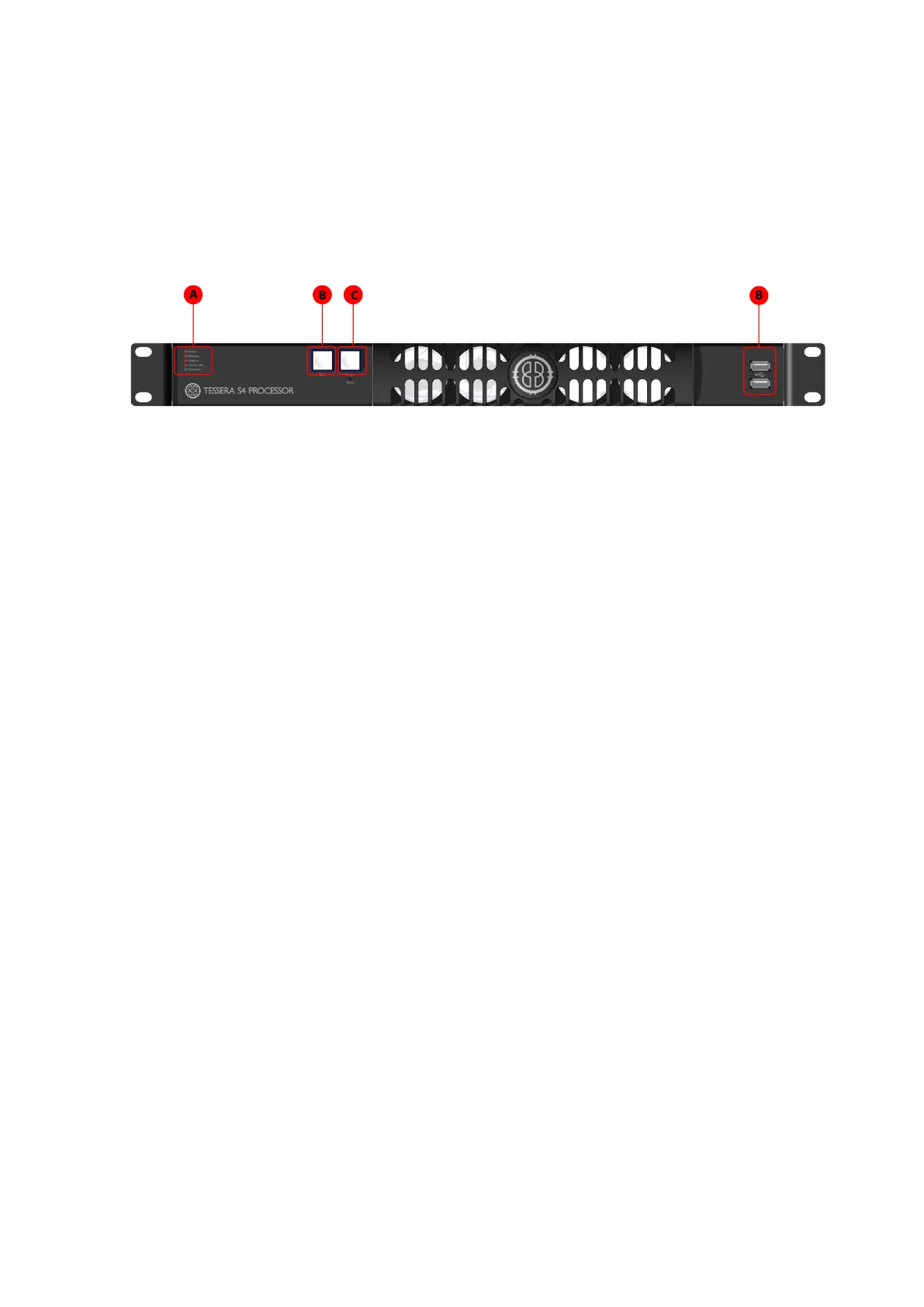
Front Panel
A Front panel status LEDs
B Black Button:sends the output of the processor to black
C Freeze button:freezes the output of the processor
D
2 x USB 2.0 type Aports, for the connection of USBmemory storage devices, peri-
pherals such as a keyboard or mouse or other USBperipherals
Front Panel Status LEDs
LEDName Indication
Active
Blinks whilst Local User Interface or Tessera Remote applic-
ation in use
Ethernet
Processor is connected to Tessera Remote. When blinking
indicates that the processor is detecting a network con-
nection.
Video In The processor is connected to a valid video input source.
Tessera Out The processor is connected to panels.
Overtemp
Off:Temperature normal
Blinking: processor overheating but operational
On: processor overheated but shutdown



 To Next Page