- 15 -
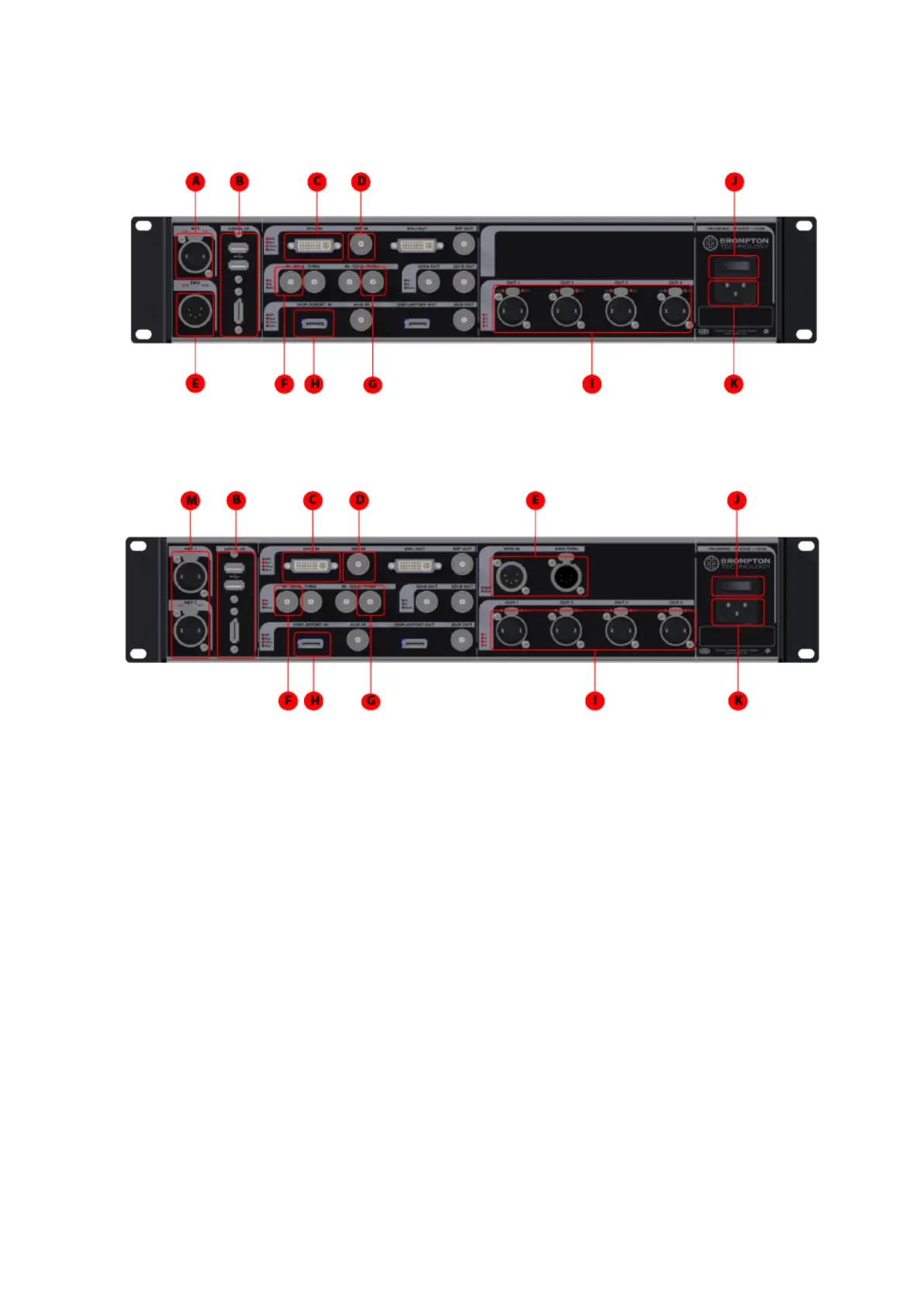
Rear Panel Connections
M2 processor
M2B processor
A
Remote Control
Connect a PC or Mac running the Tessera Remote or Tessera Control application, or
an eDMX protocol directly to the local data Gigabit Ethernet port.
B
Local User Interface
The M2 Processor can be operated locally with a monitor connected via DisplayPort.
Peripherals such as mouse and keyboard can be connected to the USB ports on either
the front or rear panel.
C
DVI Input
A DVI input of up to 1920x1080 @ 60Hz (148.5MHz pixel clock) is available. This is a
DVI-I input which supports DVI-D, VGA/ RGBHV and Component Analog (YPbPr)with a
suitable adapter.



 To Next Page