- 81 -
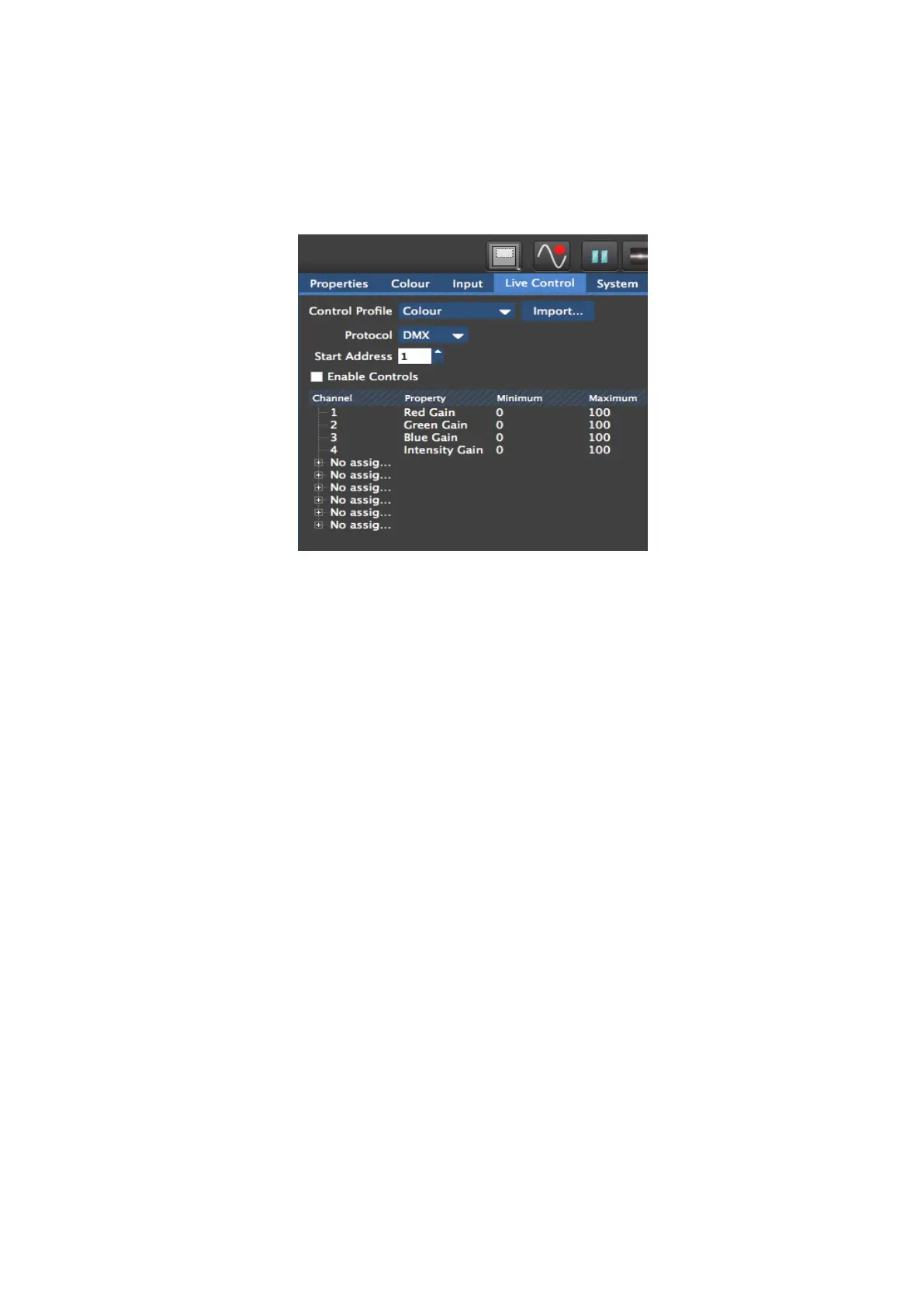
Control Profile – A control profile contains information about the parameters and
assignable items that can be controlled when using that Control Profile and maps these to
particular channels.
Figure 9-2. Choosing Protocol and Control Profile
Protocol – Denotes the actual Control Protocol which is being used to control the processor.
This can be DMX (via the 5 pin XLR input) , Art-Net (via a network connection), or the Tessera
Control protocol which allows control of multiple processors from one application.
Configuring the processor for DMX control
1) Connect a source of DMX512 to the opto-isolated XLR 5 pin input.
2) Go to the Live Control tab and select DMX from the Control Protocol drop down menu.
3) Enter a Start Address for the processor (default 001). The Start Address will correspond
with the DMX address of the first parameter in the selected Control Profile.
4) Enable Live Control by checking the Enable in the Live Control Tab or clicking the Live
Control button in the Right Button menu.
If DMX is detected, the Live Control button will light up green to indicate that a source of
Live Control has been detected and that Live Control is enabled.
Note: - M2B and T1 processors are fitted with a DMX I/O card which features an opto-isolated
DMX in and through. The DMX I/O card is located above the Ethernet I/O card.



 To Next Page