- 103 -
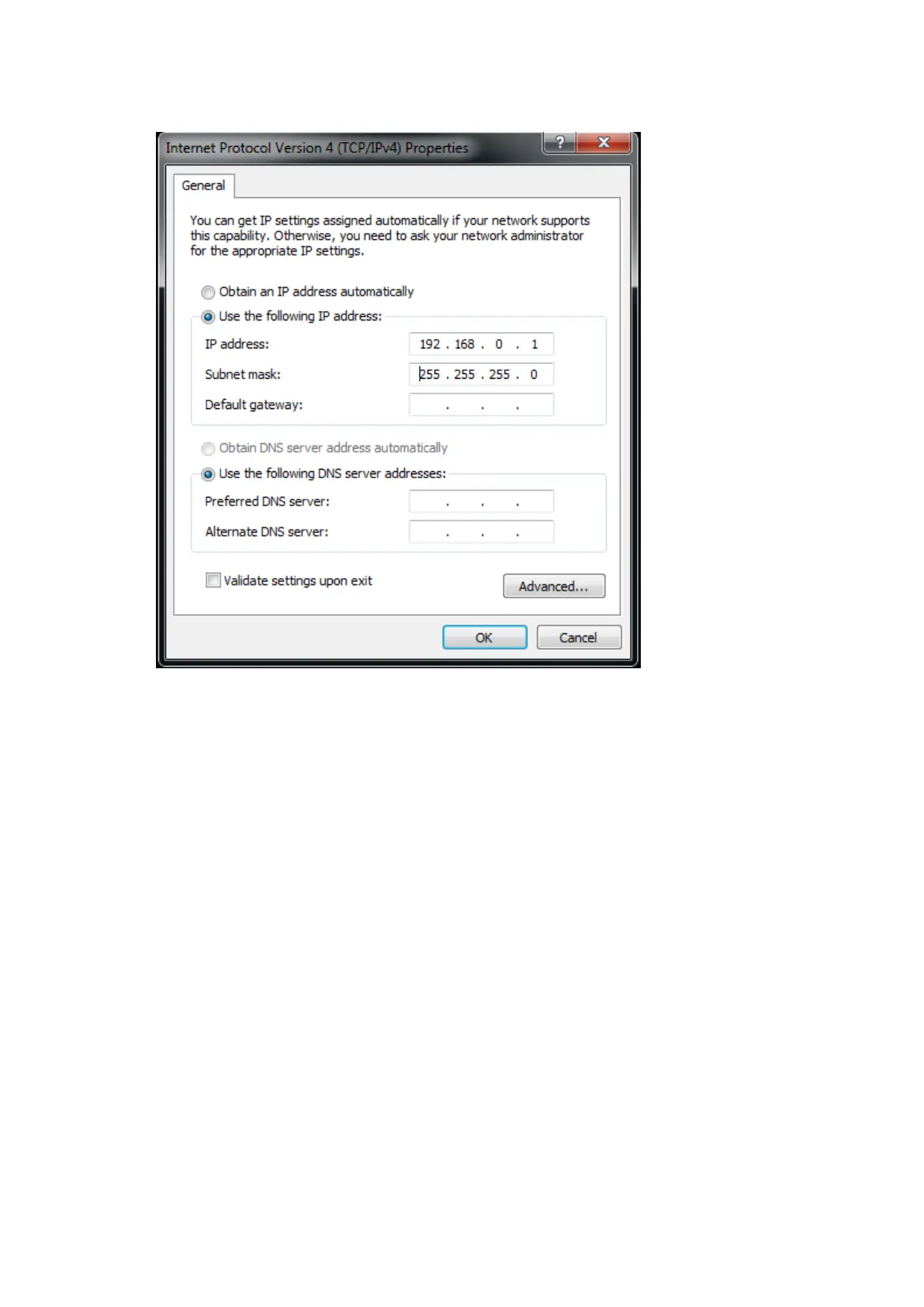
between 1 and 254, except for 50.
5. Click OK. Your computer should now be ready to connect to a Tessera processor.
Setting the IP address in Mac OS X:
More recent Mac laptops have been shipped from Apple without a wired Ethernet network
interface. To connect to a Tessera processor without using a WLAN requires either a USB –
Gigabit Ethernet adapter or a Thunderbolt – Ethernet Adapter, both of which are available
from third-party suppliers.
1. Click the Apple symbol in the top left corner of the main screen. Select System Prefer-
ences, and click on the Network icon.
2. Open the Configure IPv4 dropdown menu and select Manual from the list of options.
3. In the IP Address box enter 192.168.0. and a value between 1 and 254 except 50, and a
subnet mask of 255.255.255.0. Then click Apply and your Mac should be ready to con-
nect to a Tessera Processor.



 To Next Page