CS 7600_User Guide (8J4071)_Ed04 21
11 Select Soft, Standard, or Sharp for DEJ.
This sets the default filter for DEJ.
12 To choose which is going to be your default filter, Perio, Endo, or DEJ, make sure that your desired
selection is with a blue frame by clicking again on your desired selection.
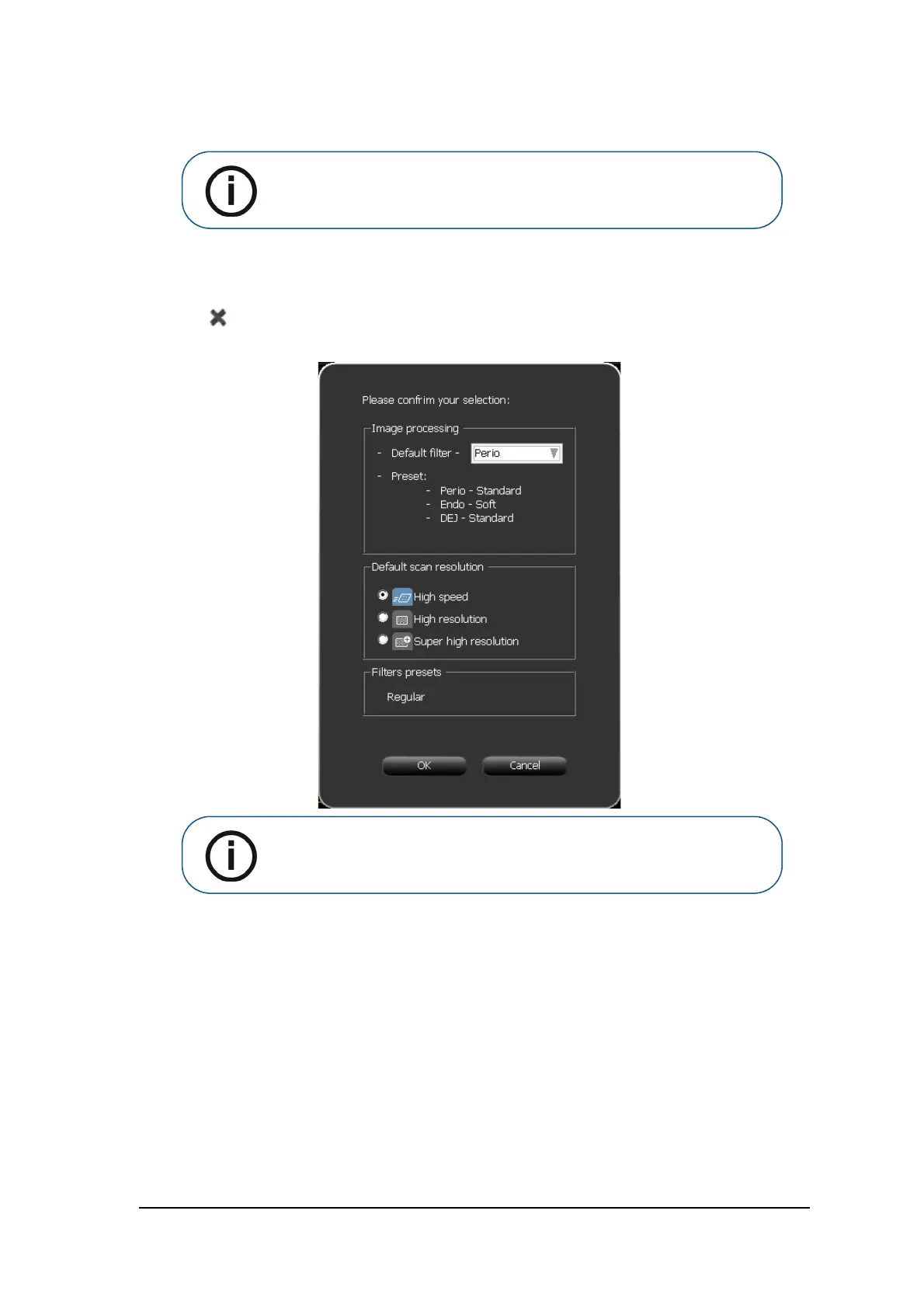
13 Click the Close button in the top right corner of the screen.
The Image Adjustment confirmation window opens.
14 Click OK.
The Image Adjustment window closes and the image Acquisition interface closes.
15 Re-open the image Acquisition interface.
Note: The last selection, which appears with a blue frame, will be the default
filter, Perio, Endo, or DEJ.
Note: The last selection, which appears with a blue frame, will be the default
filter, Perio, Endo, or DEJ. If you wish to change the default filter, click the
arrow in the Default Filter selection box and select a default filter.











 To Next Page