20 Chapter 3 Software Overview
7 Click OK.
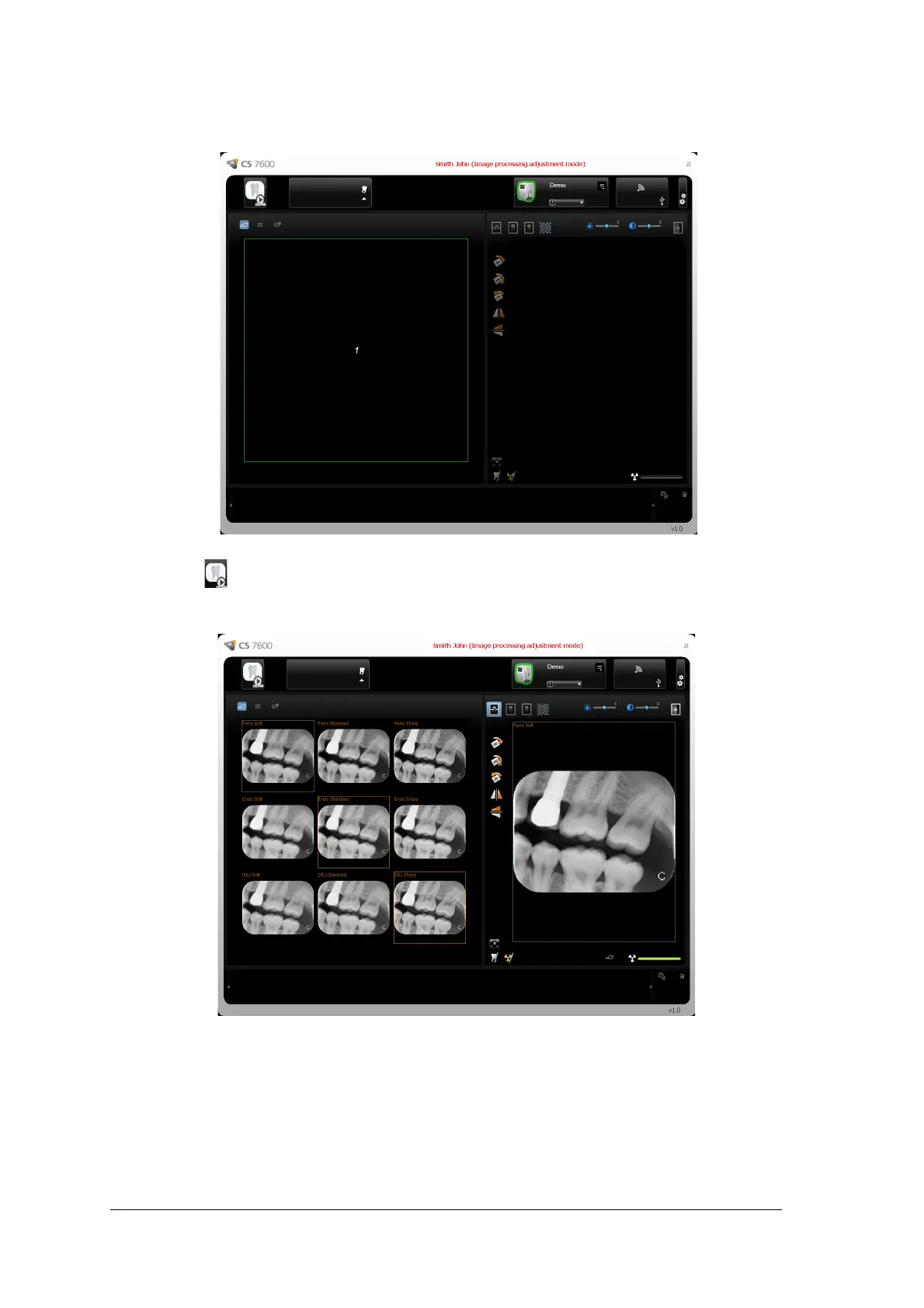
The Image Processing Adjustment Mode window opens.
8 Click the Demo icon in the top left corner of the screen.
A set of the nine combinations Perio, Endo, DEJ with Soft, Standard, Sharp of the demo image of a
scanned plate appears in the Images Display Area and an image appears in the Preview area.
9 Select Soft, Standard, or Sharp for Perio.
This sets the default filter for Perio.
10 Select Soft, Standard, or Sharp for Endo.
This sets the default filter for Endo.











 To Next Page