CS 7600_User Guide (8J4071)_Ed04 19
Opening the Image Acquisition Interface for the First Time
To open the image Acquisition interface, after having selected a patient, use one of the following shortcuts
provided in the Imaging Software.
• CS 7600 image Acquisition mode, examples of the icons
• CS 7600 FMS mode (Template mode), examples of the icons
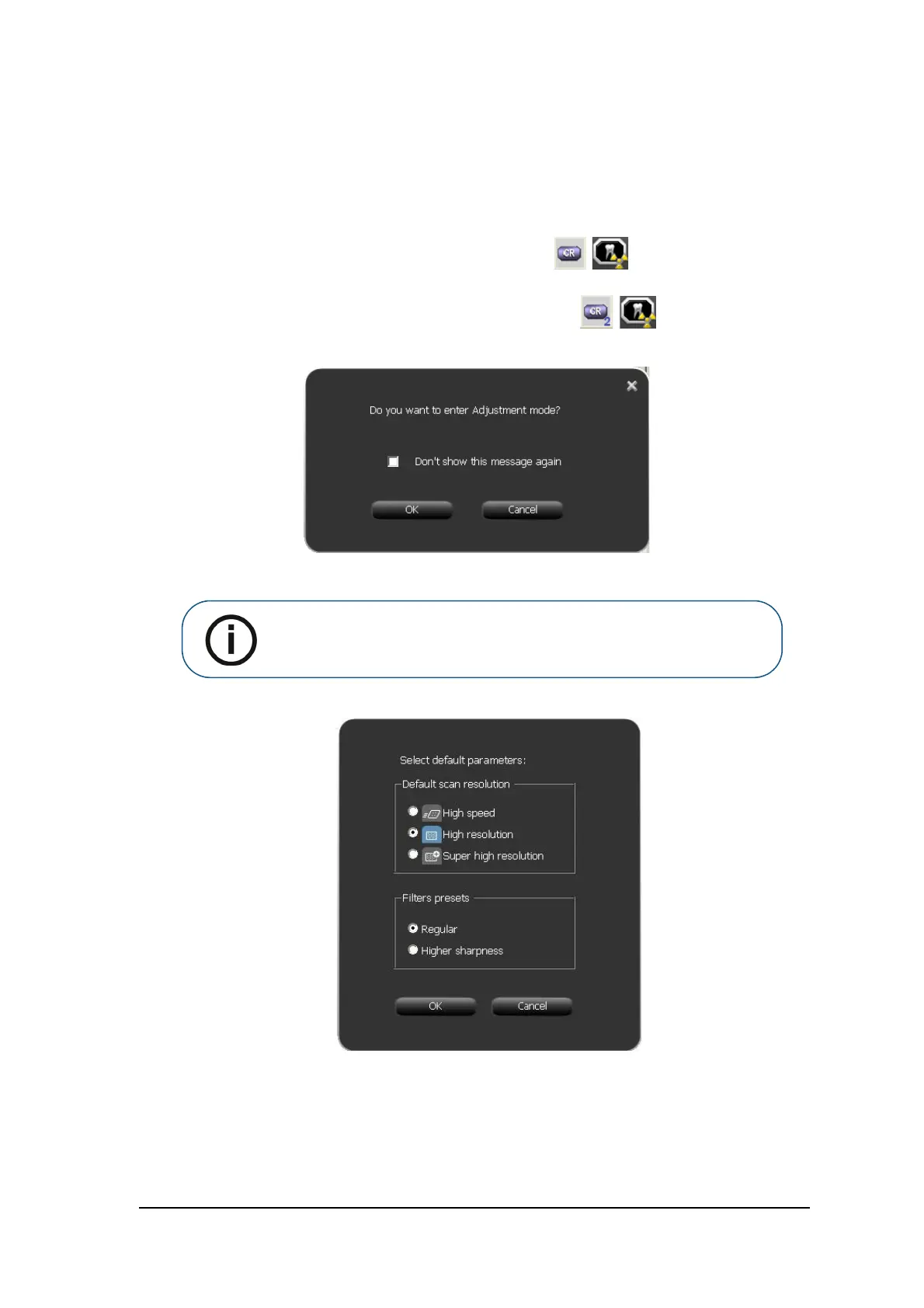
When you open the image Acquisition interface for the first time, the following window opens.
4 Click OK.
The Image Adjustment window opens.
5 Select a default scan resolution checkbox.
6 If you wish an even sharper image, in the Filters Presets area select the Higher Sharpness checkbox.
Note: Do not check the Don't show this message again checkbox.











 To Next Page