CS 7600_User Guide (8J4071)_Ed04 27
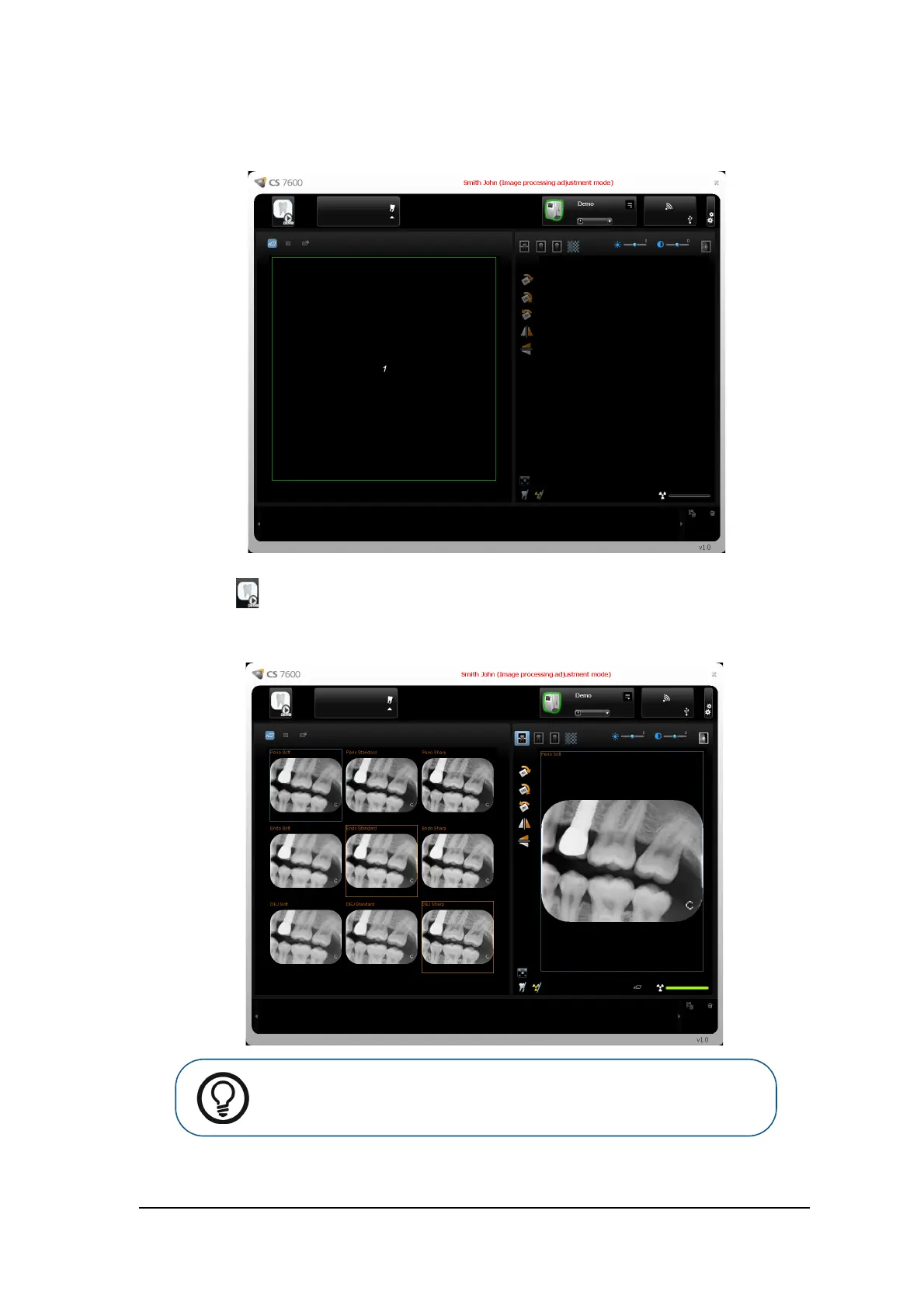
7 To select the default scan resolution from a selection of different preview images, click the Adjustment
Mode checkbox and click OK.
The Image Processing Adjustment Mode window opens.
a Click the Demo icon in the top left corner of the screen or scan an image.
A set of the nine combinations Perio, Endo, DEJ with Soft, Standard, Sharp of the demo image
of a scanned plate appear in the Images Display Area and an image appears in the Preview area.
Tip: The image Brightness and Contrast may also be adjusted by holding the
mouse button over the image and dragging vertically, for contrast, and
horizontally, for brightness.











 To Next Page