Managing the System
Administration
Cisco Small Business NSS 322, NSS 324, and NSS 326 Smart Storage Administration Guide 75
3
•
SMS Server API_ID
—Enter the SMS server API ID provided from your
provider. In order to get the API_ID, the user needs to add the NAS product
name to the serv ice provid er list . In this cas e, it will be Cis co. Th is ID is
differe nt from the Clie nt ID that the user receives when product is regist ered.
Add SMS service provider
•
SMS Service Provider
—Enter the name of the SMS service provider.
•
URL Template Text
—Enter the tex t as sp ec ified in the URL Template
Replaceable Param eters table.
NOTE
You will not be able to receive the SMS properly if the URL template
text entered does not follow your SMS service provider’s format.
STEP 4
Click
Apply
to save the SMSC server settings.
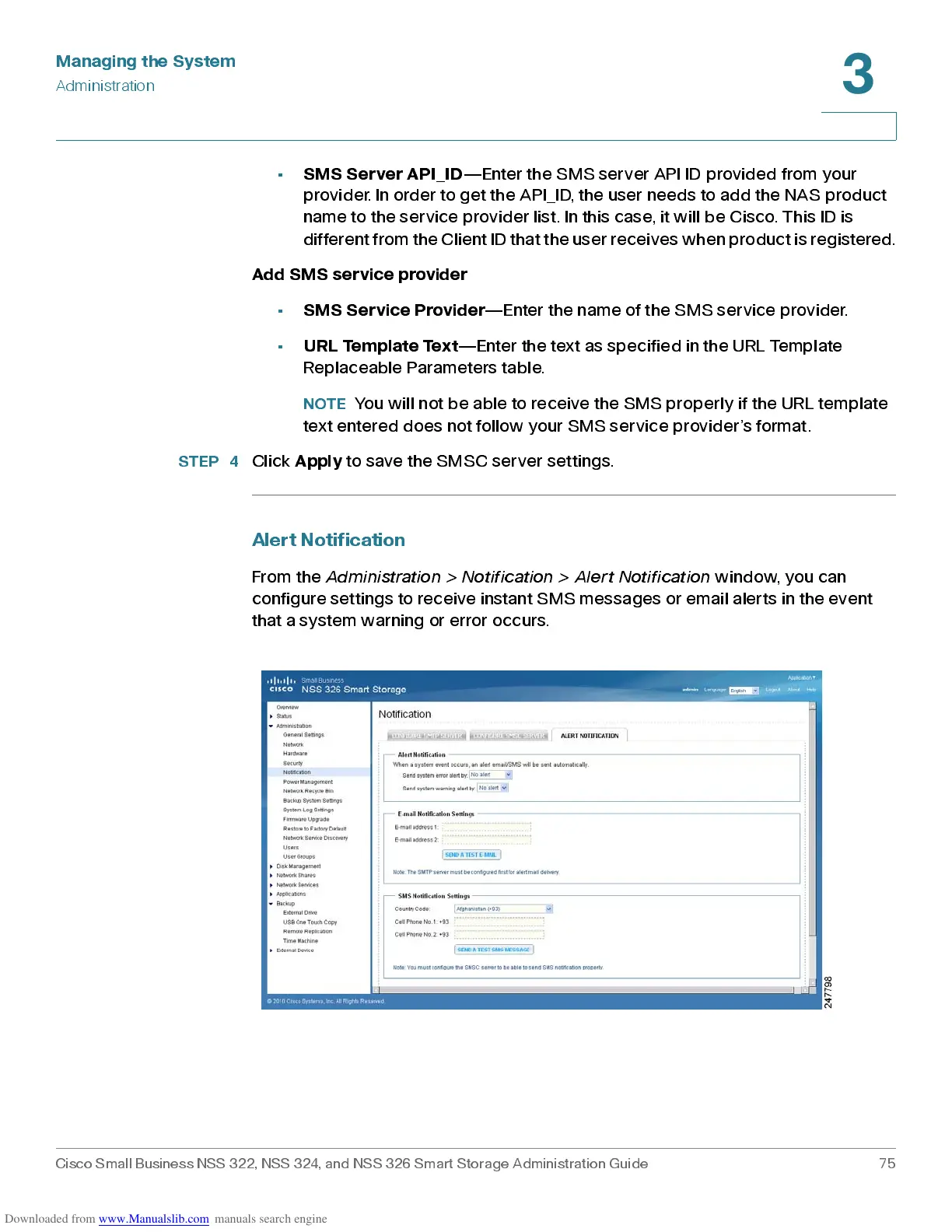
Alert Notifi ca t ion
From the
Ad mi nist rat io n > Notif ic ati on > A le rt No ti fi cat io n
window, you can
configure settings to receive instant SMS messages or email alerts in the event
that a system war ning or error oc c ur s .



 To Next Page