49
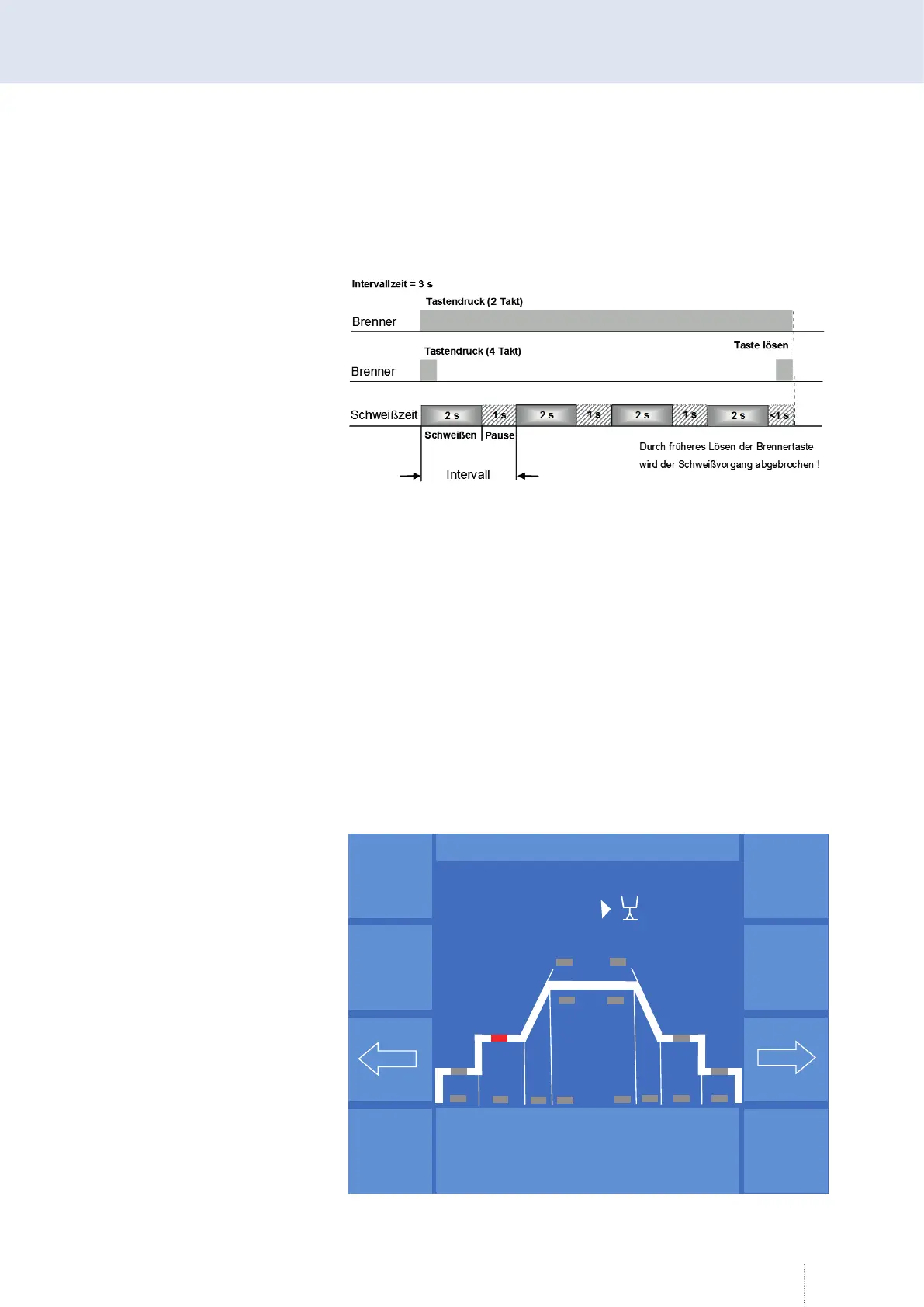
By tipping the arrow button on the right, you can enter the "Pause time". If
you enter a "Pause time", the interval function is started.
"Spot welding time" and "Pause time" are added and result in the "Interval
time".
6.4 MAIN - Programming - Setting ranges
Setting ranges can be defined for starting power, main power and end
crater power.
Prerequisite for configuring the setting ranges is the "Access management" or
the optional "User management", see section "9.4 Access rights" on page 70.
6.4.1 Input of setting ranges
In order to be able to input the setting ranges you have to log on as "Con-
figurator" ("MAIN (2)" - "Log on"). The setting ranges are input on the page
"MAIN" using the "Progr" function.
Use the arrow buttons to select the start, main or end crater power. The
"Setting range" function appears, see Figure 16.
Figure 14. Interval time
Impuls-
sync.
Stell-
bereich
Tandem
Schweiß-
kreis
Expert-
Mode
Aktiver
QWD
V
0
A
0.0
P R O G R A M M I E R E N
Startleistung
Dyn.
6.0 m/min
- 0 -
6
2
Puls 4 -Takt
1.2 mm Fe
82% Argon 18% Co
2
Figure 15. "Programming" menu



 To Next Page