54
MAIN - Programming
6.7.3 Secondary parameters in the "Expert Mode"
The secondary parameters are set by means of rotary knob 3. To select the
individual parameters, you can press the rotary knob or use the up and
down arrow keys.
Depending on the process, the following secondary parameters are availa-
ble:
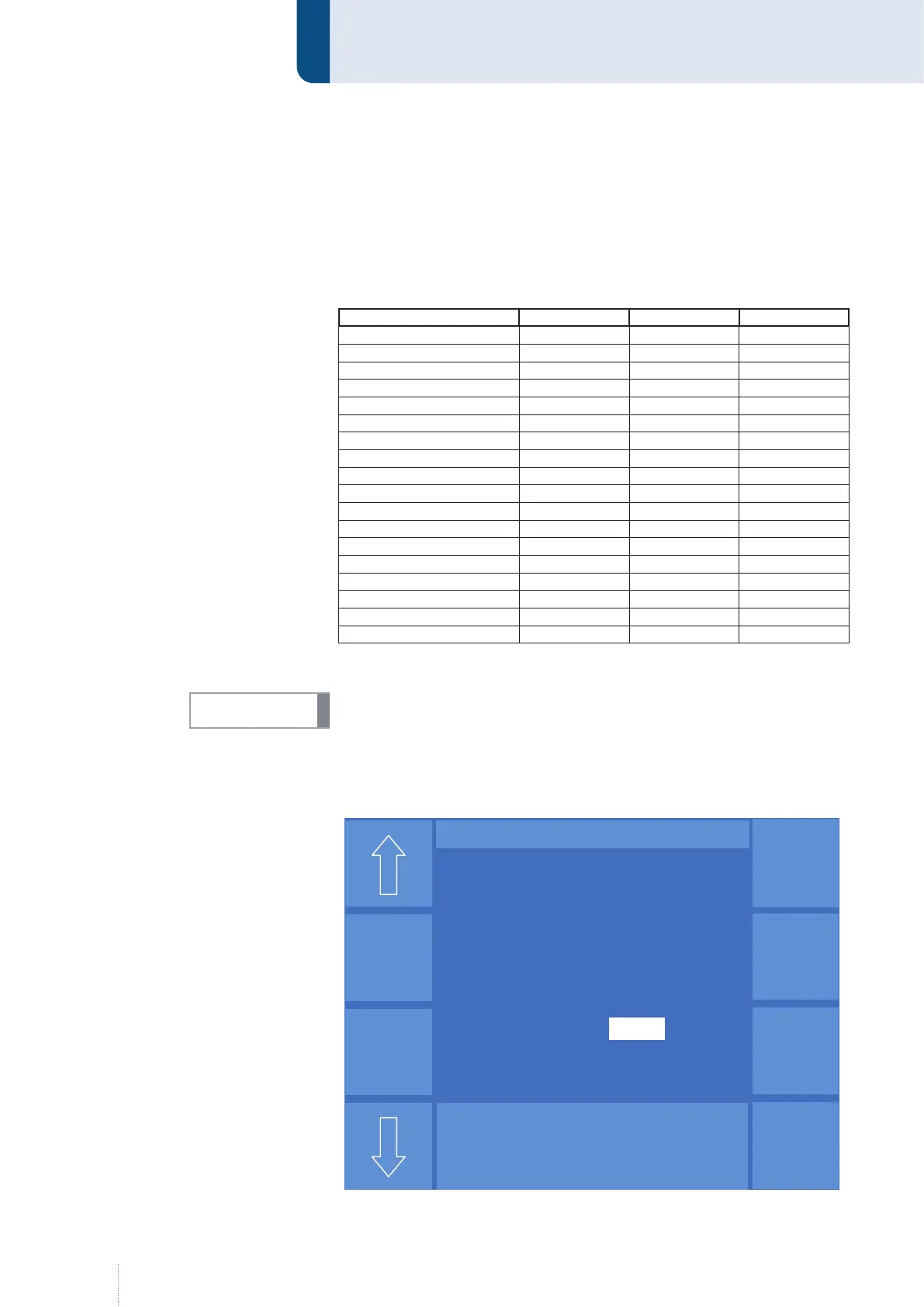
Parameters Control Weld Vari Weld Speed Weld
Time (duration) x x x
Upslope x x x
Wire feed
Downslope x x x
Gas pre-flow x x x
Gas post-flow x x x
Inching-in x x x
Ignition mode x x x
Voltage x
Choke x
Burnback x x x
Inclination x
Arc length x
Pulse frequency x x
Base current x x
Pulse time x x
Pulse current x
Pulse voltage x
6.7.4 "DuoPulse parameters" in the "Expert Mode"
DuoPulse is not an independent pulsed arc welding process but only a
changing between two parameter settings.
If the "Expert Mode" function is active, the "DuoPulse parameters" function
is available for the start, main and end program in the "PROGRAMMING"
menu.
INFO!
Startmen
ü
Expert
Mode
DuoPuls H A U P T
Puls 2
-Takt
V
0
A
1.2 mm Fe
82% Argon 18% CO
2
0.0
DP-Frequenz 1.5 Hz
DP-Tastverhältnis 50 %
2. Pulszeit 1.9 ms
2.Pulsstrom 450 A
2. Grundstrom 60 A
Duopuls Ein
DP-Modus Draht/Energ
2. Drahtvorschub 11. m/min
Startmenü
Expert Mode
DuoPuls H A U P T
Puls 2
-Takt
V
0
A
1.2 mm Fe
82% Argon 18% CO
2
0.0
DP-Frequenz 1.5 Hz
DP-Tastverhältnis 50 %
2. Pulszeit 1.9 ms
2.Pulsstrom 450 A
2. Grundstrom 60 A
Duopuls Ein
DP-Modus Draht/Energ
2. Drahtvorschub 11. m/min
Figure 22. "DuoPulse parameters" for "Vari Weld" process


 To Next Page