60
MAIN (2) - Config (Configuration)
9. MAIN (2) - Config (Configuration)
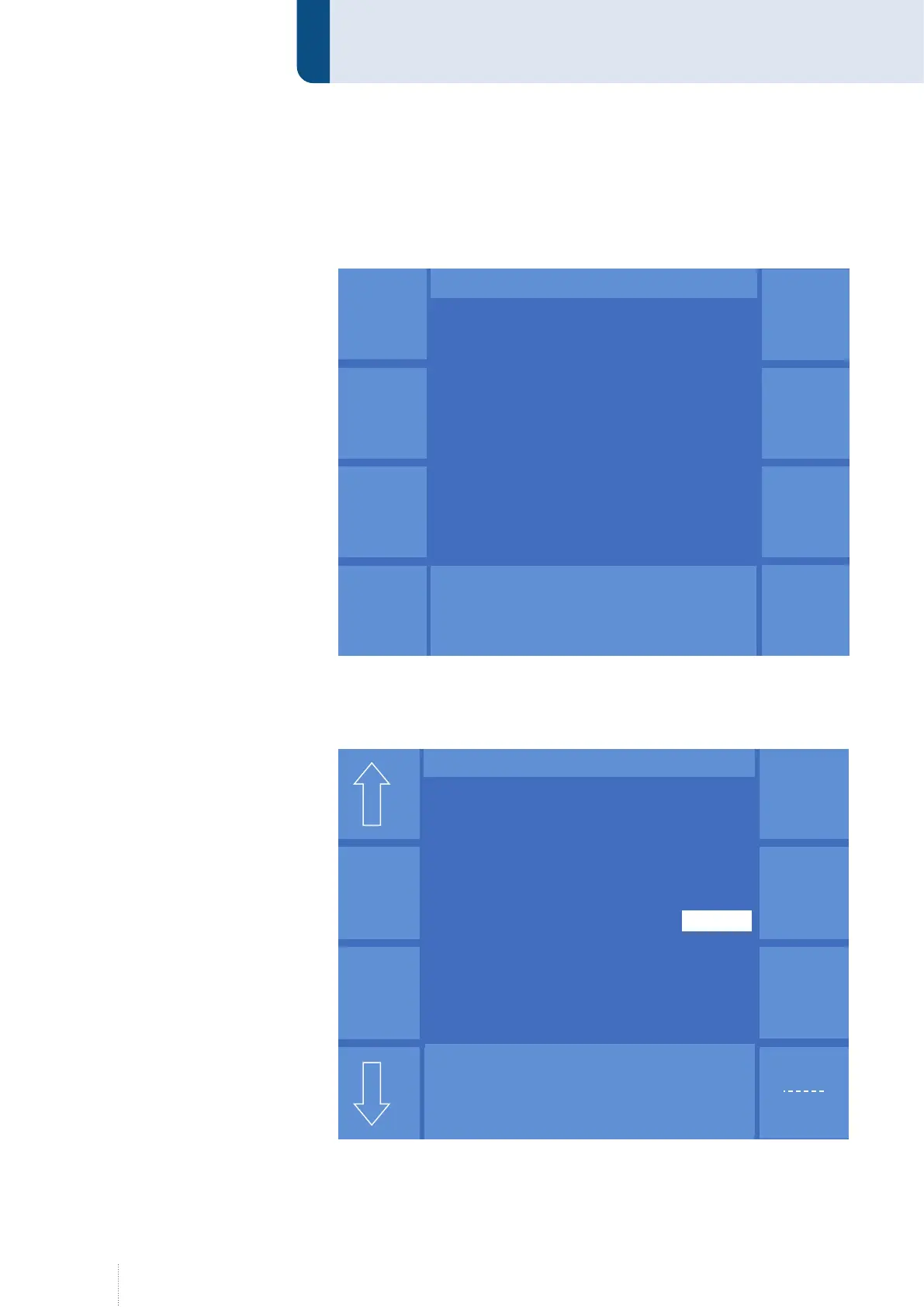
From the MAIN(1) display, you can access the MAIN(2) display by pressing
the "-->" key. Then press the "Config" function.
9.1 Config - General
Use the arrow symbols to switch between the individual menu items.
Allgemein
KONFIG
Puls 4 -Takt
V
0
A
1.2 mm Fe
82% Argon 18% Co
2
0.0
Wasser-
über-
wachung
Kompen-
sation
Benutzer-
verwaltung
Ethernet
Uhr
Prozess-
über-
wachung
Figure 29. "Config" menu
Figure 30. "Config" - "General" menu
Display Konfig Allgemein ab V2 NexT
Grund-
einstellung
Puls 4 -Takt
V
0
A
1.2 mm Fe
82% Argon 18% Co
2
0.0
Konfig - Allgemein
Displayhelligkeit im Standby
Beleuchtung (%) 53
MWW 405 T
Stellparameter Dyn
Sense-
technik
QWD
SD-Modul
Displayhelligkeit im Normalbetrieb
Beleuchtung (%) 95
Intervall 3
Schrittweite 5
Pumpe Automatik
Steuerung Kühlwasserpumpe
Optionen


 To Next Page