66
MAIN (2) - Config (Configuration)
9.1.7.2 Config - General - QWD - QWD Push-Pull
In this menu you configure which PushPull drive is connected to which
wire drive (QWD1 ... QWD4).
Blocked drives will be displayed in red in the selection. These drives may be
activated optionally.
9.1.8 Config - General - SD module
"Off" The error message is only displayed as long as the error exists.
“until
reset”
The error message is displayed until the next weld start.
For more information on the configuration of the SD module, refer to sec-
tion "3. SD module" on page 152.
9.1.9 Config - General - Options
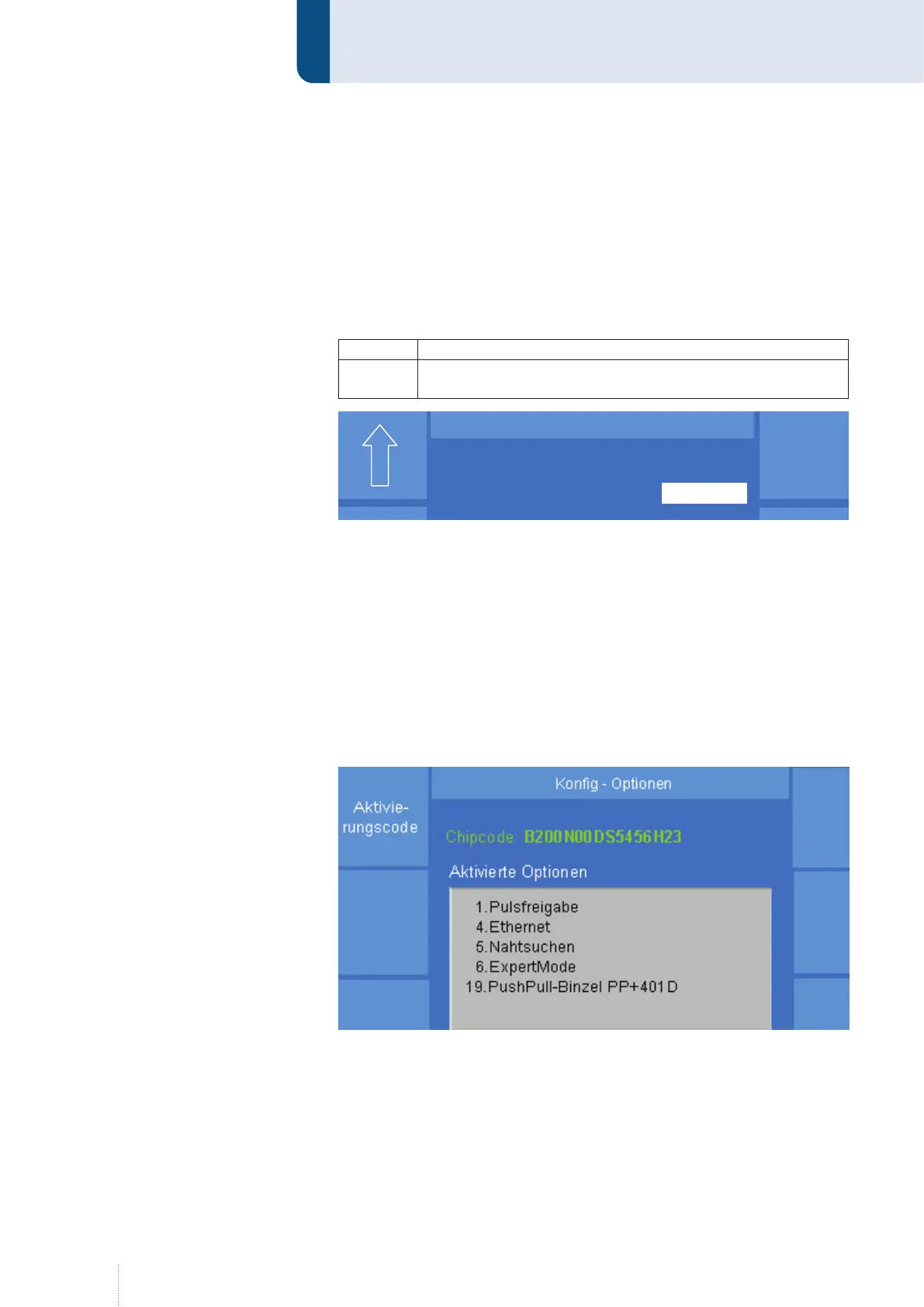
The welding power source is equipped with an option chip. Each time
when being switched on, the processor of the welding power source de-
tects the activated software options in the option chip, e. g. Pulse enable,
ExpertMode, Operating data, Push-Pull systems etc., see Figure 36.
If you intend to activate an additional option, CLOOS Schweisstechnik will
provide a new 16 digit activation code.
Puls 4 -Takt
V
0
A
1.2 mm Fe
82% Argon 18% Co
2
0.0
Konfig – SD Modul
SD-Modul Ausgänge
Zustand speichern bis Reset
Puls 4 -Takt
V
0
A
1.2 mm Fe
82% Argon 18% Co
2
0.0
Puls 4 -Takt
V
0
A
1.2 mm Fe
82% Argon 18% Co
2
0.0
Konfig – SD Modul
SD-Modul Ausgänge
Zustand speichern bis Reset
Figure 35. "Config" - "General" - "SD module" menu
Figure 36. "Config" - "General" - "Options" menu


 To Next Page