Setup procedures—Part 3
7-2 HF SSB transceiver reference manual
Page call canned message setup
Setup code 24441
This procedure is used to prepare and store up to three
messages ready for sending in a page call.
The message length can be up to 64 characters.
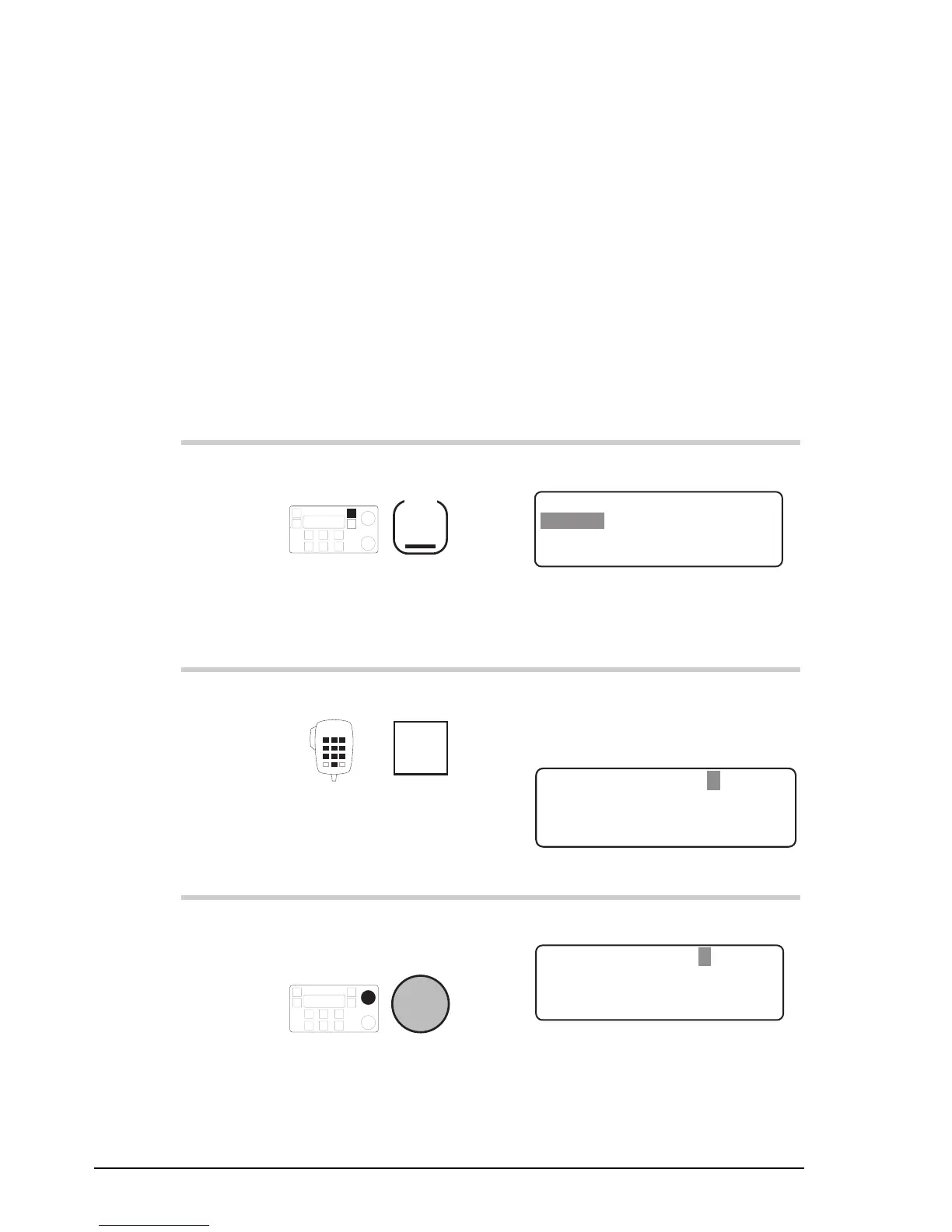
To prepare a canned message:
Action Notes
1.
Repeatedly press
Mode
until you see the
display for Setup mode.
The display shows:
EXIT
SETUP MENU
1–Scan
2–Call
ENTER
3–Config
4–More
1/2
2.
Enter 24441
numeral
button
The message number is shown
in the top right position of the
display:
EXIT
Press F2 to edit
Page Call Message: 1
EDIT
– – – – – – – – – – – – – – – – – – – –
3.
To select a different
canned message, rotate
Select
Example of canned message 3:
EXIT
Press F2 to edit
Page Call Message: 3
EDIT
– – – – – – – – – – – – – – – – – – – –
Setup procedures—Part 3
7-2 HF SSB transceiver reference manual
Page call canned message setup
Setup code 24441
This procedure is used to prepare and store up to three
messages ready for sending in a page call.
The message length can be up to 64 characters.
To prepare a canned message:
Action Notes
1.
Repeatedly press
Mode
until you see the
display for Setup mode.
The display shows:
EXIT
SETUP MENU
1–Scan
2–Call
ENTER
3–Config
4–More
1/2
2.
Enter 24441
numeral
button
The message number is shown
in the top right position of the
display:
EXIT
Press F2 to edit
Page Call Message: 1
EDIT
– – – – – – – – – – – – – – – – – – – –
3.
To select a different
canned message, rotate
Select
Example of canned message 3:
EXIT
Press F2 to edit
Page Call Message: 3
EDIT
– – – – – – – – – – – – – – – – – – – –



 To Next Page