EasyManua.ls Logo

Codan HF SSB - GPS display on;off

Codan HF SSB
228 pages
Print Icon
To Next Page IconTo Next Page
To Previous Page IconTo Previous Page
Loading...
Setup procedures—Part 2
HF SSB transceiver reference manual 6-21
GPS display on/off
Setup code 3421
This procedure is used to switch on or off the display of the
Global Positioning System (GPS) location of your
transceiver.
Your transceiver needs to be connected to a GPS receiver.
To switch on or off the displaying of GPS information:
Action Notes
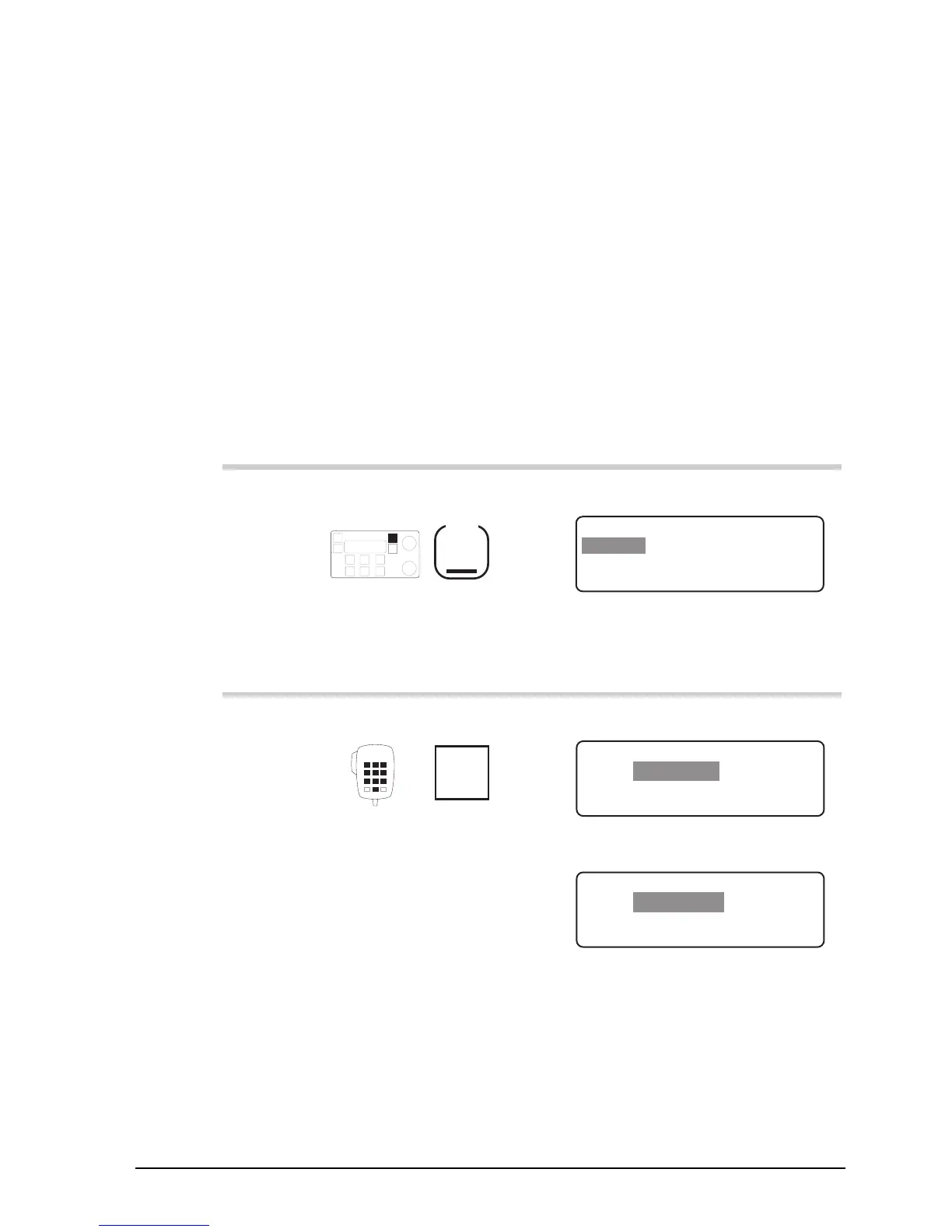
1.
Repeatedly press
Mode
until you see the
display for Setup mode.
The display shows:
EXIT
SETUP MENU
1–Scan
2–Call
ENTER
3–Config
4–More
1/2
2.
Enter 3421
numeral
button
The display shows:
EXIT
Display LAT and LONG
ENTER
ENABLED
GPS Display
or
EXIT
GPS Display
GPS display disabled
ENTER
DISABLED
Setup procedures—Part 2
HF SSB transceiver reference manual 6-21
GPS display on/off
Setup code 3421
This procedure is used to switch on or off the display of the
Global Positioning System (GPS) location of your
transceiver.
Your transceiver needs to be connected to a GPS receiver.
To switch on or off the displaying of GPS information:
Action Notes
1.
Repeatedly press
Mode
until you see the
display for Setup mode.
The display shows:
EXIT
SETUP MENU
1–Scan
2–Call
ENTER
3–Config
4–More
1/2
2.
Enter 3421
numeral
button
The display shows:
EXIT
Display LAT and LONG
ENTER
ENABLED
GPS Display
or
EXIT
GPS Display
GPS display disabled
ENTER
DISABLED

Table of Contents

Related product manuals