InteliLite
NT
AMF26-P, SW version 2.4, ©ComAp – January 2016 101
AMF26-P-2.4 Reference Guide.pdf
ECU-controlled engine support
There exists only one firmware branch for both standard and electronic controlled (monitored)
engines.
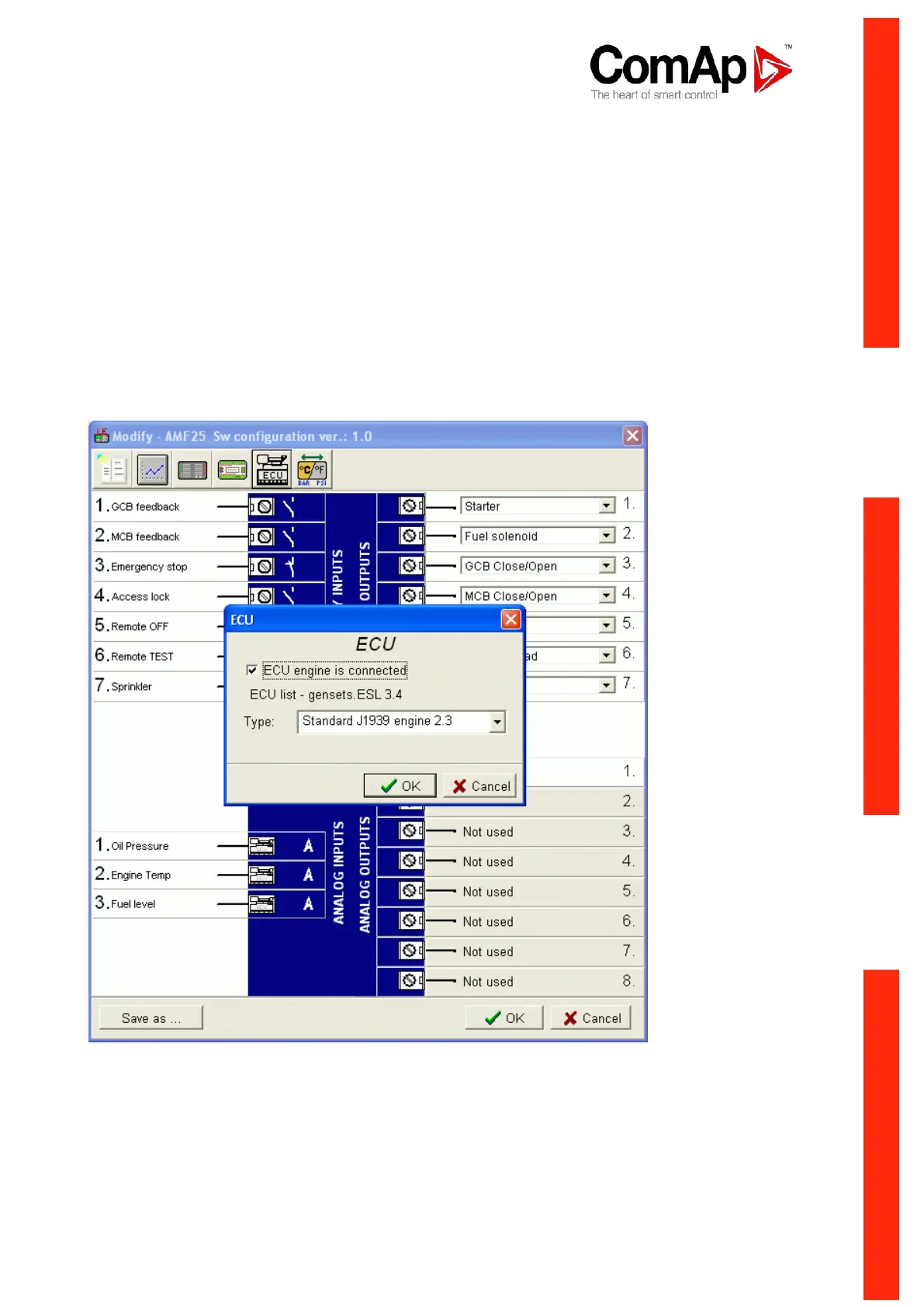
Presence of the ECU on the CAN bus/RS232 is configured via LiteEdit like other peripheries (IG-IOM, IGL-
RA15). Pressing the ECU button in Configuration window of LiteEdit opens ECU dialog window where the
appropriate engine/ECU type should be selected. The actual list of ECU types is available on ComAp
website in "ECU list - x.y.iwe" package. Download this package and import it into LiteEdit in the same way as
standard firmware IWE package.
More information about ECU list packages, configuration and wiring recommendations can be found in
Comap Electronic Engines Support manual.












 To Next Page