InteliLite
NT
AMF26-P, SW version 2.4, ©ComAp – January 2016 133
AMF26-P-2.4 Reference Guide.pdf
Remote Control and Data Logging
Direct connection to the PC
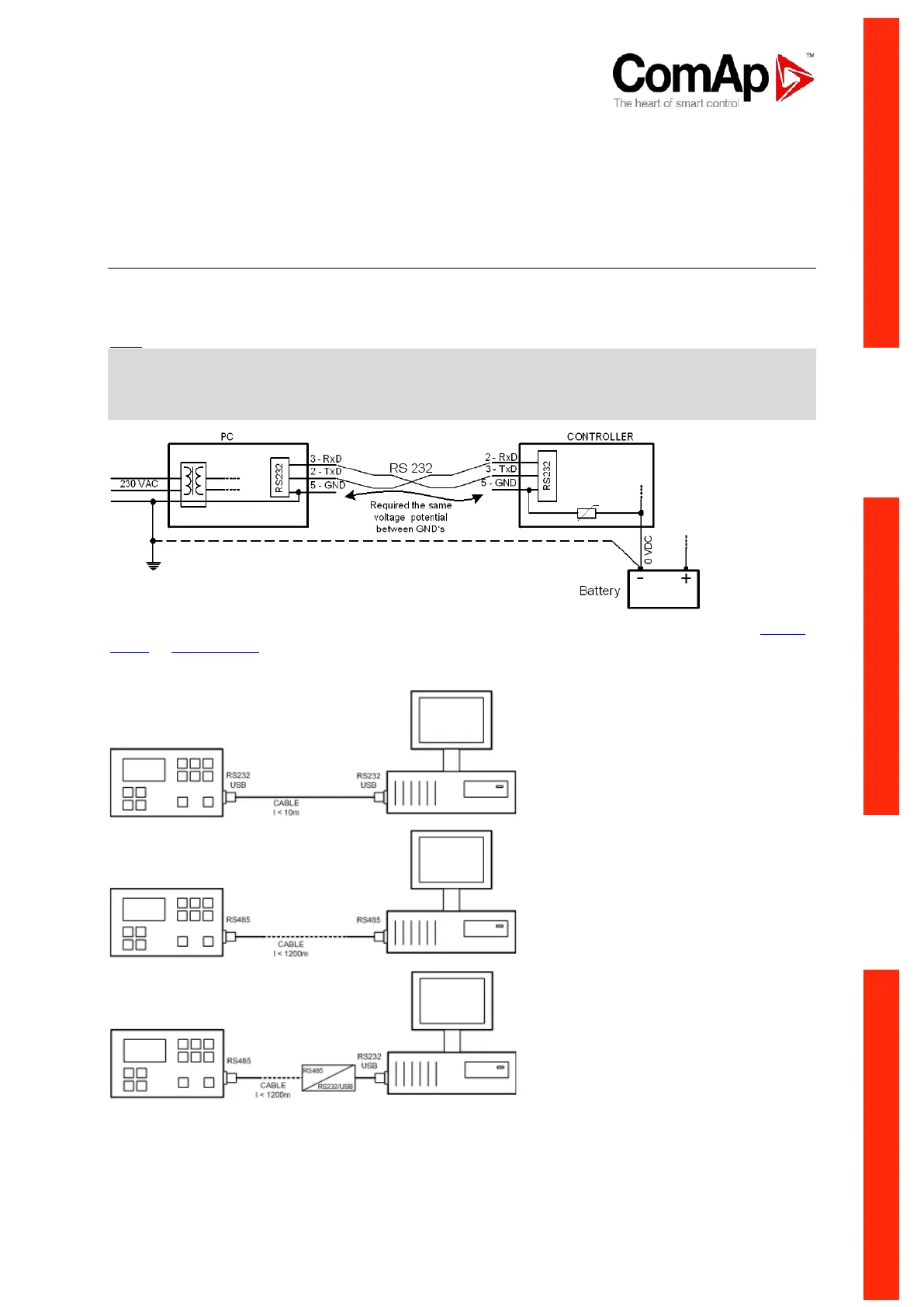
IL-NT can be connected directly with PC via optional IL-NT RS232 interface.
Use the recommended ComAp AT-LINK CABLE 1.8M or cross-wired serial communication cable with
DB9 female connectors and signals Rx, Tx, GND for RS232 connection.
Hint:
Make sure the grounding system on controller and PC – COM port (negative of the PC DC supply) are
identical – before the first direct connection. There must not be any voltage between these two points
otherwise the internal reversible fuse in controller burns out. The simple solution is to assure, that the
PC supply 240/20V is ground free (GND terminal is not connected).
RS232, USB or RS485 interface can be used for direct cable connection to a PC. The setpoint COM1
Mode or COM2 Mode (according to the used interface) must be set to DIRECT position for this kind of
connection.












 To Next Page