InteliLite
NT
AMF26-P, SW version 2.4, ©ComAp – January 2016 131
AMF26-P-2.4 Reference Guide.pdf
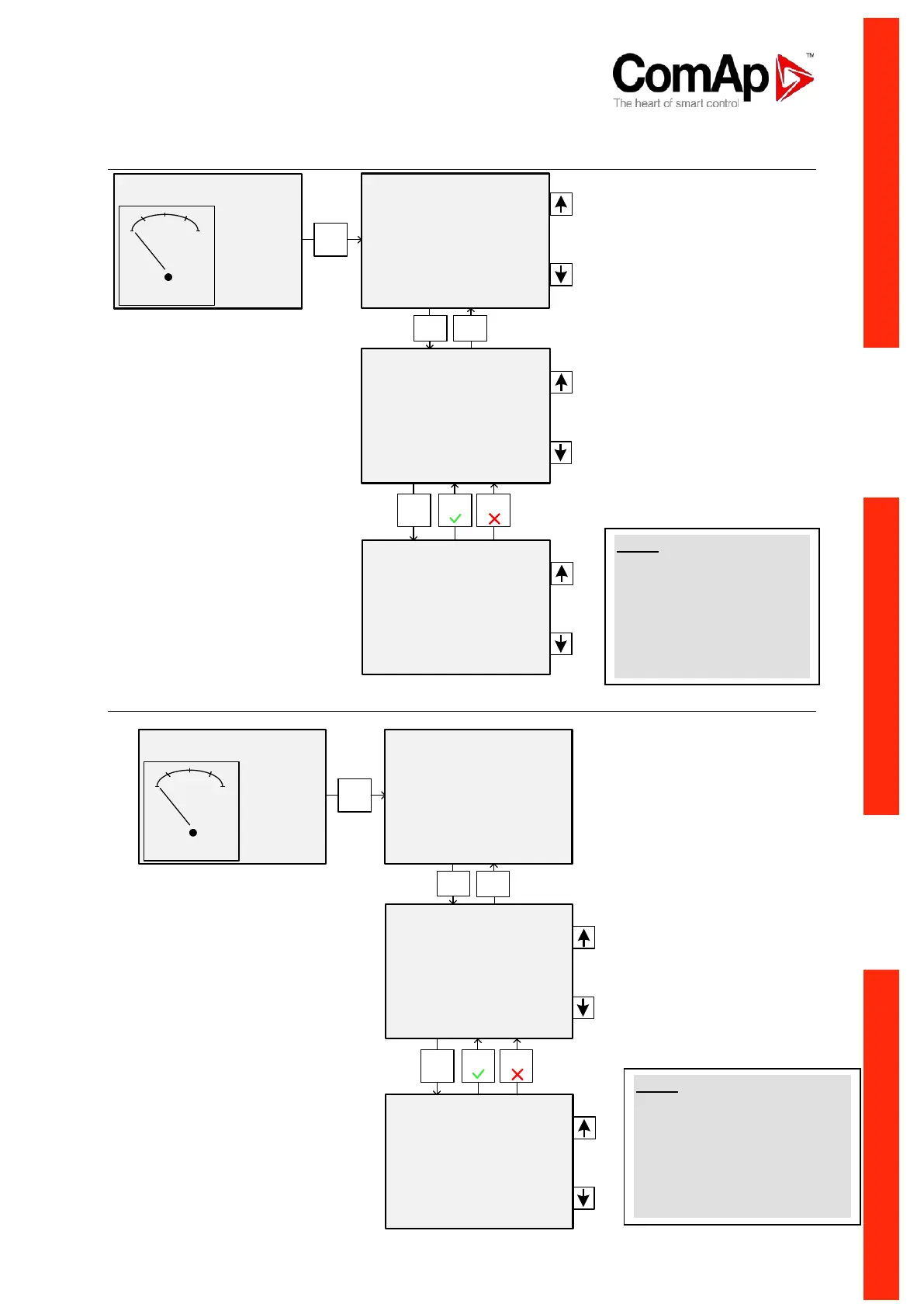
Setpoint Change
Entering the Password
OFF MAN AUT TEST !
Not ready
MainsFlt
PF 0.00
RPM 0
No Timer
0 kW 0
Password
>Basic Settings
Engine Params
Engine Protect
Gener Protect
AutoMains Fail
Extension I/O
Date/Time
Enter
Page
Enter
Enter Page
Page
Gen-set Name
>Nominal Power
200 kW
*Nomin Current
350 A
CT Ratio
2000 /5A
Gen-set Name
>Nominal Power
250 200 kW
*Nomin Current
350 A
CT Ratio
2000 /5A
NOTE:
Cannot change setpoint?
Setpoints marked with an
asterisk are password
protected. Enter password
as described in the chapter
Entering the Password
below.
OFF MAN AUT TEST !
Not ready
MainsFlt
PF 0.00
RPM 0
No Timer
0 kW 0
>Password
Basic Settings
Engine Params
Engine Protect
Gener Protect
AutoMains Fail
Extension I/O
Date/Time
>EnterPassword
Changepassword
Enter
Page
Enter
Enter Page
>EnterPassword
0
Changepassword
Page
NOTE:
Lost password? Display the
information screen containing
the serial number and
password decode number as
described in the chapter below
and send them to your local
distributor.












 To Next Page