InteliLite
NT
AMF26-P, SW version 2.4, ©ComAp – January 2016 28
AMF26-P-2.4 Reference Guide.pdf
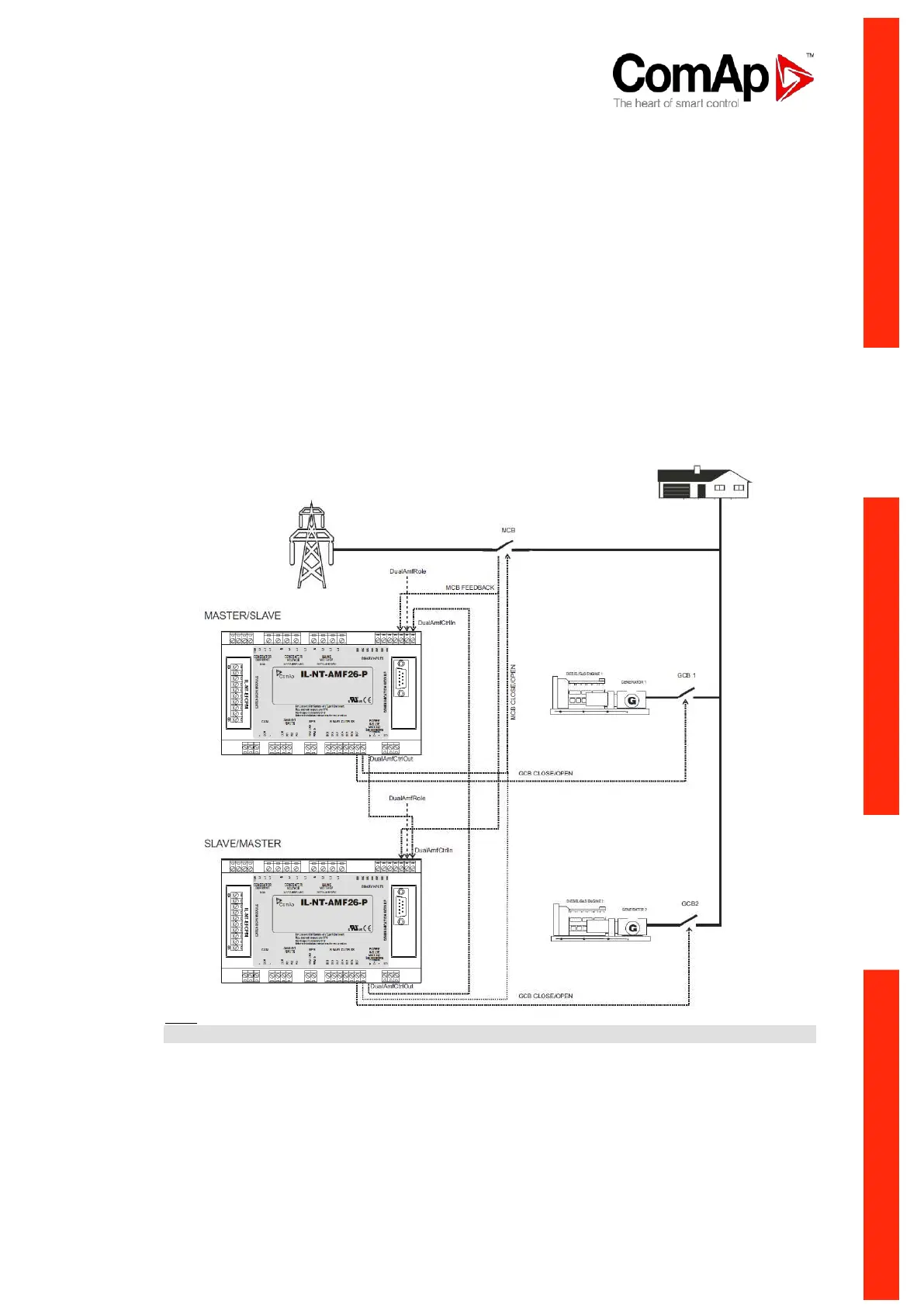
1- Prepare two IL-NT-AMF26P controllers. Copy the identical configurations to both of them.
2- Use wiring with mechanical/electrical interlock between all breakers (GCB1, GCB2 and MCB)
3- Configure one binary input on each controller as DualAMFCtrlIn.
4- Configure one binary output on each controller as DualAMFCtrlOut.
5- Interconnect DualAMFCtrlOut from one controller with DualAMFCtrlIn on second controller.
Interconnect DualAMFCtrlOut from second controller with DualAMFCtrlIn on first controller. So
you have two wires interconnecting both controllers.
6- Set setpoint “MCB Opens On” to MAINSFAIL on both controllers.
7- Set „DualAMFTime“ to time period in which you wish to switch gensets in supplying the load.
For example 6 hours. Make this setting on Master controller. Only Master controller controls
this timer.
8- Set "Operation Mode" to MASTER on first controller and to SLAVE on second controller.
9- Change the mode of both controllers to AUT.
10- System is now ready for DualAMF function.
Wiring of system with selectable MASTER and SLAVE role settings:
Hint:
GCB and MCB breakers feedbacks are recommended, but not required.












 To Next Page