INS_CNGE3FE8MS[POE][HO] Rev. 11.7.17 PAGE 159
INSTRUCTION MANUAL CNGE3FE8MS[POE][HO]
TECH SUPPORT: 1.888.678.9427
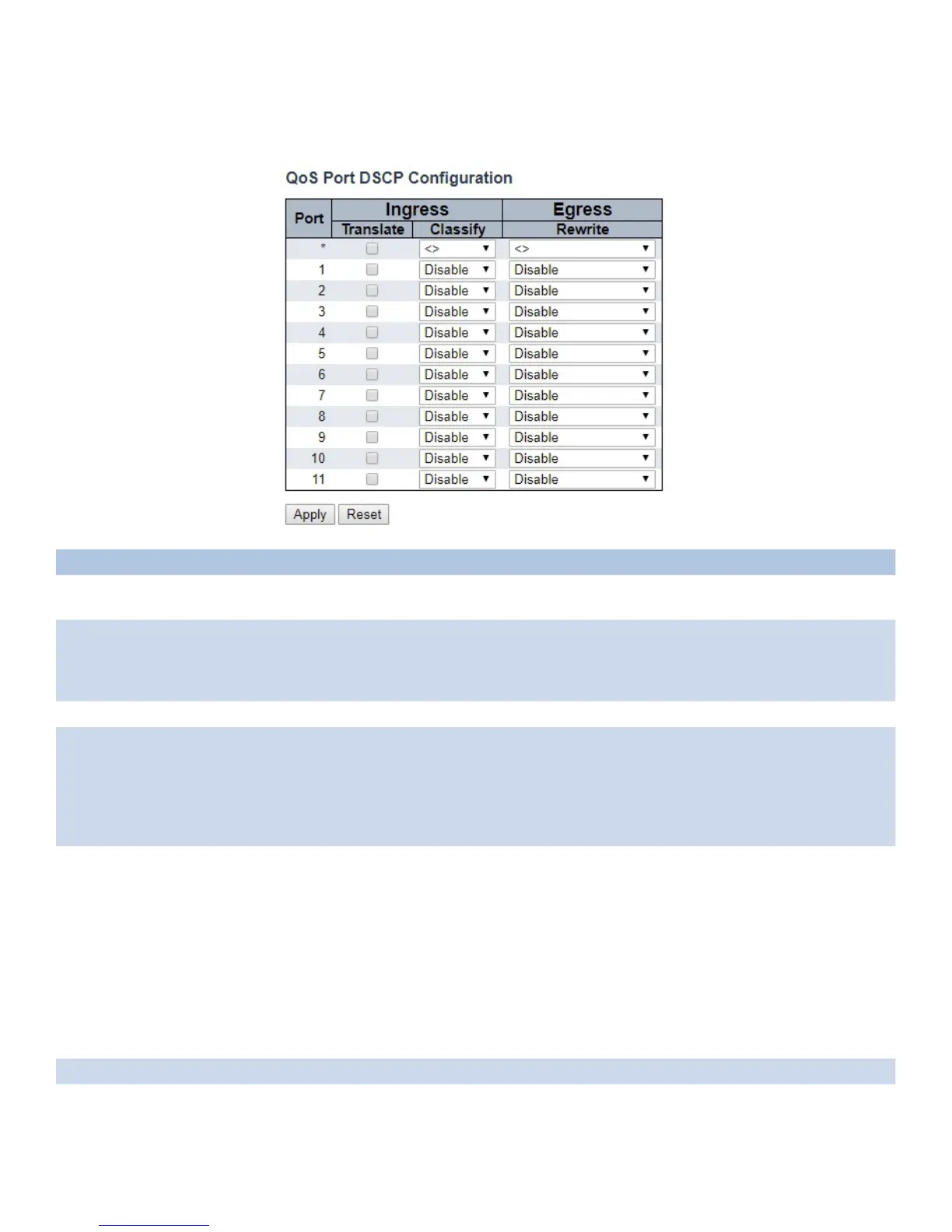
Port DSCP
This page allows you to configure the basic QoS Port DSCP Configuration settings for all switch ports.
Object Description
Port The Port column shows the list of ports for which you can configure dscp ingress and egress
settings.
Ingress In Ingress settings you can change ingress translation and classification settings for individual ports.
There are two configuration parameters available in Ingress:
Translate
Classify
Translate To Enable the Ingress Translation click the checkbox.
Classify Classification for a port has 4 different values.
-Disable: No Ingress DSCP Classification.
-DSCP=0: Classify if incoming (or translated if enabled) DSCP is 0.
-Selected: Classify only selected DSCP for which classification is enabled as specified in DSCP
Translation window for the specific DSCP.
-All: Classify all DSCP.
Egress Port Egress Rewriting can be one of -
-Disable: No Egress rewrite.
-Enable: Rewrite enabled without remapping.
-Remap DP Unaware: DSCP from analyzer is remapped and frame is remarked with remapped DSCP
value. The remapped DSCP value is always taken from the ‘DSCP Translation->Egress Remap DP0’
table.
-Remap DP Aware: DSCP from analyzer is remapped and frame is remarked with remapped DSCP
value. Depending on the DP level of the frame, the remapped DSCP value is either taken from the
‘DSCP
Translation->Egress Remap DP0’ table or from the ‘DSCP
Translation->Egress Remap DP1’ table.
Apply Click to apply changes.
Reset Click to revert to previous values.



 To Next Page