CONTROLLER
OPERATION
42
A
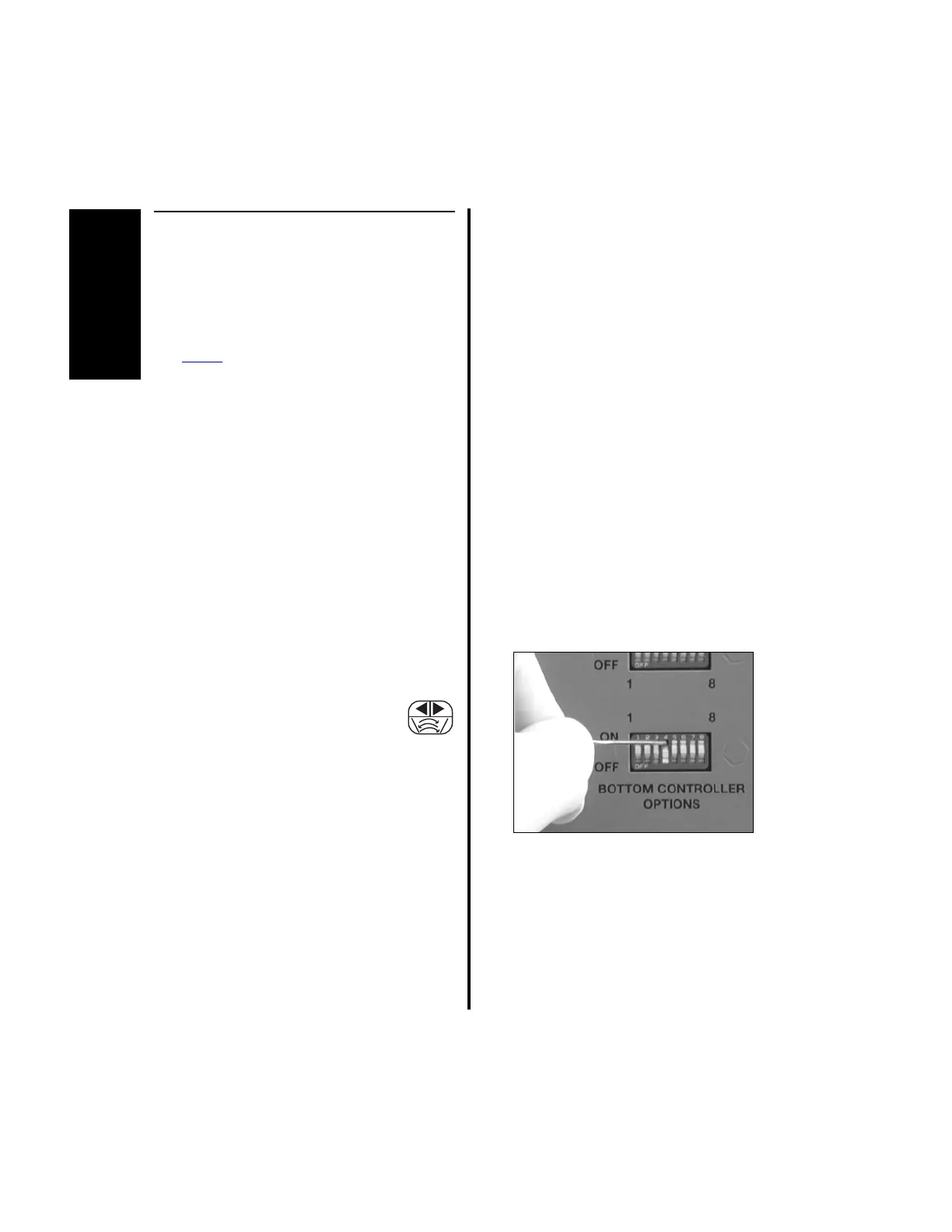
2.1.3.6 Switch 4 - Oscillate Mode
Selection (Shaver Handpieces
Only)
NOTES:
1. This switch applies to the E9000 and
Power
Pro controller and to all ports of
the Advantage controller.
2. This description of the functionality of
this switch does not apply to the
Advantage Turbo Handpieces, D9920
and D9924. See “2.1.3.7 Switch 4 -
Oscillate Mode Selection (Turbo Shaver
Handpieces Only - D9920 and D9924)”
on page 43.
The position of this switch determines the mode
of operation, either single- or multi-turn
oscillate mode, of the MicroChoice Shaver
Handpieces, APEX Shaver Handpieces, E9005
High Speed Shaver, and the Advantage Shaver
Handpieces (D9820 and D9824).
When using the 2-Pedal Footswitch
(5020-053), the oscillation mode must
first be selected using the left
footswitch pedal [Reference “2.1.7 Footswitch
Operation (Advantage Top Portion Only,
PowerPro and E9000)” on page 55]. If using
the Full-Function Shaver Handpieces (MC9828
and C9828), the APEX 2-Button Handpiece
(C9824), or the Advantage 2-Button Shaver
Handpiece (D9824), selection can also be made
by pressing the handpiece direction select
button.
1. When the controller is set to operate in
single-turn oscillate mode, depressing the
right pedal on the 2-Pedal Footswitch
(5020-053) or the center pedal on the
3-Pedal Footswitch (C9863) causes the
blade to rotate approximately one
revolution in one direction, then in the
opposite direction.
2. To set the controller to single-turn oscillate
mode, place switch 4 to the “OFF” position.
3. When the controller is set to operate in
multi-turn oscillate mode, depressing the
right pedal on the 2-Pedal Footswitch
(5020-053) or the center pedal on the
3-Pedal Footswitch (C9863) causes the
blade to rotate several times in one
direction, then several times in the opposite
direction.
(a) To set the controller to multi-turn
oscillate mode, place switch 4 to the
“ON” position.















 To Next Page